Hands-On Lab: Amazon Lex Console, Bot Builder, Intents, Slots & Visual Flows
Key Takeaways
Amazon Lex V2 provides two primary paths for bot authoring: Traditional Bot Construction (starting from pre-built domain templates, blank configurations, or conversation transcripts) and Generative AI Bot Generation (leveraging Amazon Bedrock foundation models to automatically construct intents, slots, and conversational logic from natural language instructions).
The hands-on architecture relies on configuring Intents (what the user wants to accomplish), defining Sample Utterances (trigger phrases), eliciting Slots (variables like city, dates, and durations), and visualizing state transitions with the Visual Conversation Builder before executing serverless business fulfillment via AWS Lambda Code Hooks.
Hands-On Workflow: Building & Configuring a Lex V2 Bot
- Initialize Bot Creation & Select Authoring Method:
- Open the Amazon Lex V2 Console in your target AWS Region.
- Click Create bot.
- Select your creation method:
- Generative AI bot: Automatically creates intents, slots, and conversational dialogue using foundation models via Amazon Bedrock.
- Start with an example: Deploys a pre-structured reference architecture (e.g., the
BookTriptemplate).
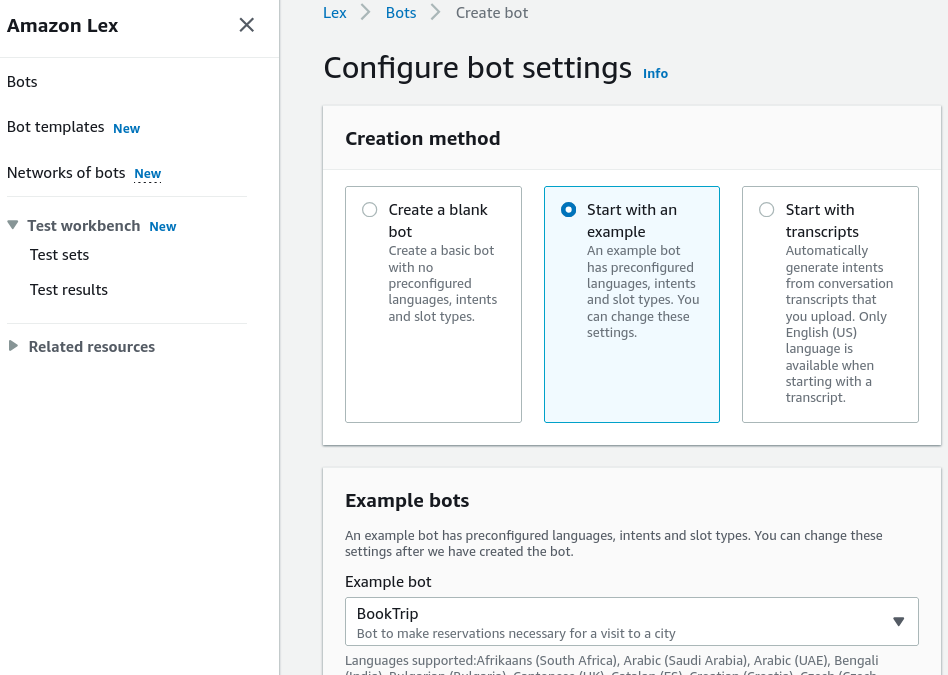
- Configure metadata:
- Bot name:
DemoBookTrip
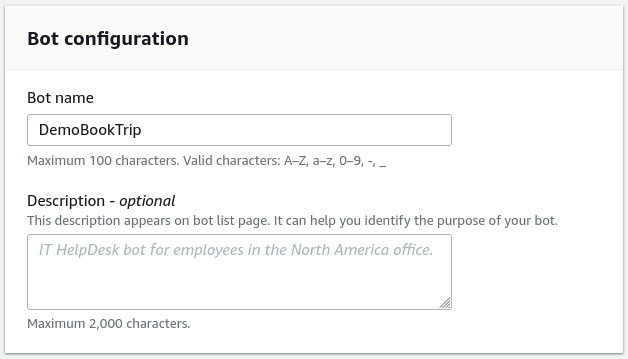
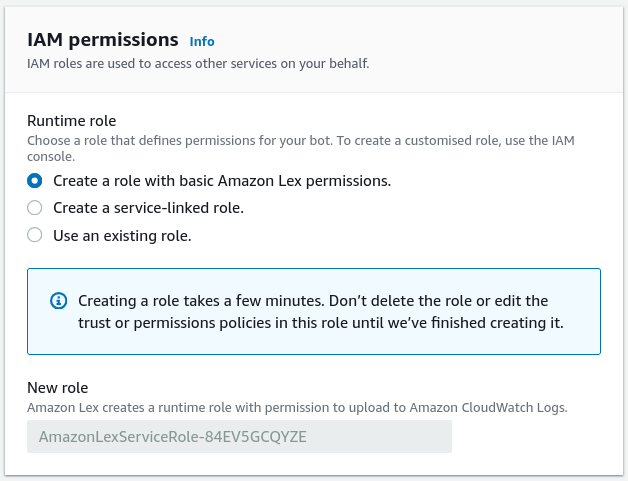
- IAM permissions: Create a role with basic Amazon Lex permissions.
- Children's Online Privacy Protection Act (COPPA): Select
No.
- Bot name:
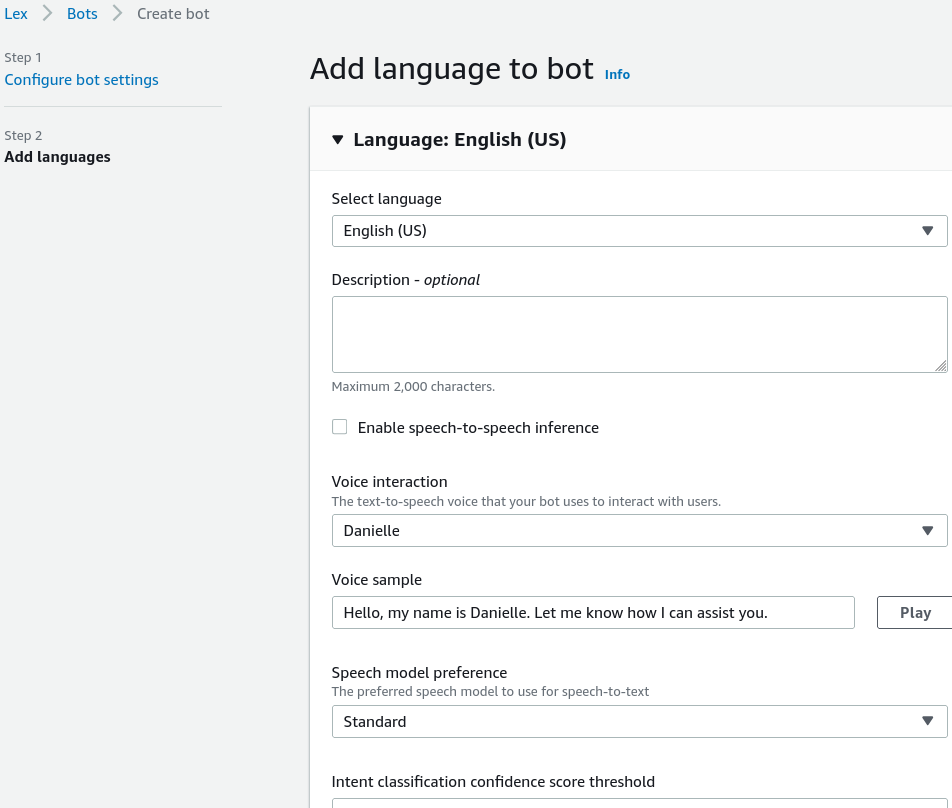
- Configure Language & Voice Persona:
- Set linguistic and speech rendering parameters:
- Select primary language: English (US).
- Choose an Amazon Polly Voice Persona (e.g., Danielle or Matthew) to synthesize spoken responses for voice-enabled channels.
- Click Done to initialize the bot builder environment.
- Inspect Intent Hierarchy & Fallback Handling:
- Review the intent navigation pane:
BookHotelIntent: Handles hotel reservations.BookCarIntent: Handles rental vehicle bookings.FallbackIntent: Triggers automatically when a user utterance cannot be matched to any custom intent, providing recovery prompts or routing to human agents.
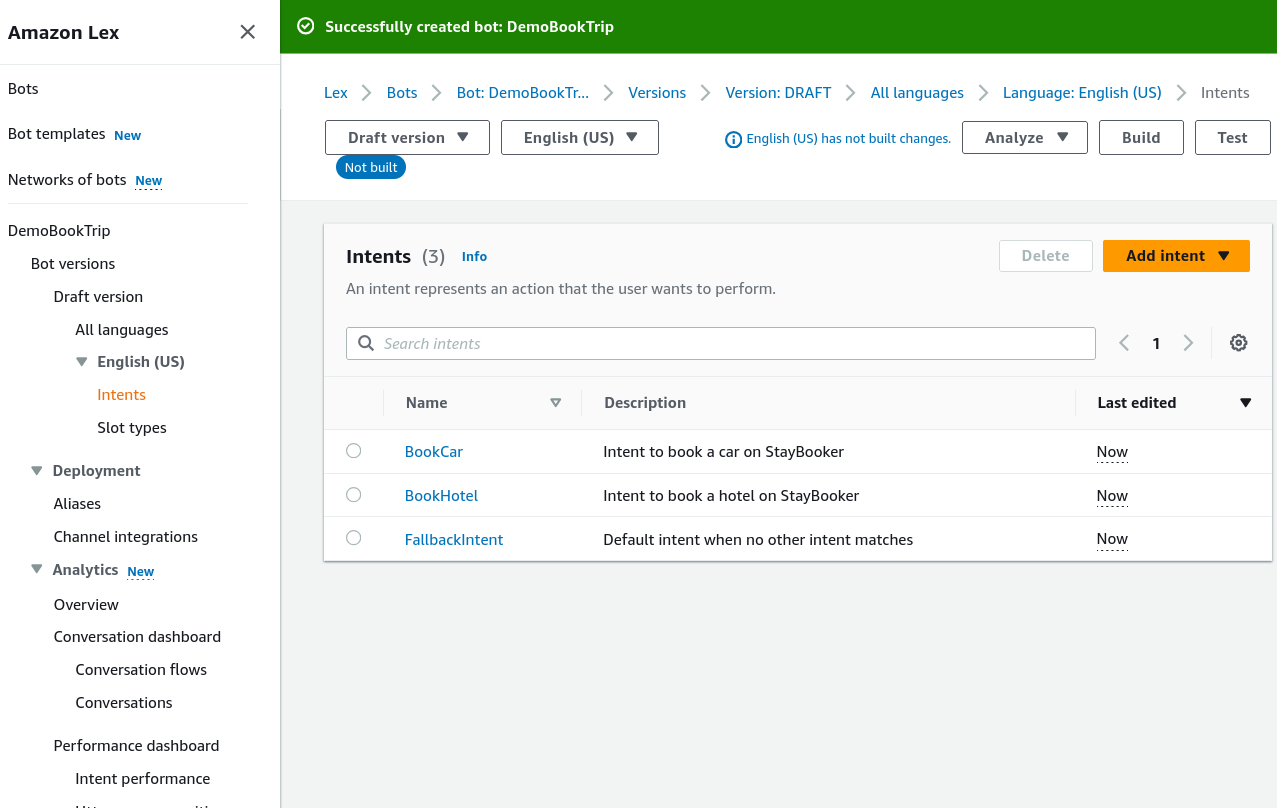
- Configure Sample Utterances & Slots in BookHotel:
- Open the
BookHotelintent editor:
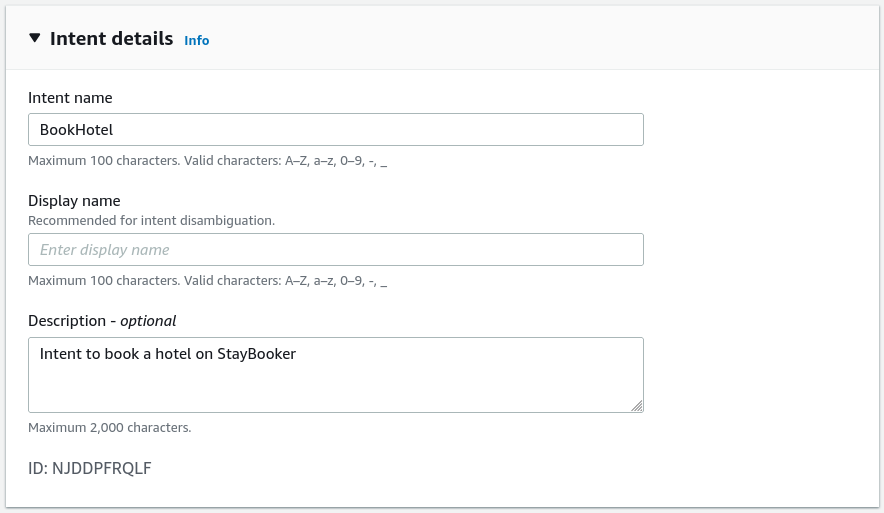
- Add Sample Utterances that users might speak or type:
- "Book a hotel"
- "I want to make a hotel reservation"
- "Book
{Nights}nights in{Location}"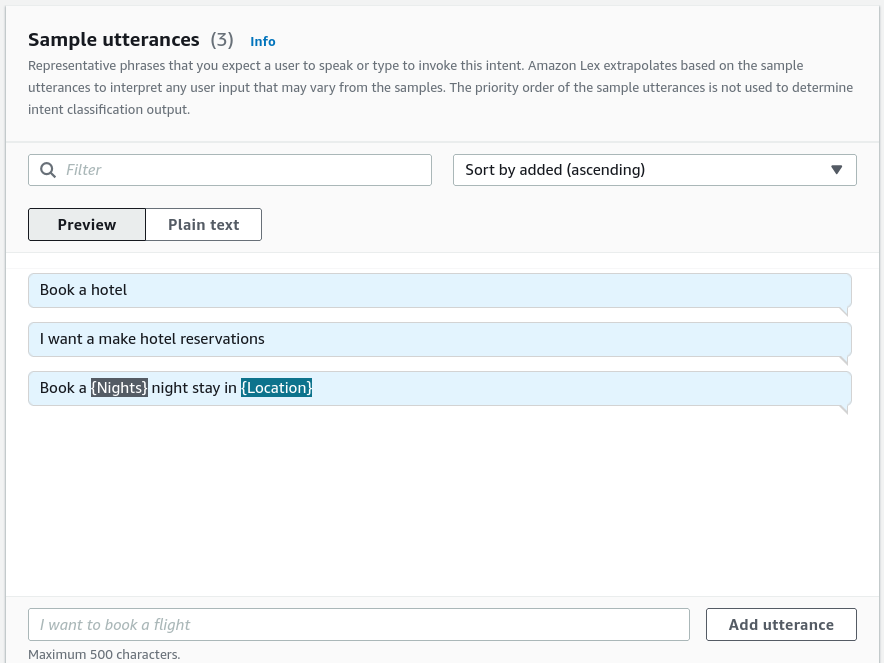
- Configure the Slots (required parameters):
{Location}(Type:AMAZON.City) - Prompt: "What city will you be staying in?"{CheckInDate}(Type:AMAZON.Date) - Prompt: "What day do you want to check in?"{Nights}(Type:AMAZON.Number) - Prompt: "How many nights will you be staying?"{RoomType}(Type: Custom enumeration:King,Queen,Deluxe) - Prompt: "What type of room would you prefer?"
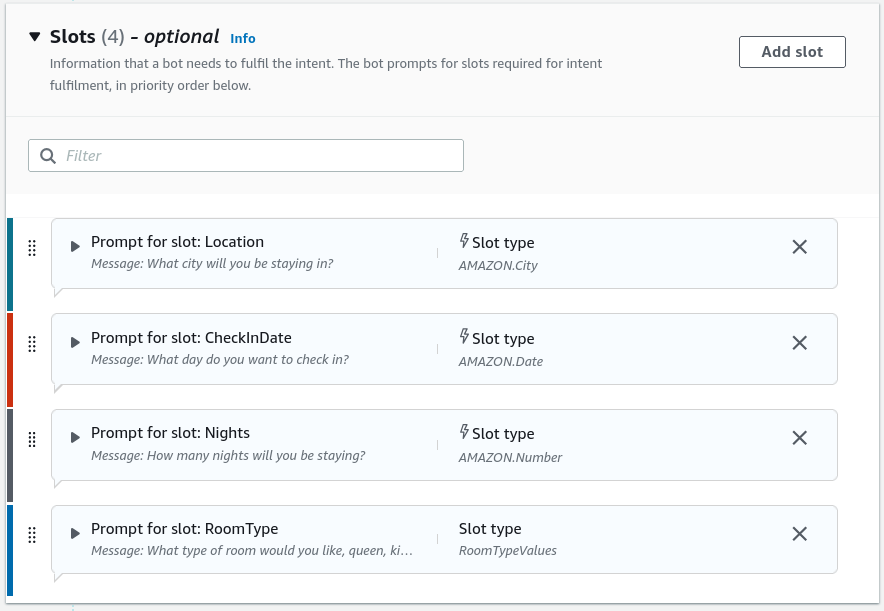
- Open the
- Utilize the Visual Conversation Flow Builder:
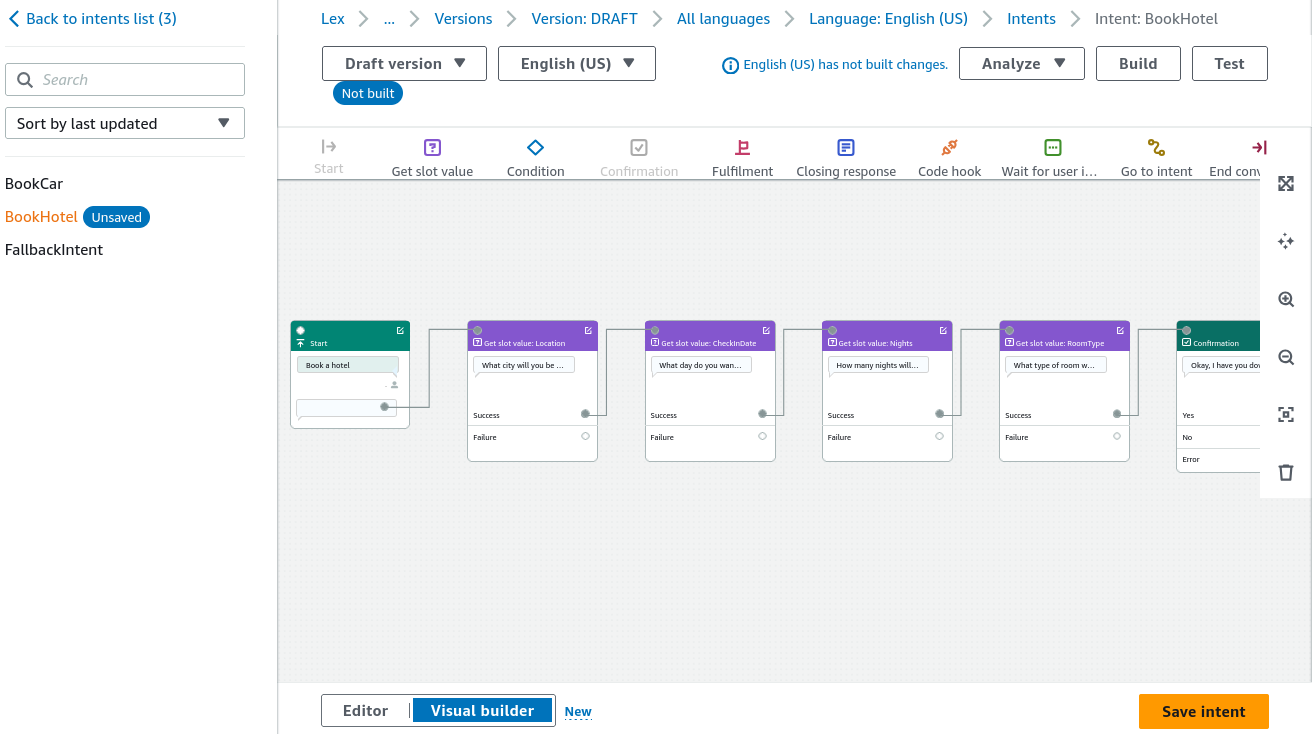
- Toggle to the Visual Builder view:
- Inspect the graphical flowchart displaying state nodes: Start Intent Initial Response Slot Elicitation Sequence Confirmation / Rejection Branches Fulfillment.
- Use drag-and-drop connections to customize dynamic branching logic and error conditions visually.
- Configure Fulfillment Code Hooks:
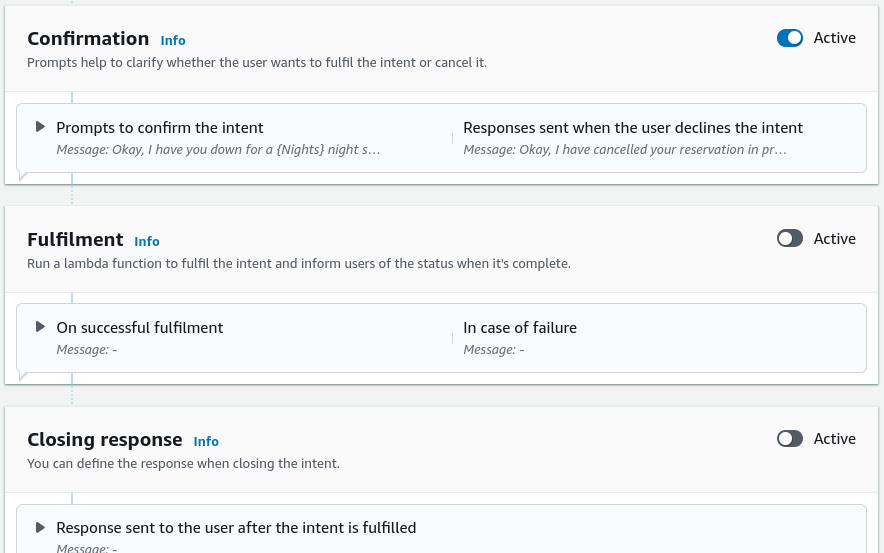
- Set the final action executed once all slots are validated:
- Under Fulfillment, select AWS Lambda function (or static confirmation response).
- Attach the target Lambda ARN to pass the structured JSON payload containing
{Location},{CheckInDate},{Nights}, and{RoomType}for backend database processing. - Click Build to compile the NLU model, then click Test in the console chat window.
Structural Comparison: Lex Visual Builder vs. Intent Form Editor
| Dimension | Standard Intent Form Editor | Visual Conversation Builder |
|---|---|---|
| Interface Style | Tabular, sequential field entry. | Node-based graphical flowchart. |
| Branching Visibility | Relies on nested dropdown menus and condition tabs. | Visual decision trees showing success, failure, and retry logic. |
| Complex Dialogue Flows | Best for simple, linear slot collection. | Best for complex multi-turn dialogues with dynamic conditional forks. |
| Underlying Engine | Both interfaces edit the exact same underlying Amazon Lex V2 bot schema. |
Exam Guide
Exam Tips
- Authoring Modes: Amazon Lex V2 supports traditional intent/slot manual creation, template bootstrapping (e.g.,
BookTrip), and Generative AI bot creation powered by Amazon Bedrock foundation models. - The Role of FallbackIntent: Every Lex bot contains a built-in
FallbackIntentthat executes when user utterances fail to match any configured intent with sufficient confidence score. - Slot Types:
- Built-in Slots: Provided by AWS (e.g.,
AMAZON.City,AMAZON.Date,AMAZON.Number,AMAZON.PhoneNumber). - Custom Slots: Defined by developers for domain-specific lists (e.g.,
RoomTypeOptions: [King, Queen, Suite]).
- Built-in Slots: Provided by AWS (e.g.,
- Visual Conversation Builder: AWS provides a visual flow builder inside Lex V2 that lets developers design conversational logic, retry loops, and branching conditions as a visual state machine without manual scripting.
- Testing Lifecycle: You must Build the Lex bot before running interactive tests in the console test console.
Practice Test
Question 1
A customer service developer is configuring an Amazon Lex bot to handle airline ticket changes. During testing, a test user enters the phrase "Can I switch my seat to business class?", which is not covered by any configured custom intent. Which Amazon Lex component handles this unmatched utterance by default?
- A. Amazon Rekognition Moderation Adapter
- B.
FallbackIntent - C. Amazon Comprehend Syntax Tokenizer
- D. Amazon Polly SSML Break
Correct Answer
- B.
FallbackIntent- Explanation: The built-in
FallbackIntentis automatically triggered when a user's utterance cannot be matched to any of the bot's configured custom intents with sufficient natural language understanding confidence.
- Explanation: The built-in
Question 2
A retail developer wants to create an Amazon Lex bot for coffee orders. The bot needs to gather the user's desired beverage type (Espresso, Latte, Cappuccino), which is a specific company menu selection not covered by built-in AWS slots. Which component should the developer create?
- A. A Custom Slot Type with enumeration values
- B. An Amazon Transcribe Custom Language Model (CLM)
- C. An Amazon Comprehend PII redaction policy
- D. A built-in
AMAZON.Numberslot
Correct Answer
- A. A Custom Slot Type with enumeration values
- Explanation: When an intent requires capturing domain-specific parameters that are not part of AWS's built-in slot library, the developer creates a Custom Slot Type and defines the allowable enumeration values (e.g.,
Espresso,Latte,Cappuccino).
- Explanation: When an intent requires capturing domain-specific parameters that are not part of AWS's built-in slot library, the developer creates a Custom Slot Type and defines the allowable enumeration values (e.g.,