Hands-On Lab: Amazon Textract Console, Structural Extraction, Natural Language Queries & Specialized Document APIs
Key Takeaways
Amazon Textract provides an interactive evaluation suite in the AWS Management Console to demonstrate how deep-learning-based document models extract raw text, semantic layout structure, key-value form relationships, multi-column tables, natural language queries, and specialized domain schemas without writing custom OCR code.
The hands-on console illustrates:
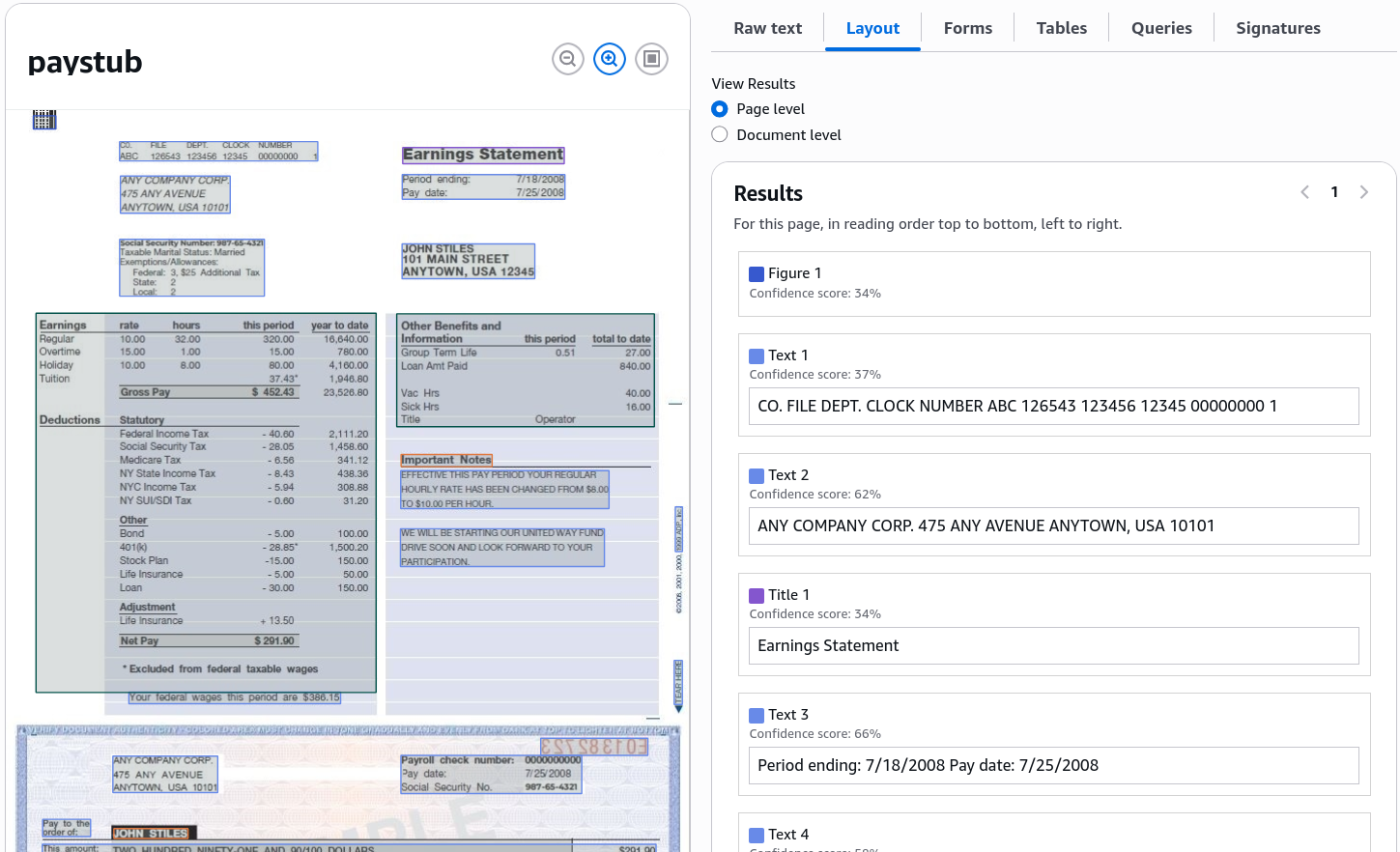
- Layout Awareness: Distinguishing between title banners (e.g., "Earnings Statement"), paragraph sections, and tabular regions.
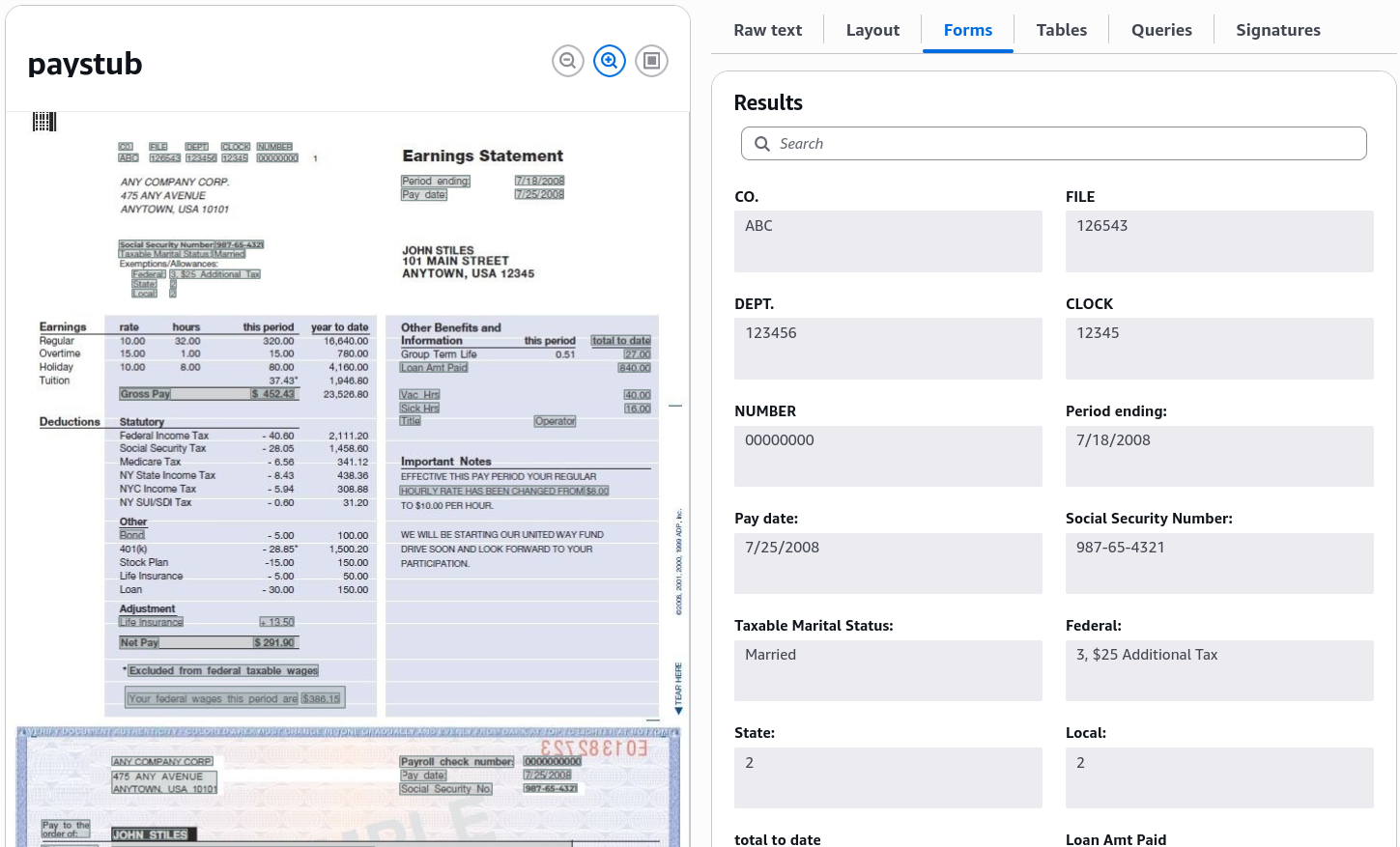
- Form Key-Value Pairs: Automatically pairing labels with values (e.g.,
Period Ending7/18/2008). - Table Extraction: Preserving multi-row grids for earnings rates, hours, and deduction line items.
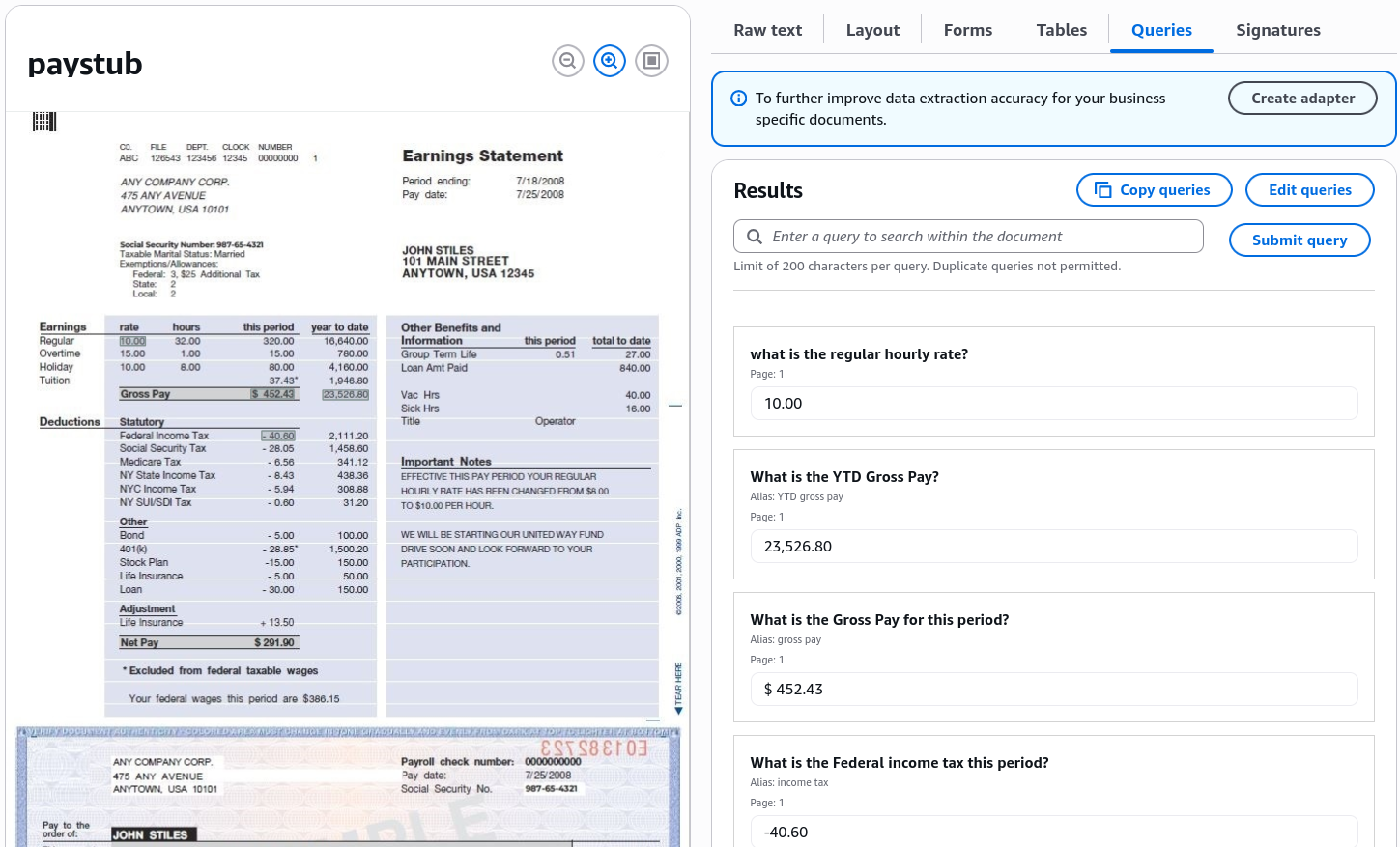
- Natural Language Queries: Asking plain-English questions (e.g., "What is the regular hourly rate?") and retrieving exact targeted values.
- Domain-Specific Analysis Modules: Interactive testing for Expenses (invoices/receipts), Identity Documents (passports/driver's licenses), and Lending Packages.
Hands-On Workflow: Evaluating Document Analysis in the Textract Console
- Open the Amazon Textract Console & Select a Document Demo:
- Navigate to the Amazon Textract Console in your target AWS Region.
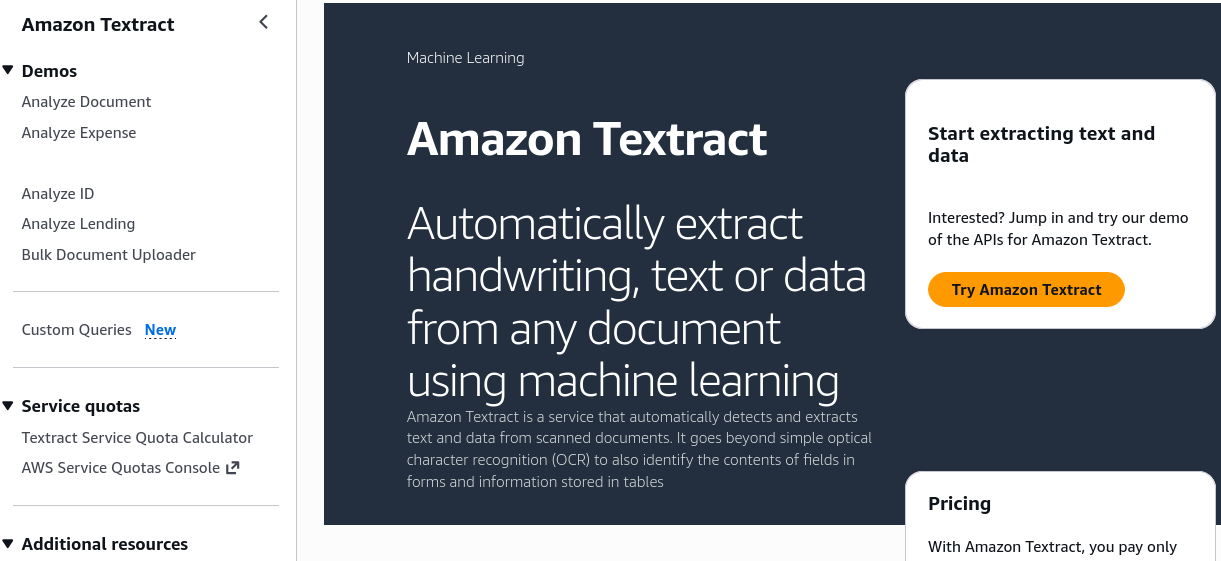
- Click Try Amazon Textract from the landing dashboard.
- In the left navigation menu, review the four built-in demo categories:
- Analyze Document (general forms, tables, queries, layout)
- Analyze Expense (invoices and receipts)
- Analyze ID (driver's licenses and passports)
- Analyze Lending (mortgage application loan packets)
- Under Analyze Document, select the default Paystub sample image (or upload a custom scanned receipt/document).
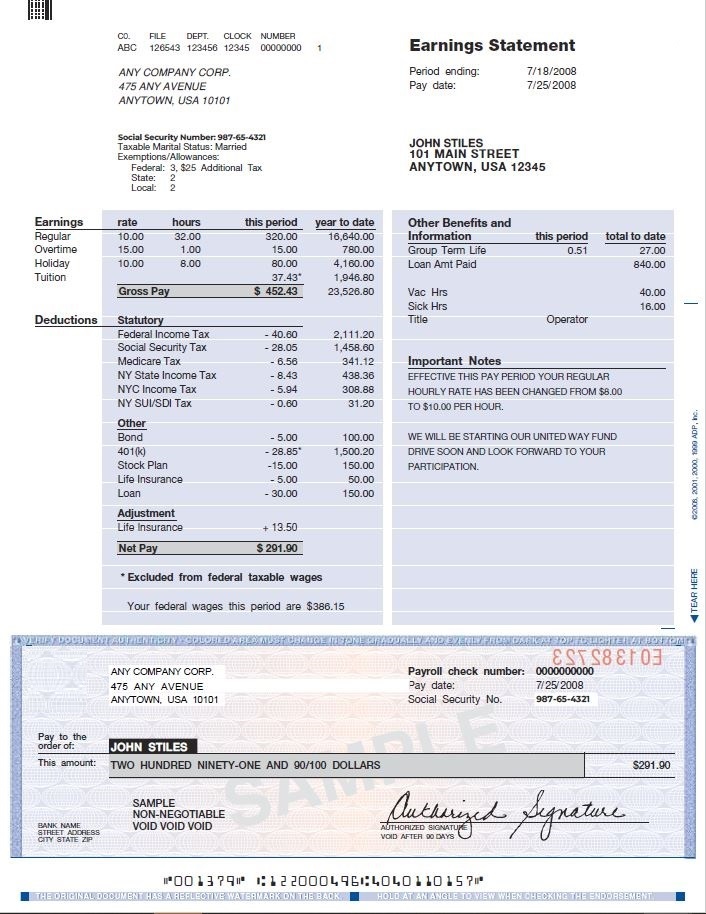
- Navigate to the Amazon Textract Console in your target AWS Region.
- Inspect Raw Text & Layout Hierarchy:
- Review the foundational OCR and document geometry:
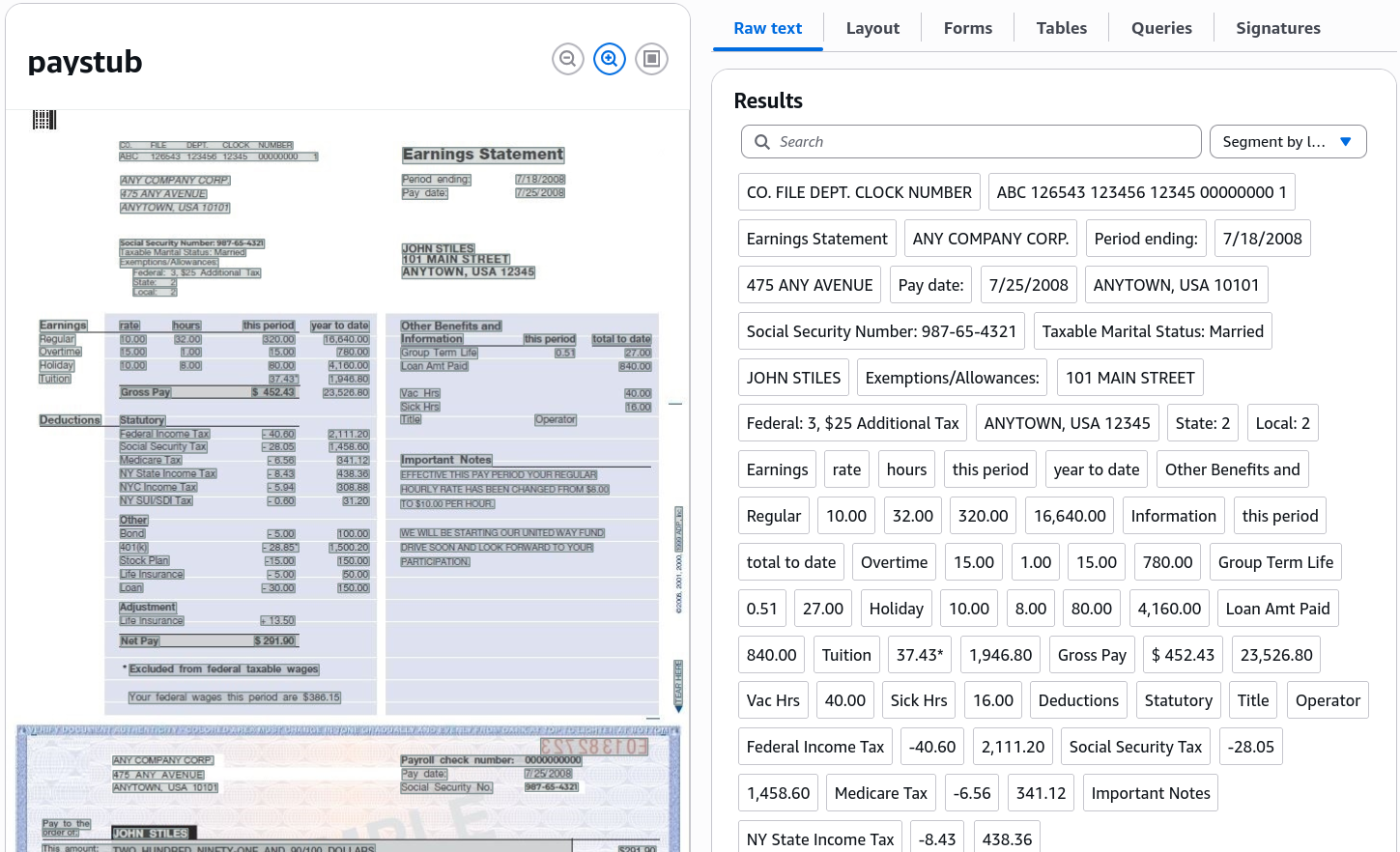
- Raw Text: Observe all detected printed and handwritten strings grouped into discrete
LINEandWORDobjects.
- Layout: Note how Textract classifies high-level structural components, distinguishing the top header ("Earnings Statement") from sub-headers and body text blocks.
- Evaluate Form Extraction (Key-Value Pairs):
- Select the Forms tab to verify key-value extraction:
- Locate the field mapping in the document (e.g., the
Period Endinglabel linked directly to7/18/2008). - Check additional extracted pairs, such as
Pay Date,Gross Pay, andSocial Security Number. - Verify that the visual overlay draws bounding boxes connecting each Key (label) to its corresponding Value data field.
- Inspect Structured Table Grids:
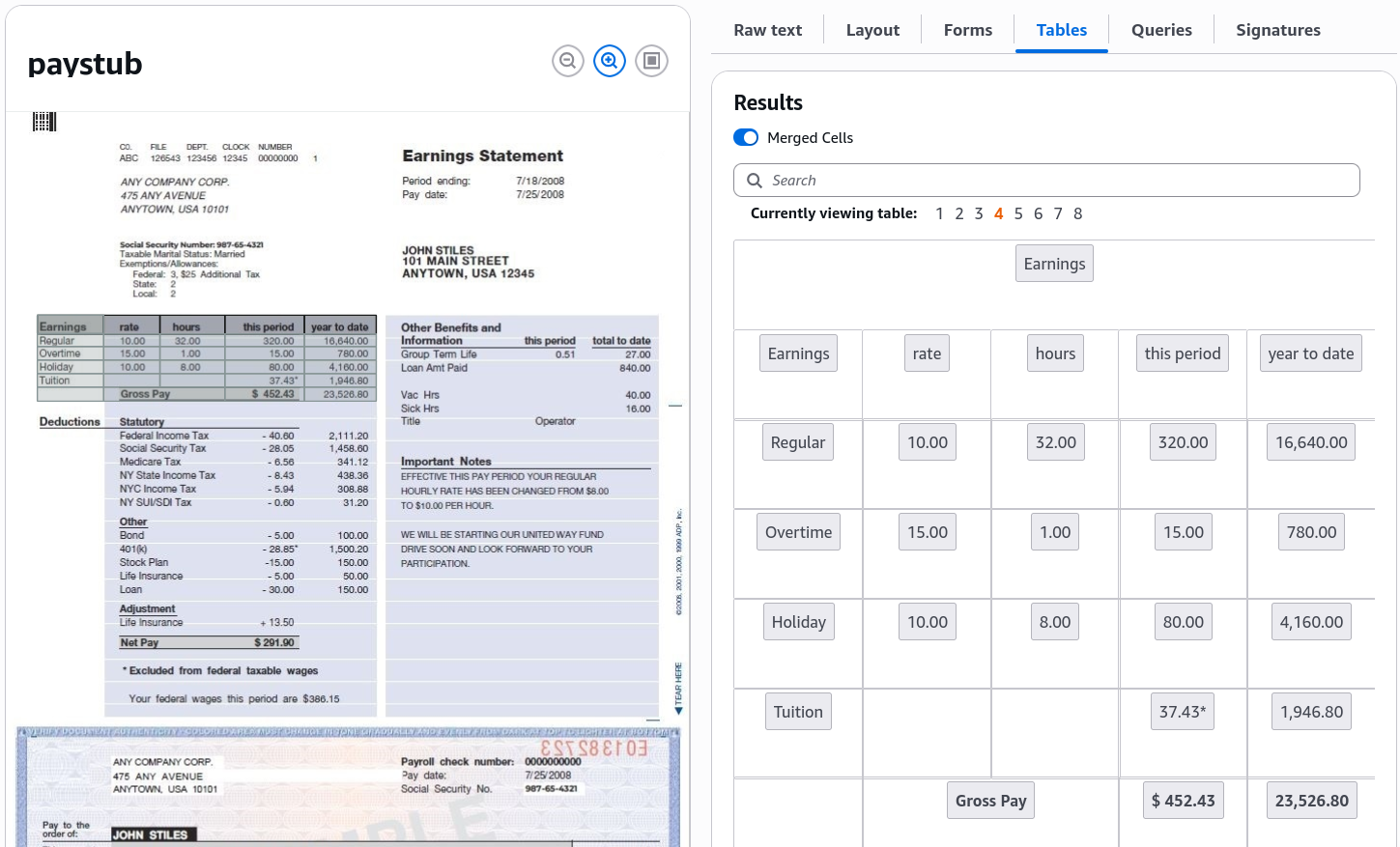
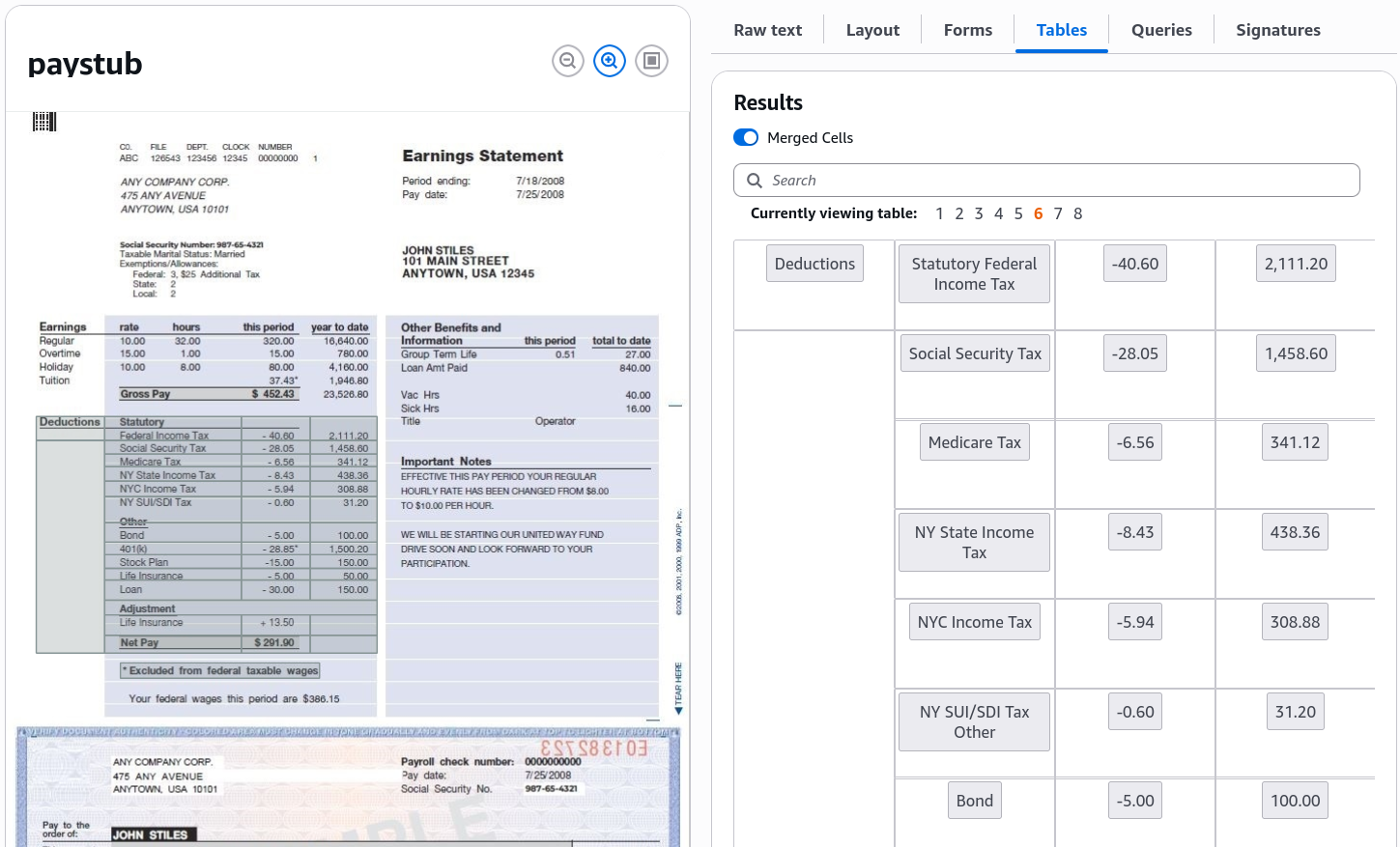
- Select the Tables tab to review multi-column tabular parsing:
- Inspect the Earnings table: verify that columns for
Earnings Rate,Hours,Period, andYear-To-Dateare captured in aligned rows and cells.
- Inspect the Deductions table: confirm that individual line-item deductions are extracted without merging adjacent cell contents.
- Execute Natural Language Queries:
- Select the Queries tab to test targeted data extraction without predefined bounding boxes:
- Review default pre-configured questions (e.g., "What is the year to date gross pay?").
- Enter a custom natural language query in the prompt box:
"What is the regular hourly rate?" - Click Submit query and verify that Amazon Textract parses the document and returns the exact target answer (
10) with its corresponding confidence score.
- Explore Analyze Expense, Analyze ID & Analyze Lending Demos:
- Test specialized domain parsers:
- Analyze Expense: Switch to the Expense demo to extract normalized vendor names, line items, invoice totals, and sales tax.
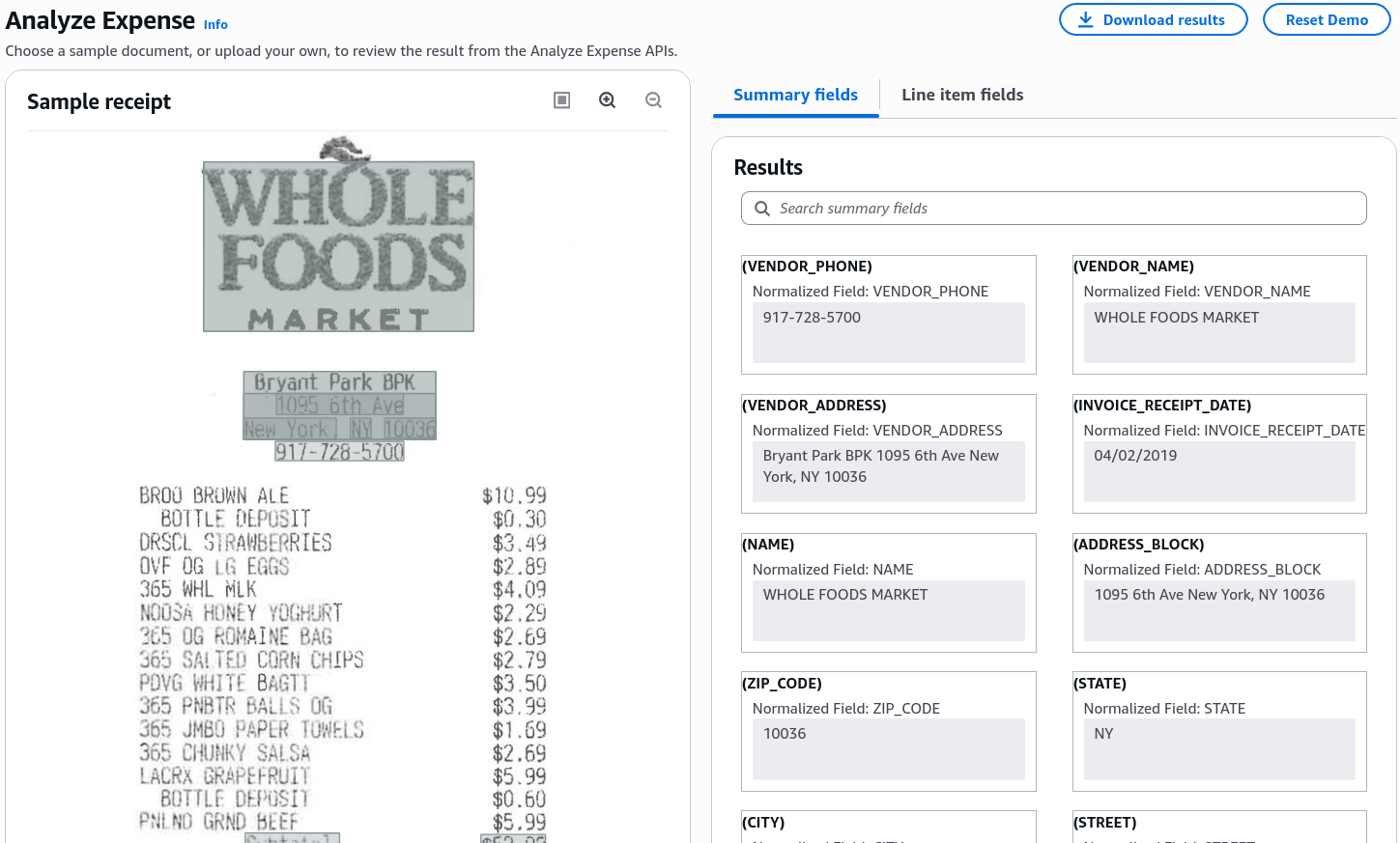
- Analyze ID: Switch to the ID demo (e.g., a sample Massachusetts Driver's License) to extract standardized fields:
First Name,Last Name,Address,Date of Birth, andDocument Number.
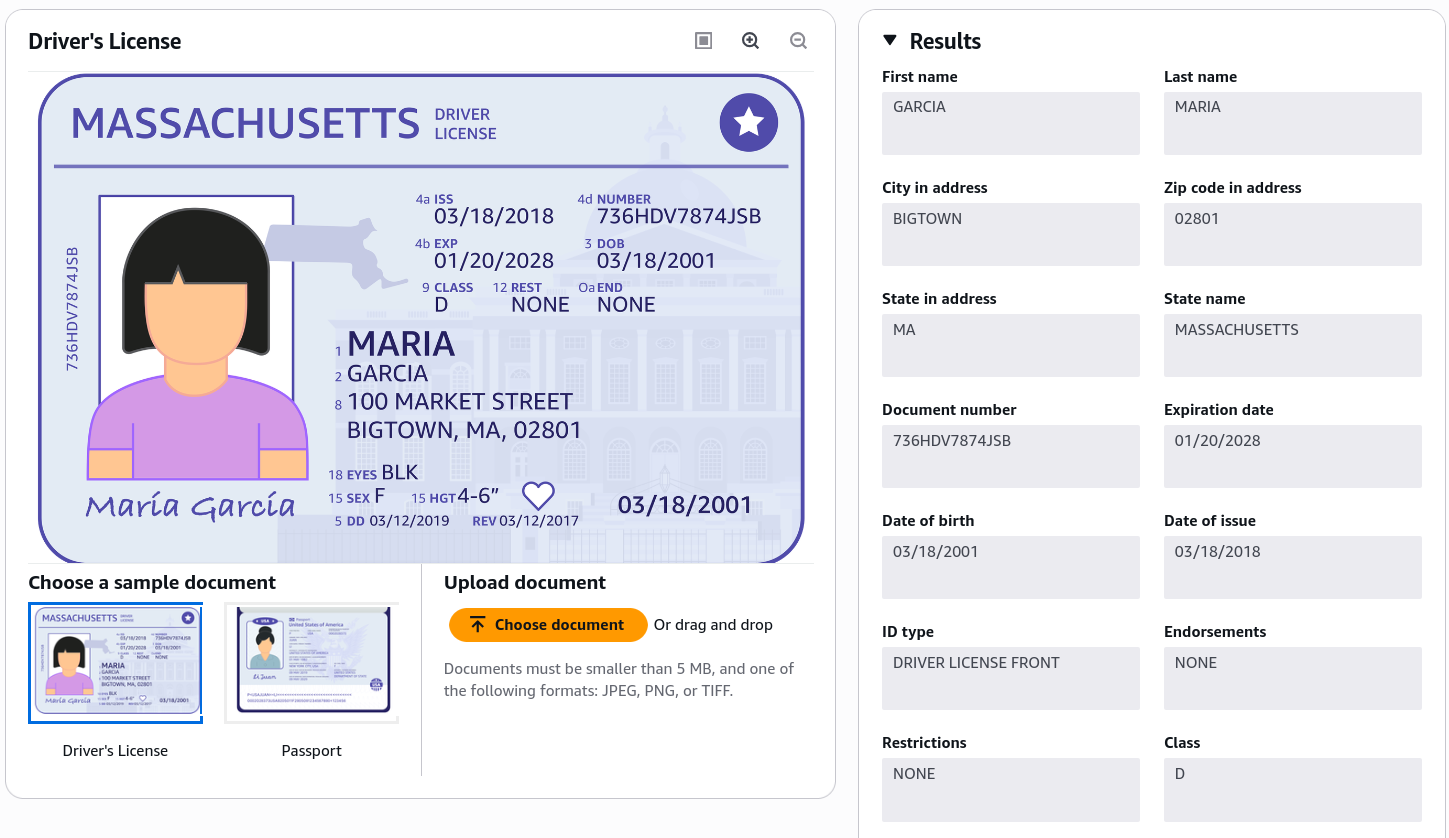
- Analyze Lending: Review automated classification and routing of multi-page mortgage loan portfolios (W-2s, 1040s, paystubs, bank statements).
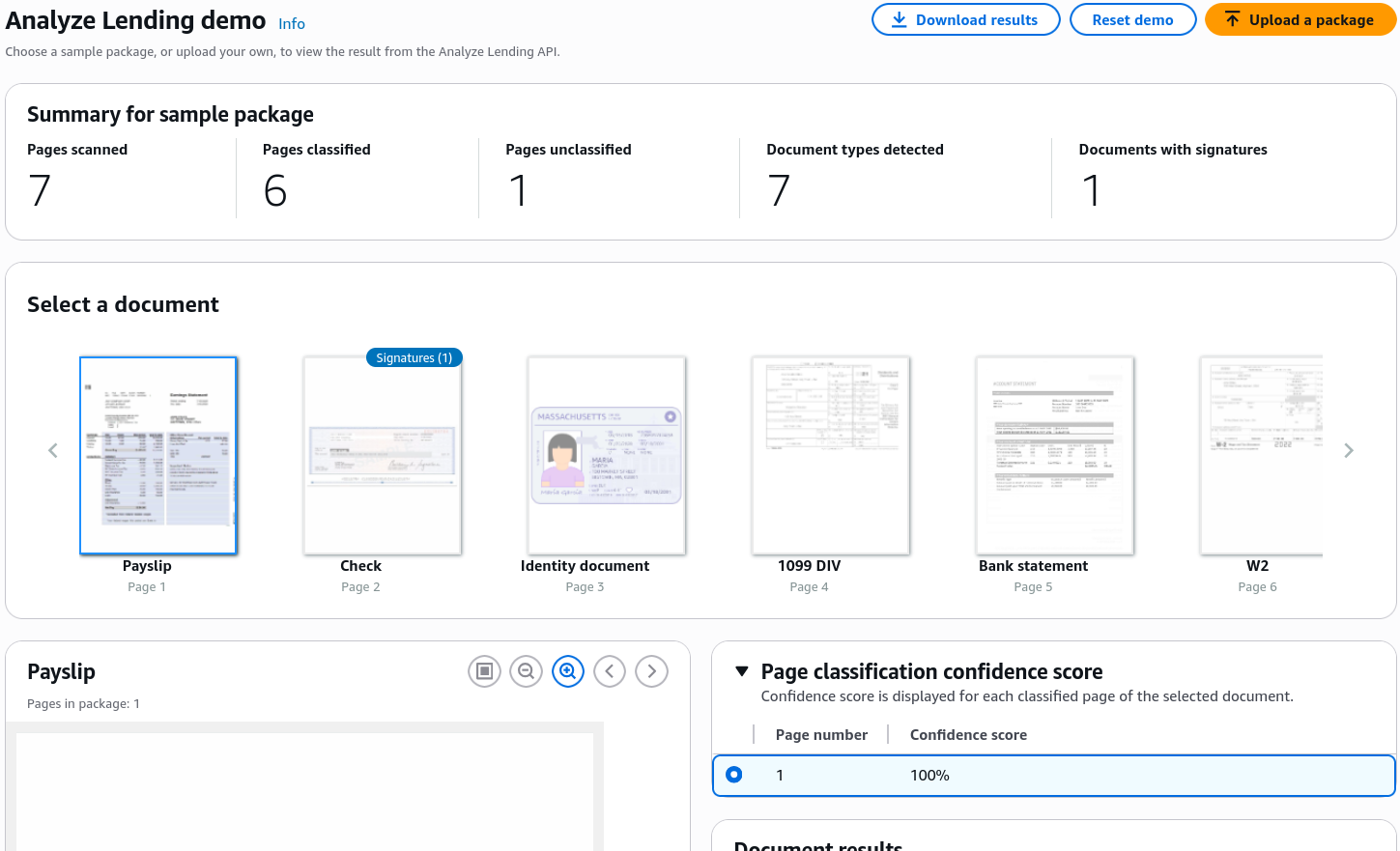
Amazon Textract Feature & Specialized API Matrix
| Console Feature / API | Primary Extraction Focus | Output Characteristics | Target Workload Demonstrated |
|---|---|---|---|
Raw Text (DetectDocumentText) | Basic OCR for printed and handwritten words. | Unstructured lines and words with spatial geometry. | Reading plain text articles, unstructured notes. |
Forms (AnalyzeDocument) | Explicit and implied key-value pairs. | KEY_VALUE_SET blocks linking label keys to values. | Tax forms, job applications, insurance intake forms. |
Tables (AnalyzeDocument) | Tabular rows, columns, merged cells, headers. | TABLE and CELL blocks with row/column indices. | Paystub earning breakdowns, financial spreadsheets. |
Queries (AnalyzeDocument) | Target data retrieval using plain English questions. | Precise answer string + bounding box + confidence score. | Dynamic extraction across shifting document templates. |
AnalyzeExpense | Invoices, restaurant receipts, sales receipts. | Normalized vendor names, line items, taxes, totals. | Automated expense reports, accounts payable. |
AnalyzeID | Passports and driver's licenses. | Standardized KYC identity fields (DOB, EXPIRY_DATE). | Customer identity verification, automated onboarding. |
AnalyzeLending | Complex mortgage and loan document packets. | Automatic page classification, document splitting, and routing. | Mortgage origination and loan processing automation. |
Exam Guide
Exam Tips
- Natural Language Queries: Use the Queries feature within
AnalyzeDocumentwhen you need to extract specific data points (e.g., "What is the policy deductible?") from documents whose layout or format varies across different providers. - Custom Queries: You can customize the pre-trained Queries feature by uploading as few as 10 sample documents to train a custom adapter for proprietary document formats.
- Forms vs. Tables:
- If the goal is extracting label-value associations (e.g., "Full Name: John Doe"), select Forms.
- If the goal is extracting row-and-column grids (e.g., line-item breakdown of hours and pay rates), select Tables.
- Specialized Document APIs: Always choose
AnalyzeExpensefor invoices/receipts,AnalyzeIDfor government identity cards/passports, andAnalyzeLendingfor multi-page mortgage packets.
Practice Test
Question 1
A payroll automation platform processes scanned paystub images from hundreds of different third-party payroll providers. The layouts and formats vary widely, making template-based coordinate extraction unreliable. The engineering team needs to extract the specific numeric value representing the employee's regular hourly rate by asking a plain-English question. Which Amazon Textract capability should they use?
- A. Amazon Textract
DetectDocumentText - B. Amazon Textract
AnalyzeDocumentwith the Queries feature - C. Amazon Rekognition
DetectText - D. Amazon Comprehend Syntax Analysis
Correct Answer
- B. Amazon Textract
AnalyzeDocumentwith the Queries feature- Explanation: The Queries feature inside Amazon Textract
AnalyzeDocumentallows developers to specify the exact information needed using natural language questions (e.g., "What is the regular hourly rate?") and receive the extracted answer directly, regardless of layout variations across different document templates.
- Explanation: The Queries feature inside Amazon Textract
Question 2
A financial mortgage lender receives 50-page loan application packets containing a mix of W-2 forms, bank statements, tax returns, and paystubs. The lender needs an automated service that automatically classifies each page by document type and routes the page to the appropriate extraction model. Which AWS API provides this capability?
- A. Amazon Textract
AnalyzeLending - B. Amazon Textract
AnalyzeExpense - C. Amazon Comprehend
DetectPiiEntities - D. Amazon Polly
SynthesizeSpeech
Correct Answer
- A. Amazon Textract
AnalyzeLending- Explanation: The Amazon Textract
AnalyzeLendingAPI is purpose-built for mortgage and loan packages; it automatically classifies, splits, and routes mixed loan document pages to the appropriate extraction pipelines.
- Explanation: The Amazon Textract