S3 Security: Bucket Policy
S3 Security divides authorization into two core methodologies: User-Based (attaching IAM policies directly to an IAM user, group, or execution role) and Resource-Based (attaching an S3 Bucket Policy directly to the bucket container). A bucket policy is written in structured JSON and controls bucket-wide rules, handles cross-account infrastructure mapping, and enforces public-facing rules. For access to be granted, at least one layer must explicitly allow it, and there must be absolute zero Explicit Deny overrides in the chain.
Key Takeaways
JSON Bucket Policy Structure
When you write a bucket policy, you are writing a standard AWS Access Policy Language JSON block. Let's look at the exact anatomy of a public read policy:
{
  "Version": "2012-10-17",
  "Statement": [
    {
      "Sid": "PublicReadGetObject",
      "Effect": "Allow",
      "Principal": "*",
      "Action": "s3:GetObject",
      "Resource": "arn:aws:s3:::example-bucket/*"
    }
  ]
}
Sid(Statement ID): An optional, human-readable string descriptor used to label what this specific block is doing (e.g.,"PublicReadGetObject").Effect: (AllowvsDeny) Dictates whether the policy is opening a door or barricading it.Principal: The target identify entity the rule applies to. Setting"Principal": "*"means anyone and everyone on the open internet matches this rule statement.Action: The exact API call you are controlling. For reading object data payloads, you uses3:GetObject.Resource: The exact Amazon Resource Name (ARN) path. Crucial Exam Trap: Becauses3:GetObjectoperates on individual files and files alone, you must append (/*) to the bucket ARN (e.g.,arn:aws:s3:::example-bucket/*"). If you forget the/*, the policy will fail to apply because you're trying to apply an object-level action to a bucket-level root container!
The 4 Essential Access Scenarios
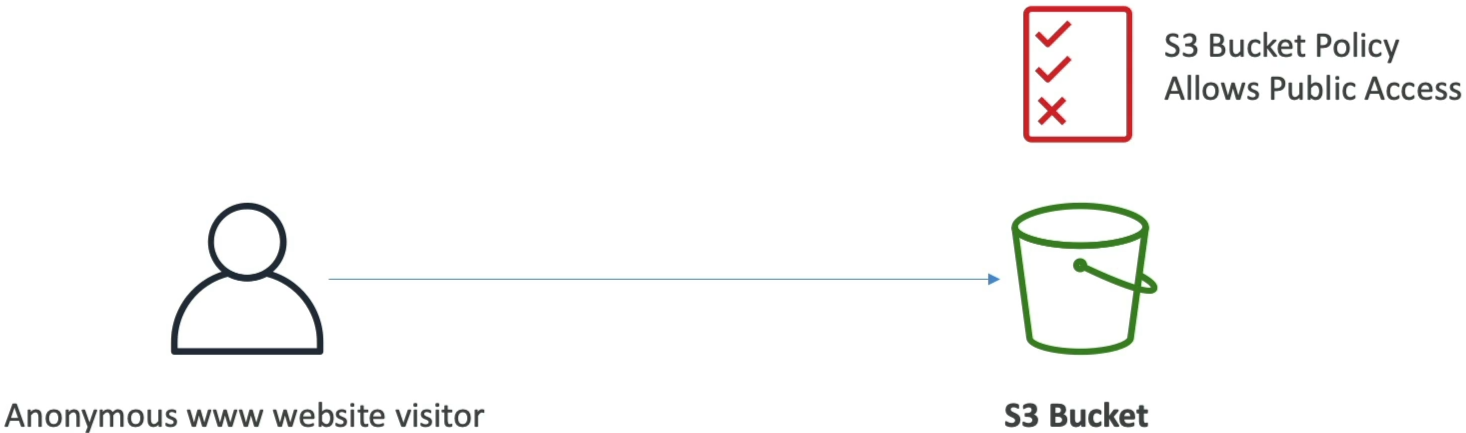
🌐 Scenario A: Public Web Visitors
- The Blueprint: You want to host image graphics for a public WordPress site.
- The Mechanism: You use an S3 Bucket Policy with a
Principal: "*"paired with anEffect: "Allow"ons3:GetObject. This lets random web browsers bypass credentials and pull files directly.
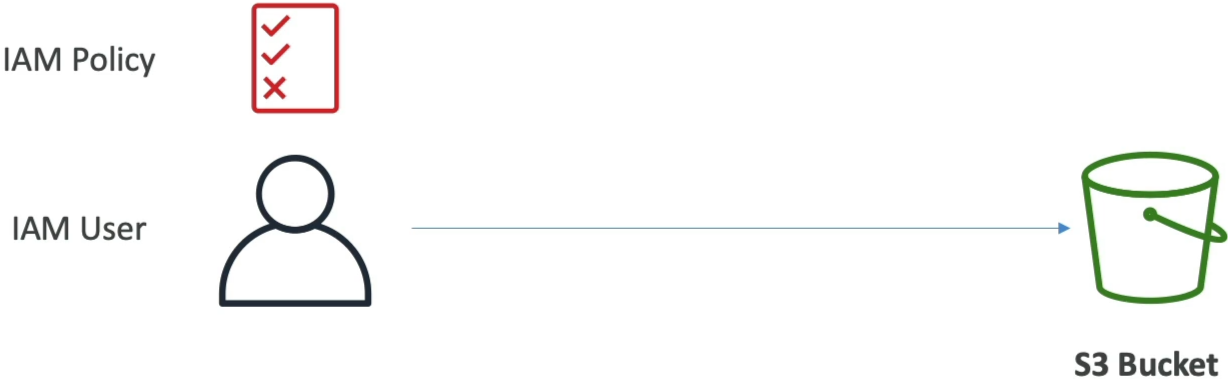
👤 Scenario B: Local Account IAM Users
- The Blueprint: An internal software developer inside your own AWS account needs to upload raw resource files during an automated deployment cycle.
- The Mechanism: You apply a standard IAM User Policy directly to that developer's IAM profile (User-Based). Since they reside in the same local account billing scope, S3 reads their attached IAM permission ring and validates the file execution instantly.
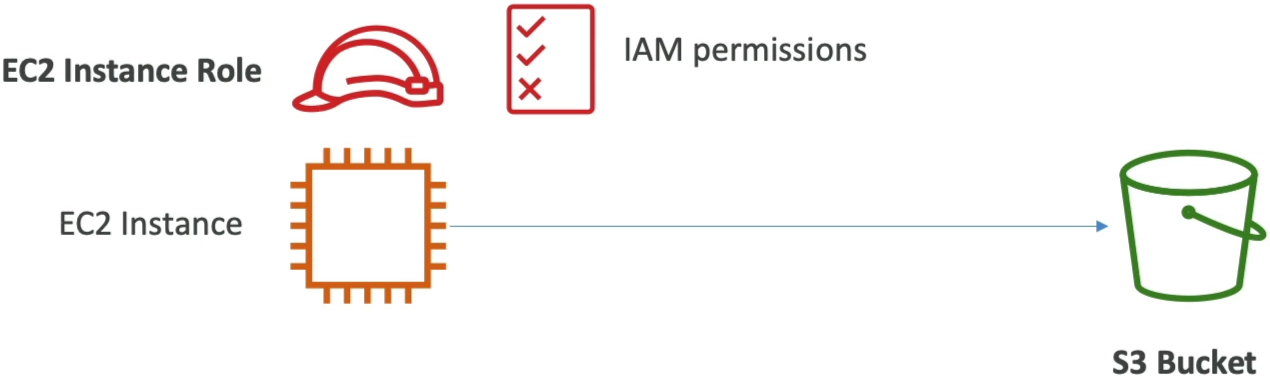
🎛️ Scenario C: Application Compute Compute (EC2 / Lambda)
- The Blueprint: A fleet of backend application containers or serverless tasks need to drop logs or process transactional CSV documents.
- The Mechanism: Never hardcode static credentials or API keys inside your code! You attach an IAM Execution Role directly to your EC2 instances (via an Instance Profile) or your Lambda function configurations. S3 recognizes the temporary security credentials assumed by the machine and authorizes access cleanly.
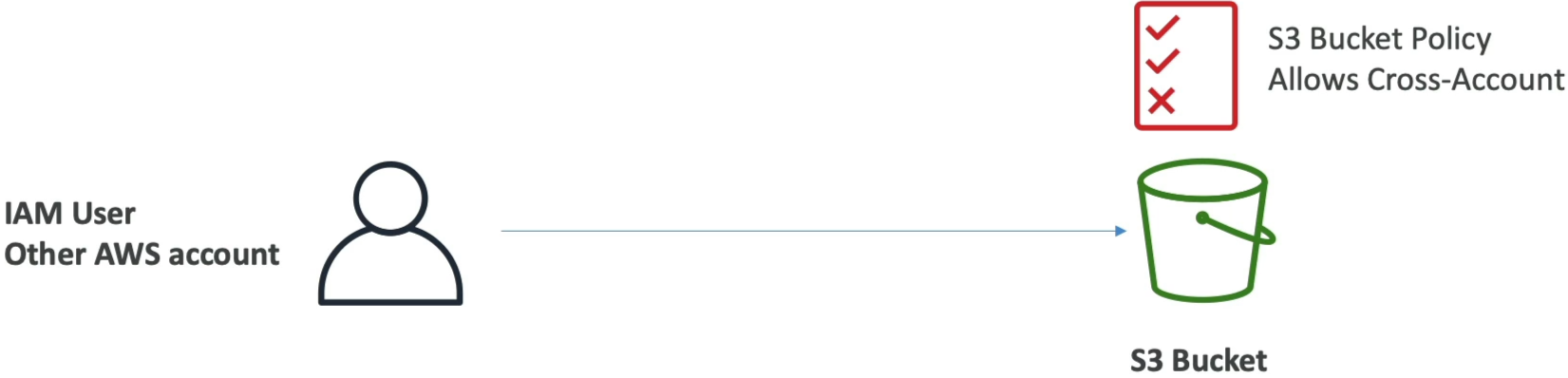
🔄 Scenario D: Cross-Account Infrastructure Links
- The Blueprint: A third-party data analytics team operating in an entirely separate AWS Account (Account
999999999999) needs to read records out of your primary storage bucket. - The Mechanism: You must use an S3 Bucket Policy. An IAM policy in Account B cannot grant access to a resource owned by Account A on its own. You write a Bucket Policy inside your account, setting the
Principalblock directly to the external account identifier string:
The Ultimate Guardrail: S3 Block Public Access (BPA)
AWS engineered a heavy-duty master circuit breaker called *S3 Block Public Access. This tool sits right on top of your bucket like a concreate vault door.
- The Behaviour: If Block Public Access is toggled ON (which is te default safety setting for all new buckets), it completely neutralizes any public
Allowstatements inside your Bucket Policies. Even if you accidentally paste a wide-open public JSON policy onto your bucket, the BPA safety guardrail intercepts the logic and prevents data leaks, ensuring your files remain tightly sealed. - The Execution Order: To successfully make an S3 bucket host public web assets, you must physically perform a two-step handshake:
- Explicitly toggle Block Public Access OFF for that bucket.
- Upload your public JSON bucket policy. If you don't do step 1 first the console will block your configuration layout completely.
Exam Tips
Remember this absolute golden rule of AWS Evaluation Logic: An Explicit Deny ALWAYS Wins.
The Overlapping Policy Evaluation Trap: An exam question states, "An IAM User has an attached IAM policy that explicitly grants them s3:GetObject privileges for bucket-alpha. However, the security engineering team has attached an S3 Bucket Policy to bucket-alpha that contains a statement denying all actions to everyone if they are not coming from a specific corporate office IP range. The user attempts to read a file from their home network. What is the outcome?"
The answer is an immediate Access Denied. Even though the user's IAM policy says Allow, the resource-based bucket policy dropped an explicit Deny block for their current external home network location coordinate. In AWS, if any part of the evaluation loop outputs a Deny, it instantly overrules every single Allow block in the system, shutting down the connection on the spot.