ECR - Hands On
This hands-on lab outlines the process for authenticating a localized Docker CLI client against a private Amazon ECR registry endpoint, downloading an open-source public container asset (nginxdemos/hello), re-tagging it using target AWS cloud coordinates, and executing an authorized upstream push loop.
Hands On
Phase 1: Initialize the ECR Vault Registry
- Open the Amazon ECR Console dashboard.
- Click Create repository and select the Private visibility switch.
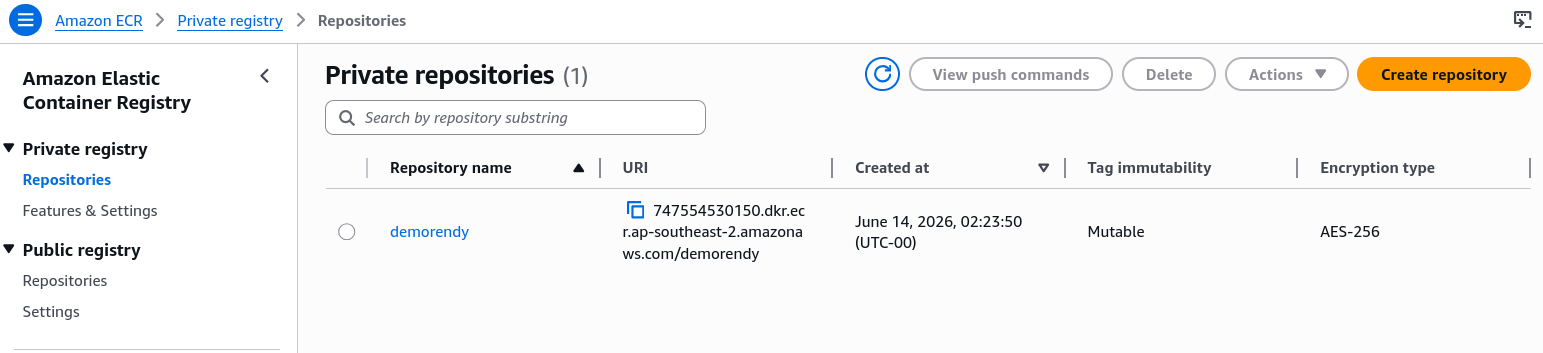
- Global Naming Parameter: Type
demorendyinside the Repository name field block. - Leave secondary configurations like Tag Immutability and KMS Encryption at their default baseline values and click Create repository.
- Inside the dashboard repository table grid, notice your repository is completely blank with 0 images allocated. Click the View push commands utility button to inspect your account's explicit destination string parameters.
Phase 2: The Cryptographic Authentication Bridge (get-login-password)
Open your local terminal workspace shell (making sure your local Docker Engine daemon application is booted and active). Before you can run any push operations, you must pipe a short authorization token bridge across your terminal applications:
aws ecr get-login-password --region ap-southeast-2 | docker login --username AWS --password-stdin 747554530150.dkr.ecr.ap-southeast-2.amazonaws.com
- The Behind-the-Scenes Handshake: The first command segment (
aws ecr get-login-password) authenticates using your local AWS CLI credentials and fetches a randomized, temporary cryptographic string token that lasts for exactly 12 hours. - The Stdin Pipe: The | character catches that password token string and drops it straight into the standard input (
--password-stdin) of thedocker loginutility using the static user identity keyAWS. - The terminal will print a clean confirmation string:
Login Succeeded!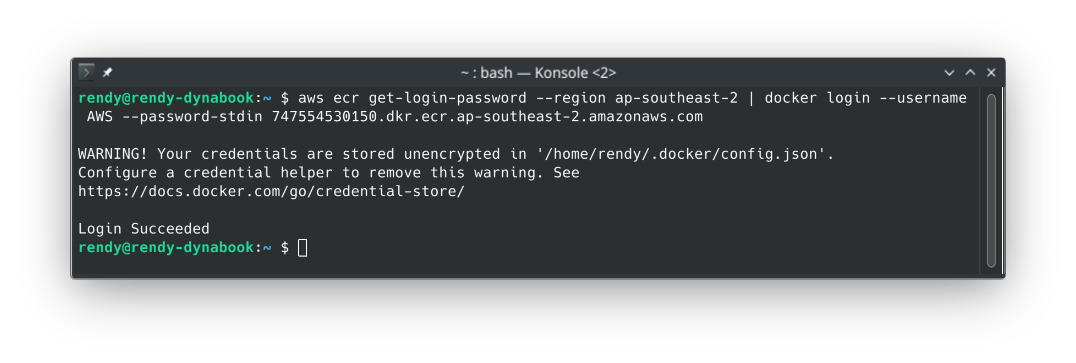
Phase 3: Pull and Re-Tag the Container Artifact
Pull down the testing image artifact from public Docker Hub onto your local machine workspace:
docker pull nginxdemos/hello:latest
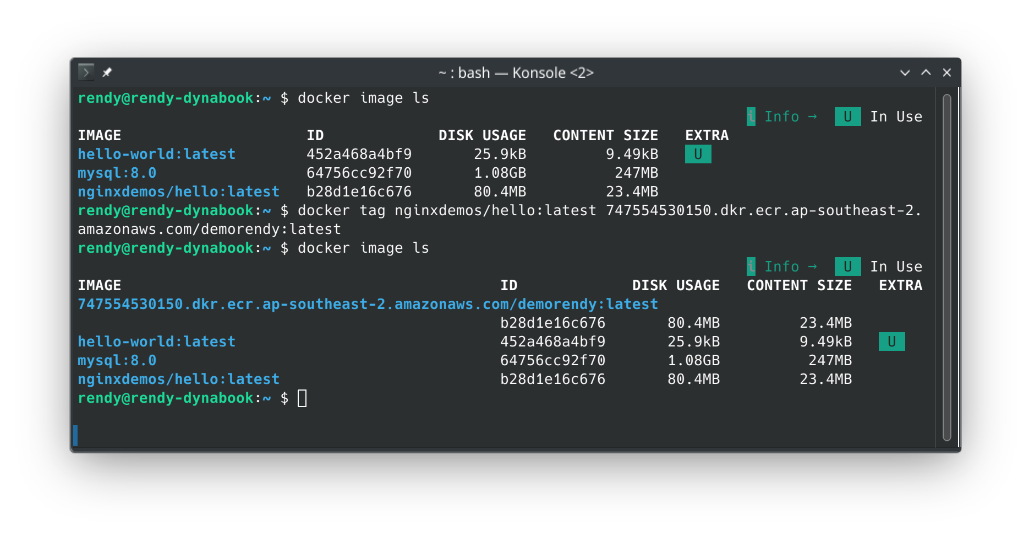
- The Rename: The Docker daemon is blind to where images are supposed to go until you explicitly stamp an AWS endpoint tag straight onto the asset name. Run a
docker tagcommand matching this structure:
docker tag nginxdemos/hello:latest 747554530150.dkr.ecr.ap-southeast-2.amazonaws.com/demorendy:latest
Phase 4: Fire the Upstream Code Push Stream
- With your image perfectly tagged to match your private repository ARN layout coordinates, fire the upstream data synchronization pass:
docker push 747554530150.dkr.ecr.ap-southeast-2.amazonaws.com/demorendy:latest
- The Validation Pass: Watch the progress indicators slice through your image layers, upload them to the cloud back-end, and output a clean hash digest tracking identifier.
- Return to your Amazon ECR Console dashboard page and click refresh.
- The Result: The image asset is officially sitting inside your cloud registry vault! S3 has generated an entry stamped with the tag
:latestalong with a precise size tracking value, ready to be safely pulled down by an automated ECS task definition framework.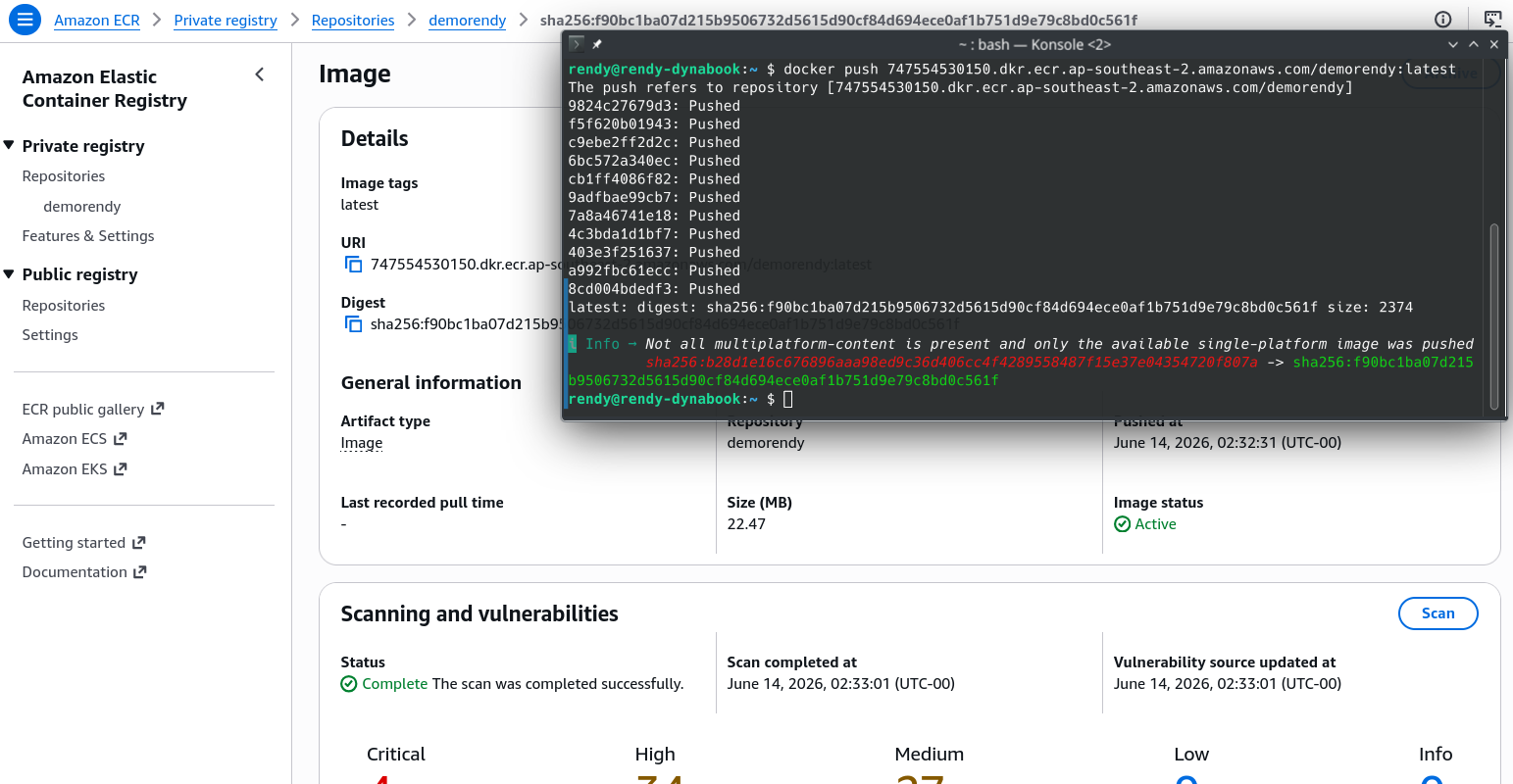
Exam Tips
| Command Generation Profile | Underlying Passing Mechanism | Exposes Credentials in Local Bash History | Primary Production Status |
|---|---|---|---|
| aws ecr get-login | Prints out a full plaintext docker login -u AWS -p <long-token-string> text block to the screen. | ❌ Yes (Massive corporate security risk) | Deprecated / Legacy V1 Tool |
| aws ecr get-login-password | Outputs strictly a raw, secure string password token to stdout. | ✅ No (Safely masked when channeled via --password-stdin) | Current AWS Gold Standard |
The CodeBuild Pipeline Crash Triage: Imagine an exam scenario states, "You are auditing an old automated build file (buildspec.yml) running inside an AWS CodeBuild environment. The pipeline compiles a container, but constantly fails during the pre-build authorization phase, throwing a command usage error when it executes: $(aws ecr get-login --no-include-email). How do you upgrade this pipeline asset with minimal risk?"
The textbook correction strategy is to migrate the build step syntax over to get-login-password.
- Old-school AWS CLI v1 utilized get-login, which literally spit out a giant command block you had to wrap inside an evaluation shell macro (
$()). It has been completely stripped out of modern container build environments. - To clear the blocking error, you open the YAML manifest code and update the pre-build command line block to use the modern pipe framework instead:
pre_build:
  commands:
    - aws ecr get-login-password --region $AWS_DEFAULT_REGION | docker login --username AWS --password-stdin $AWS_ACCOUNT_ID.dkr.ecr.$AWS_DEFAULT_REGION.amazonaws.com
This eliminates the old syntax arguments, masks your authorization tokens from plain-text exposure in build logs, and updates your continuous delivery systems to run flawlessly!