SNS Hands On

๐Ÿ› ๏ธ Step-by-Step SNS Broadcast Console Playbookโ€‹

Step 1: Provision the Topic Wrapperโ€‹

  • Navigate to the Amazon SNS Dashboard in your console.
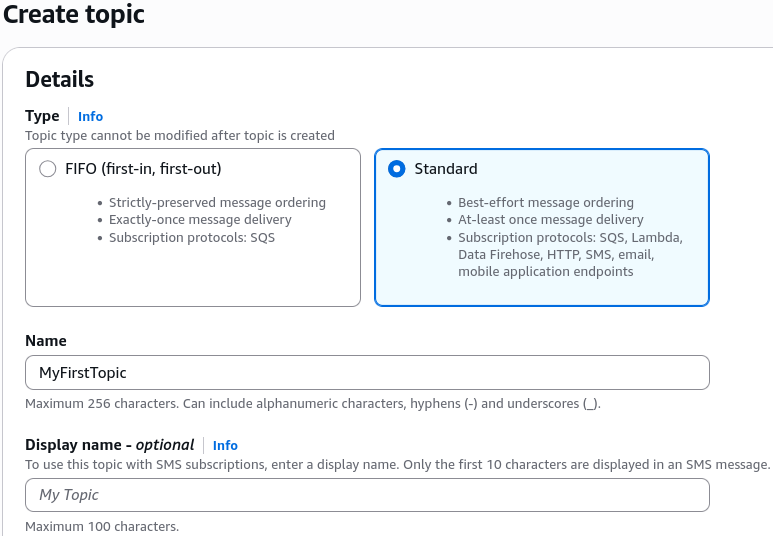
  • Click Topics on the left menu, then select Create topic.
  • Keep the default selector set to Standard (for maximum throughput and flexible endpoints) and set the name to MyFirstTopic. Hit create.

Step 2: Attach an Ingestion Endpoint (Subscriber)โ€‹

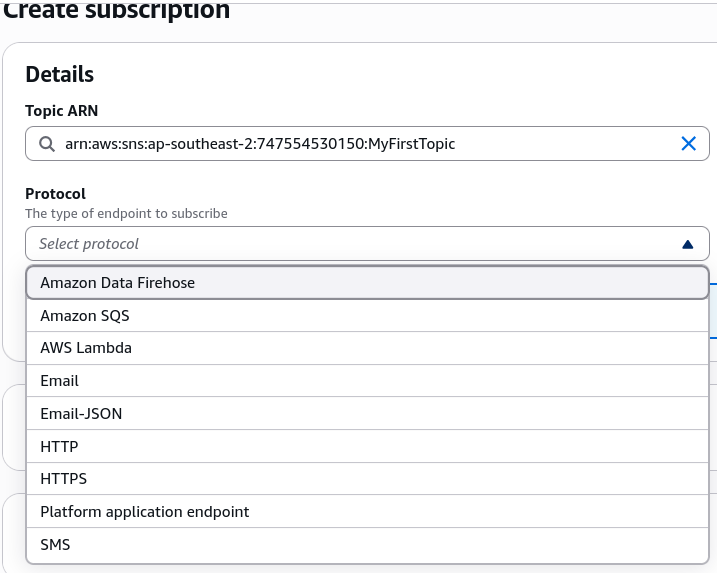
  • Inside your new topic panel, click Create subscription.
  • Click the Protocol dropdown registry and select Email.
  • Note for the exam: Memorize the valid native protocols shown here: Kinesis Data Firehose, SQS, Lambda, Email, HTTP/HTTPS, and SMS.
  • Enter your target email endpoint address and click Create subscription.

Step 3: Clear the Confirmation Security Gateโ€‹

  • Observe the status reads Pending confirmation. SNS will refuse to push payloads to this subscriber until it validates ownership.
  • Check your target email inbox, open the AWS validation message, and click the Confirm subscription link.
  • Refresh your SNS dashboard to verify the status has updated cleanly to Confirmed.

Step 4: Publish and Broadcastโ€‹

  • Click the Publish message button in the top right corner of your topic panel.
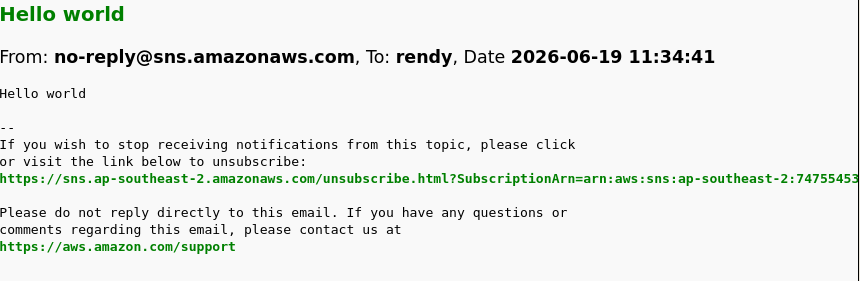
  • Type hello world into the message body box and hit Publish message.
  • SQS forces you to pull, but SNS pushes instantlyโ€”check your inbox right away to verify the text block has landed in your messages.

Step 5: Resource Teardown Lifecycleโ€‹

  • To clean up the sandbox environment, select your active subscription and hit Delete.
  • Head back to your main topic, click Delete, and confirm the action by typing delete me into the security validation input wrapper.

Exam Tipsโ€‹

  • The Pending Confirmation Trap: If an exam scenario states that a developer has mapped a webhook or an email endpoint to an SNS topic, but the endpoint is failing to receive any of the published application logs, the root cause is the subscription is stuck in the Pending confirmation phase. Endpoints must explicitly handle or click the confirmation handshake payload before SNS unlocks the push channel.
  • The FIFO Protocol Lockdown: Remember the strict boundary condition Stephane highlighted: If you choose a FIFO topic layout, the queue name must carry the .fifo handle string, and the only supported subscriber protocol is an SQS FIFO queue. If a question asks if you can push an SMS or email notification straight out of an SNS FIFO topic, the answer is an absolute no.