Amazon EventBridge - Hands On
Hands On
🛠️ Playbook 1: Event-Driven State Monitoring (Event Patterns)
- Step 1: Create the Event Rule Engine
- Navigate to Amazon EventBridge ──► click Rules on the left menu ──► click Create rule.
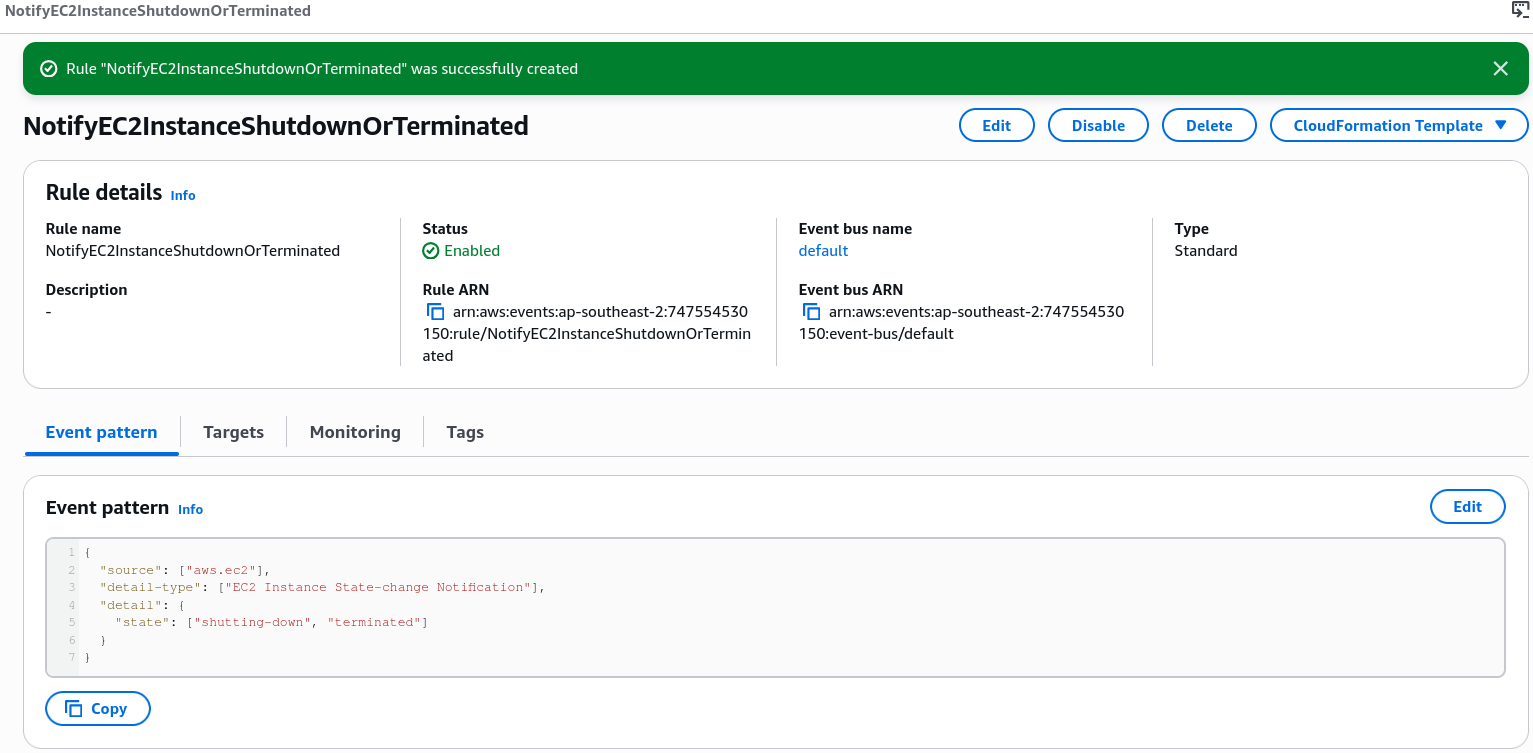
- Select Rule with an event pattern. Name it
NotifyEC2InstanceShutdownOrTerminated.
- Step 2: Define the JSON Event Pattern Filter
- Under the creation panel, drill into Service Events ──► select EC2 as your source service provider.
- Select EC2 Instance State-change Notification as the target tracking pattern.
- Restrict the matching logic boundary constraints strictly to your chosen status string vectors:
{"source": ["aws.ec2"],"detail-type": ["EC2 Instance State-change Notification"],"detail": {"state": ["shutting-down", "terminated"]}}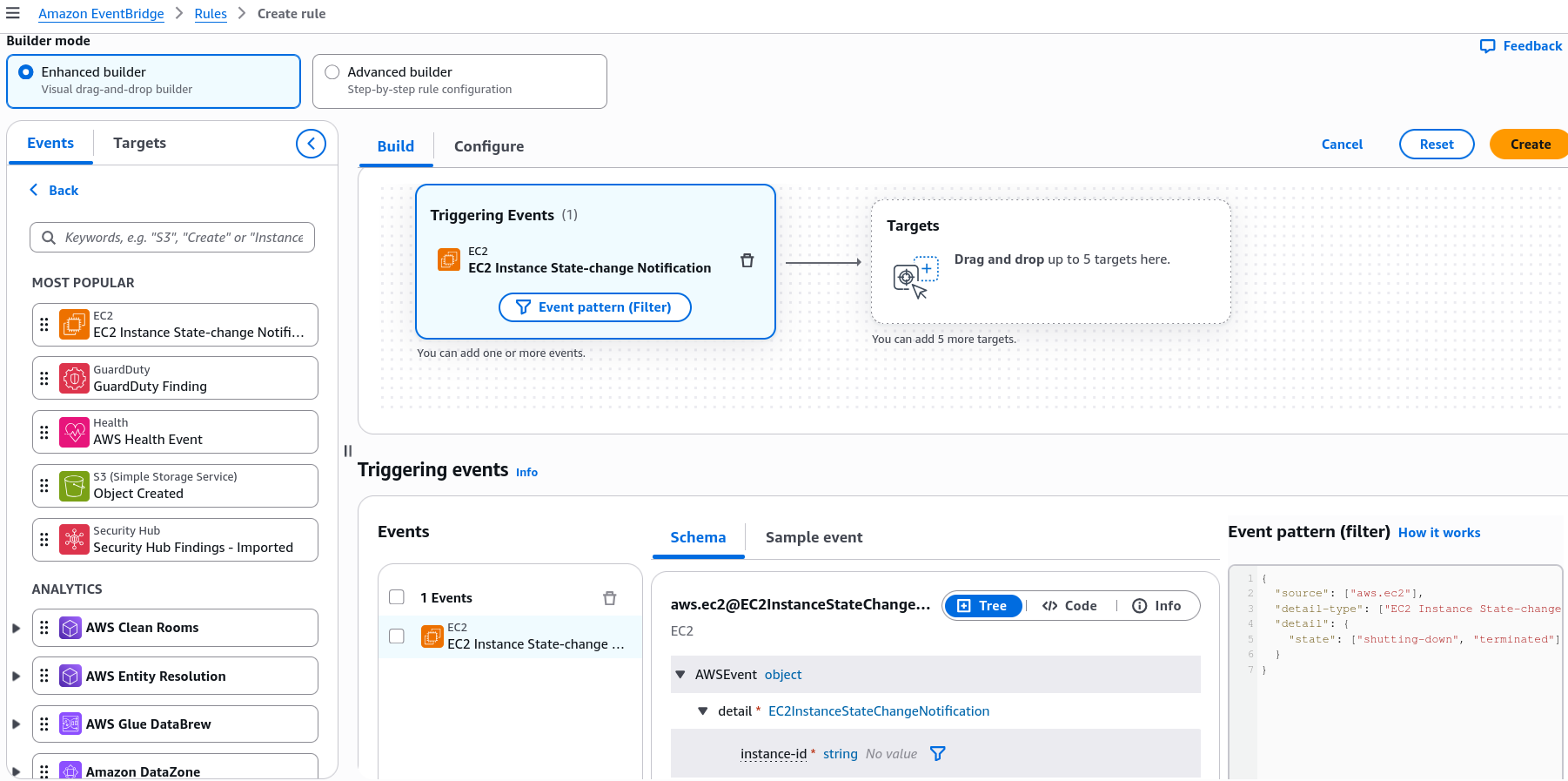
- Step 3: Wire the Notification Target
- Under target selection options, choose SNS topic and pick your active subscription endpoint channel (e.g.,
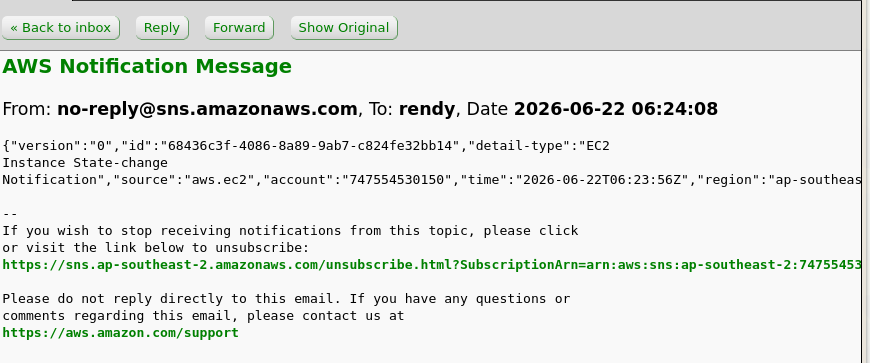
demo-topic). - Hit Create to arm the pipeline. The second any EC2 node is shut down or terminated, EventBridge pushes an automated JSON status block straight down your notification lines!
- Under target selection options, choose SNS topic and pick your active subscription endpoint channel (e.g.,
🛠️ Playbook 2: Asynchronous Time Execution (EventBridge Scheduler)
If you don't want to react to a system action but instead need a script to kick off on a repeating timeline, you shift gears over to the modern scheduling client wrapper.
- Step 1: Initialize the Chrono Routine
- On the left sidebar menu, select Schedules and click Create schedule.
- Name the routine
InvokeLambdaEveryHour.
- Step 2: Configure the Chronological Window
- Choose Recurring schedule ──► select Rate-based schedule (or map a precise cron string ruleset).
- Set the processing velocity cadence parameter to
1 hour. Leave flexible time windows disabled for precise execution targeting. Click next.
- Step 3: Assign the Target Execution Layer
- Under target options, select AWS Lambda (or choose from over 270+ integrated universal API actions).
- Browse and bind your deployment script function (e.g.,
HelloWorld), click next through performance checks, and provision!
📊 EventBridge Architecture Overview
This visual lifecycle details how EventBridge handles both service alerts and repeating cron workflows flawlessly across your cloud:
1. EVENT-DRIVEN ROUTE (State-Change Actions)
   [ Virtual Instance Terminates ] ──► Emits CloudTrail Event ──► [ Default Event Bus ]
                                                                        │
                                                                        ▼ (Pattern Filter Matches)
                                                                 [ SNS Topic Target ] ──► Fires Pager Alert

 2. Cadence ROUTE (Time-Based Cron Actions)
   (⏱️ Hour Clock Runs Out) ──► Triggers Scheduler ─────────────► [ Universal Target ]
                                                                        │
                                                                        ▼ (Direct Direct API Invocation)
                                                                 [ AWS Lambda Task ] ──► Executes Cleanup Script
Summary of Key Concepts
- Custom Event Buses: Purpose-built playgrounds for your internal backend engineering. Your custom microservices pass app actions here manually via PutEvents API strings.
- Partner Event Buses: Explicit SaaS entry points. External software systems like Auth0 or Datadog push live tracking events straight into your AWS tenant layout.
- Archive & Replay: The ultimate time machine. Captures a moving log of historical bus traffic so you can replay events to test bug fixes or repair system states safely.
- Schema Registry: Automates code tracking. Inspects the structural properties of passing events and auto-generates native typing code models down into your IDE.