CloudTrail Hands On
CloudTrail is a service to intercept any API calls or user activity within your accounts.
Hands On
-
Step 1: Execute a Resource Modification (The Trigger Event)
- Navigate to the EC2 Instances Dashboard.
- Select a running virtual machine node ──► click Instance state ──► hit Terminate instance.
- Wait for the lifecycle state indicator to flip to a solid
Terminatedstatus grid block.
-
Step 2: Access the Account Surveillance Hub
- Jump over to the AWS CloudTrail Console.
- On the left-hand navigation column menu, click directly into Event history.
-
Step 3: Run a Filter Query Sequence
- The Sync Latency Check: CloudTrail can take anywhere from 2 to 5 minutes to fully ingest, process, and display newly generated management event payloads. Hit refresh if the table is still staging.
- Use the filter dropdown box and select
Event name──► typeTerminateInstancesinto the search block to isolate your action.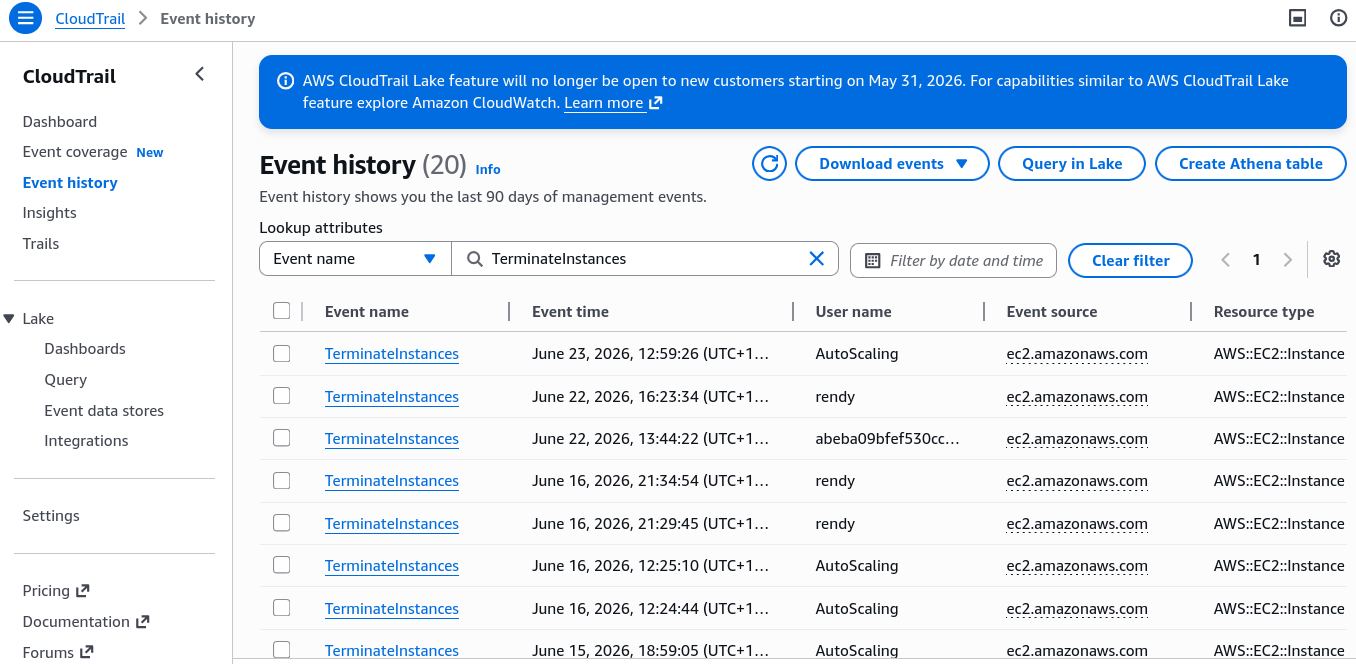
-
Step 4: Decode the Ingestion JSON Document Metadata
- Click your matching event line item to expand the details pane.
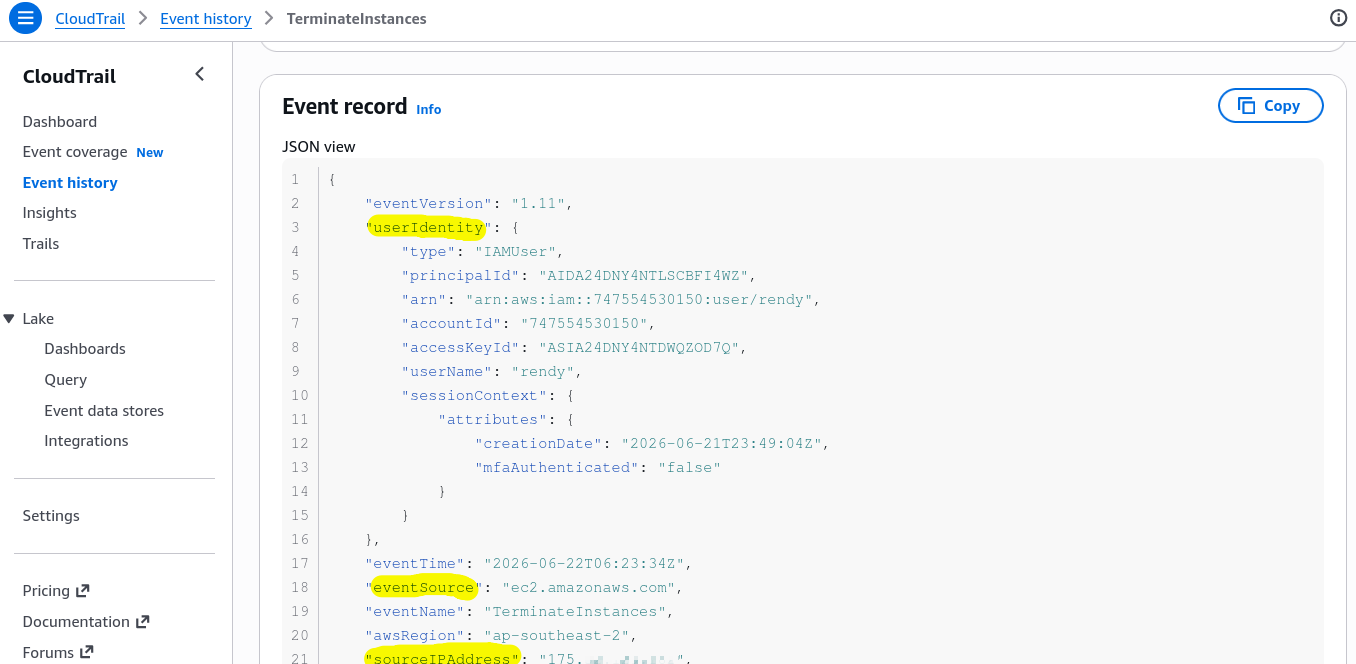
- Open the full JSON event log to inspect the structural forensic parameters:
userIdentity: Pinpoints the exact IAM User string or assumed execution role ARN that signed the request.eventSource: Tracks the target service API provider destination (e.g.,ec2.amazonaws.com).sourceIPAddress: Captures the raw global IP coordinate of the machine or CLI terminal that fired the mutation.