X-Ray with Beanstalk
Instead of manually writing scripts to provision, patch, and maintain the X-Ray background service on every virtual machine, Beanstalk pre-packages the X-Ray Daemon right inside its native platform layers (Node.js, Python, Java, etc.). You just have to activate the switch!
AWS Elastic Beanstalk pre-installs the X-Ray Daemon natively within its standard platform machine configurations. Developers can activate this background daemon using either the web management console UI under software settings or via an infrastructure-as-code .ebextensions configuration file. Once activated, the code must be instrumented with the X-Ray SDK, and the underlying EC2 IAM Instance Profile must possess write permissions to ship trace bundles up to the AWS cloud workspace securely.
Key Takeaways
The 2 Ways to Trigger the Daemon Toggle
You have two native routing options to command Beanstalk to spin up the local UDP daemon service:
🎛️ Option A: The Web Console Toggle
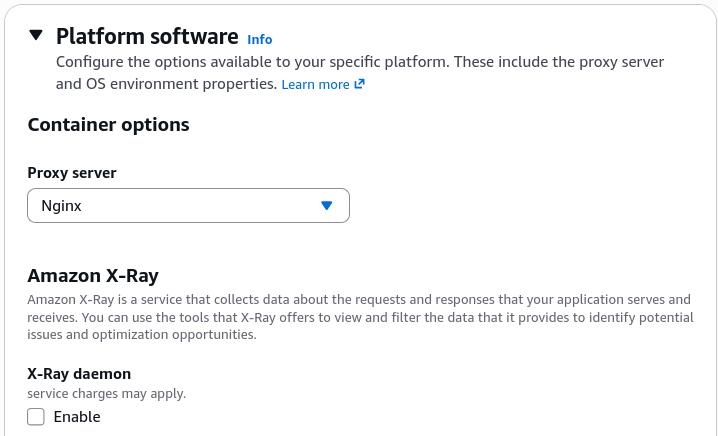
During environment creation (or via the Configuration -> Software Settings pane on a live running environment), scroll down to the platform software configuration blocks and toggle AWS X-Ray to Enabled.
📄 Option B: Portable Infrastructure as Code (.ebextensions)
If you want your deployment environments to be identical and portable across regions without hitting the UI, you can include a specialized config block directly inside your application source code bundle directory:
- File Location:
.ebextensions/xray-daemon.config - File Structure Rules: Must use precise YAML mapping arrays matching the Elastic Beanstalk configuration option namespace rules:
option_settings:
  aws:elasticbeanstalk:xray:
    XRayEnabled: true
The Multi-Account / Multi-Container Catch 🐳
Elastic Beanstalk does NOT automatically bundle or manage the X-Ray daemon on the Multicontainer Docker (ECS-managed) platform. If your source bundle maps a multi-container network configuration, Beanstalk’s automated platform software switches can't assist you. You must explicitly build, run, and link the X-Ray daemon as a standalone secondary container block yourself within your container definitions file!
The IAM Security Handshake Layer
Activating the configuration switch means nothing if your EC2 instances run into an API wall when attempting to ship data up to AWS.
- The Out-of-the-Box Guardrail: Beanstalk default environments run on an IAM instance profile carrying the managed
AWSElasticBeanstalkWebTierpolicy. This policy natively includes permissions to interact with the X-Ray data ingestion routes.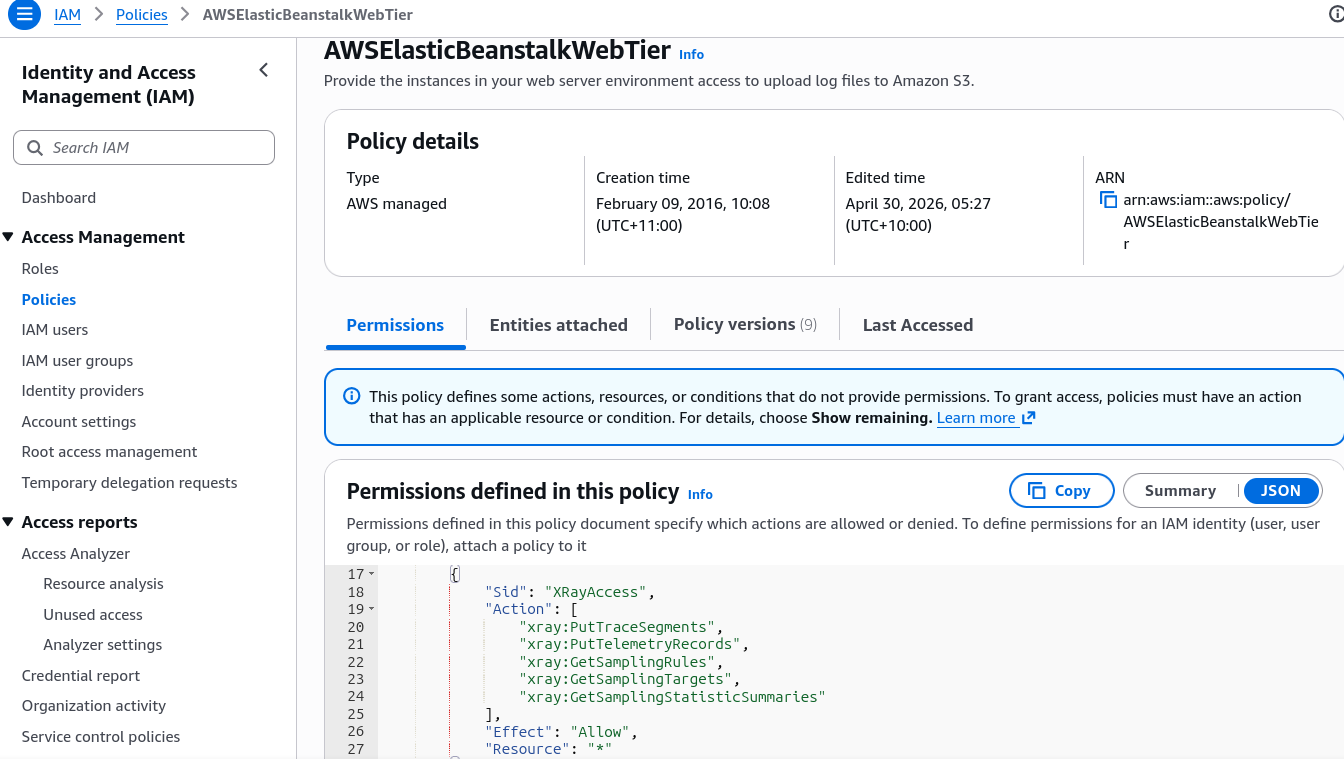
- The Custom Instance Role Prerequisite: If an engineering team provisions a custom IAM role to restrict permissions, they must manually append the
AWSXrayWriteOnlyAccess(or traditionalAWSXrayDaemonWriteAccess) policy block to the custom role profile layout.
Exam Tips
- Spotting the Portable Configuration Syntax: If a question asks how a developer can cleanly distribute a portable Node.js app bundle to multi-region Beanstalk clusters ensuring the X-Ray daemon boots automatically without administrative console clicks, search for the choice detailing: Create a
.ebextensions/xray-daemon.configfile mapping theaws:elasticbeanstalk:xraynamespace withXRayEnabled: true. - Troubleshooting Empty Streams: If a question states that X-Ray is turned on inside a custom Beanstalk stack but the console displays zero trace graphs, look for the choice indicating the custom EC2 instance profile role lacks the
AWSXrayWriteOnlyAccesspolicy wrapper.