X-Ray: Sampling Rules
🛠️ Step-by-Step Custom Sampling Rule From Console
-
Step 1: Locate the X-Ray Settings Hub
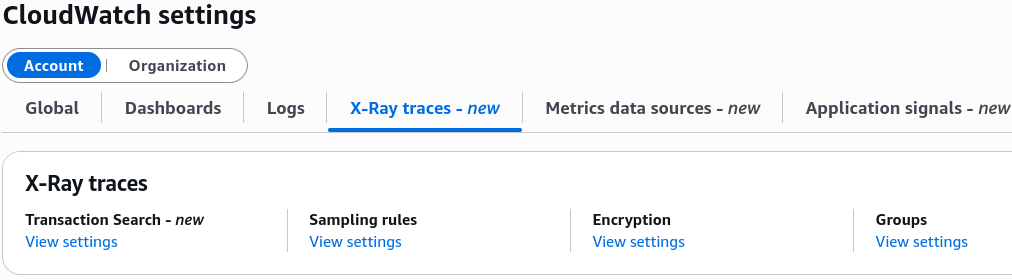
- Go to CloudWatch ──► scroll all the way down to Settings on the left-hand navigation column panel.
- Look under X-Ray traces and click Sampling rules to display the rule ledger grid.
-
Step 2: Evaluate the Default Fallback Guardrail
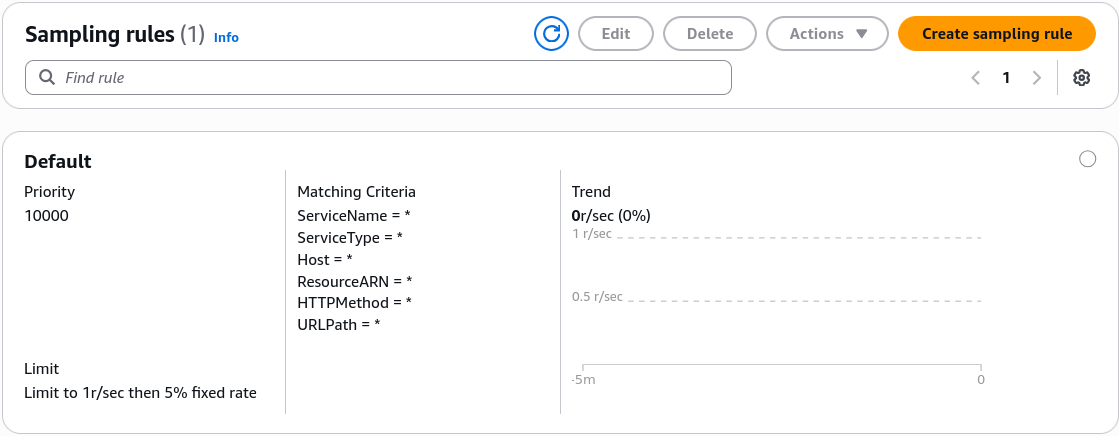
- Inspect the pre-provisioned
Defaultbaseline rule sitting at the bottom of the stack: - Priority: Locked at
10000(the absolute lowest priority ceiling; all custom rules step ahead of it). - Criteria: Explicitly wildcarded (
*) to intercept every ambient method, URL path, and service. - The Adjustment Limitation: While you can edit the Reservoir size and Fixed Rate percent threshold values on the default rule, you cannot modify its matching criteria parameters, chief.
- Inspect the pre-provisioned
-
Step 3: Provision a Custom Sampling Rule
- Click Create sampling rule at the top of the pane.
- Rule Name: Input your identifier string (e.g.,
DemoSampling). - Rule Priority: Assign a value between **
1and9999**. - The Priority Order Inversion Rule: The lowest priority number carries the highest evaluation weight! If you assign a rule a priority of
5000, the X-Ray engine evaluates and matches it long before it ever hits the default fallback rule block.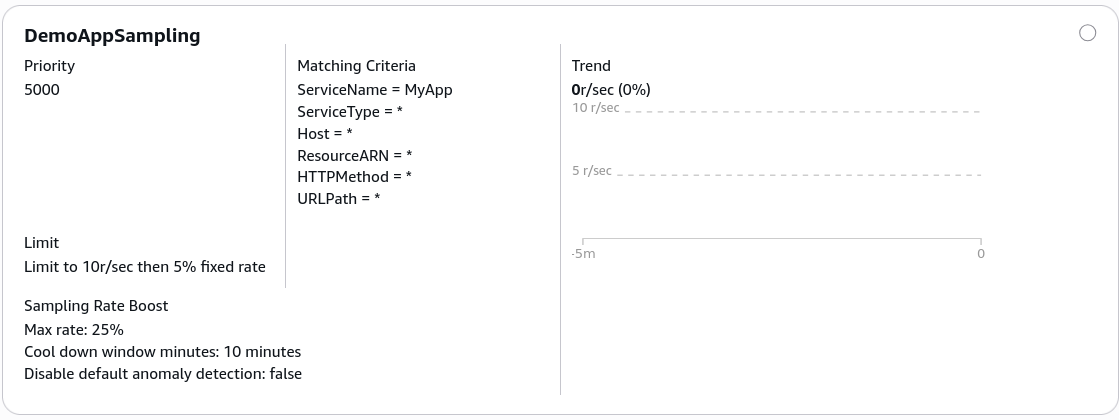
🎯 Fine-Tuning Your Scoped Ingestion Criteria
Instead of blanket-sampling your whole system, you can constrain your custom rule's scope by passing explicit matching values directly into the console filter criteria forms:
- Service Name: Target a distinct app workspace module identifier (e.g.,
MYSERVICE). - HTTP Method: Target specific operational request methods (e.g., typing
POSTto monitor data writes closely, while ignoring noisy polling traffic patterns). - URL Path: Isolate target endpoint routes using standard wildcard pattern tags (e.g.,
/api/checkout/*ensures your high-value billing transactions are monitored closely).
📊 Evaluation Logic Flow Matrix
When requests hit your instrumented application gateway, the background client engine loops through your rule criteria paths according to this exact structural logic chain:
The Zero-Downtime Pipeline Lock: Once you click save on your custom rule configurations inside the console dashboard, the local X-Ray Daemons actively pull down the updated JSON schemas via background polling loops on the fly. No code changes, no production build restarts—the new sampling velocity applies instantly.