AWS Lambda - First Hands On
🛠️ The First Lambda Deployment Hands On
1. Provisioning via Blueprints
-
Step 1: Bootstrap from a Template
- Navigate to the AWS Lambda Console ──► click Create function.
- Select Use a blueprint ──► search and select the
hello-worldNode.js blueprint. - Function Name: Input
HelloWorld.
-
Step 2: Establishment of the Security Profile
- Under Execution role, choose Create a new role with basic Lambda permissions.
- The Under-the-Hood Security Guard: This commands AWS to auto-generate an IAM execution role carrying the
AWSLambdaBasicExecutionRolepolicy layout. This gives your function runtime the explicit authorization it needs to write logging vectors down into CloudWatch Logs. Hit create!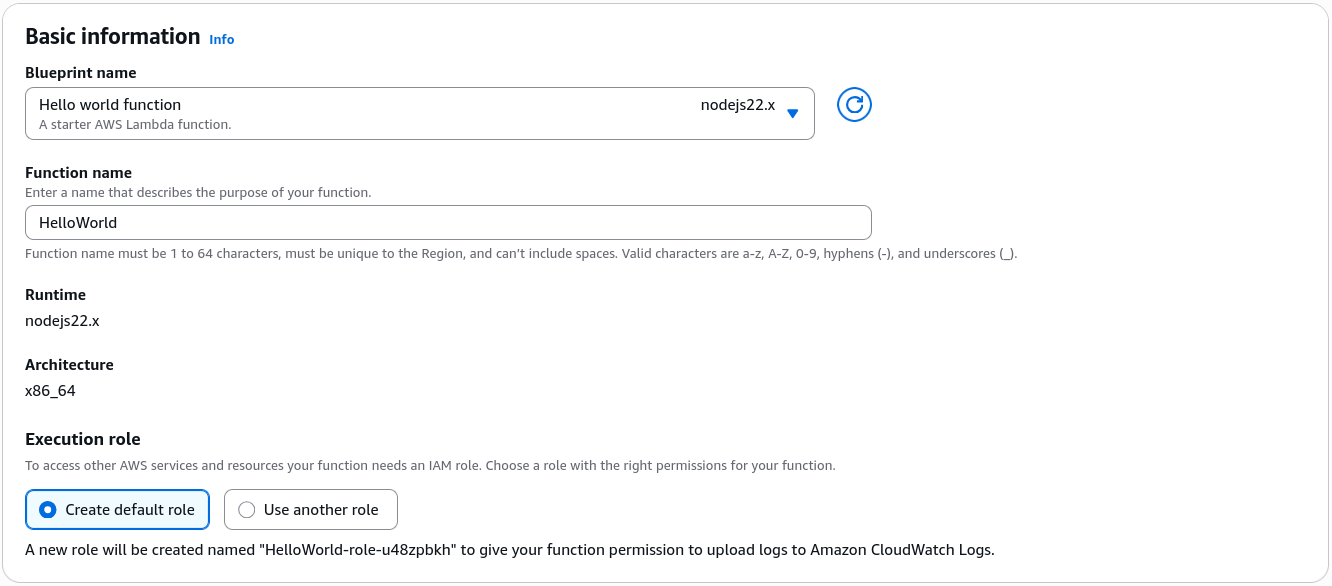
2. Dissecting the Code Handler & Triggering Failures
-
Step 3: Analyze the Handler Entrypoint
- Look at your fresh workspace editor panel. The runtime looks for a specific method execution bridge called the Handler (e.g.,
handler(event, context)). - The
eventparameter is a structured JSON document array containing the incoming trigger payload variables, whilecontextholds runtime execution metadata.
- Look at your fresh workspace editor panel. The runtime looks for a specific method execution bridge called the Handler (e.g.,
-
Step 4: Executing a Test Simulation (Success vs. Exception)
- Click the Test drop-down button to configure a test event template (
HelloWorld). - Use the default key-value map bundle:
{"key1": "value1","key2": "value2","key3": "value3"}- Hit Test. The console returns an execution success block returning
"value1".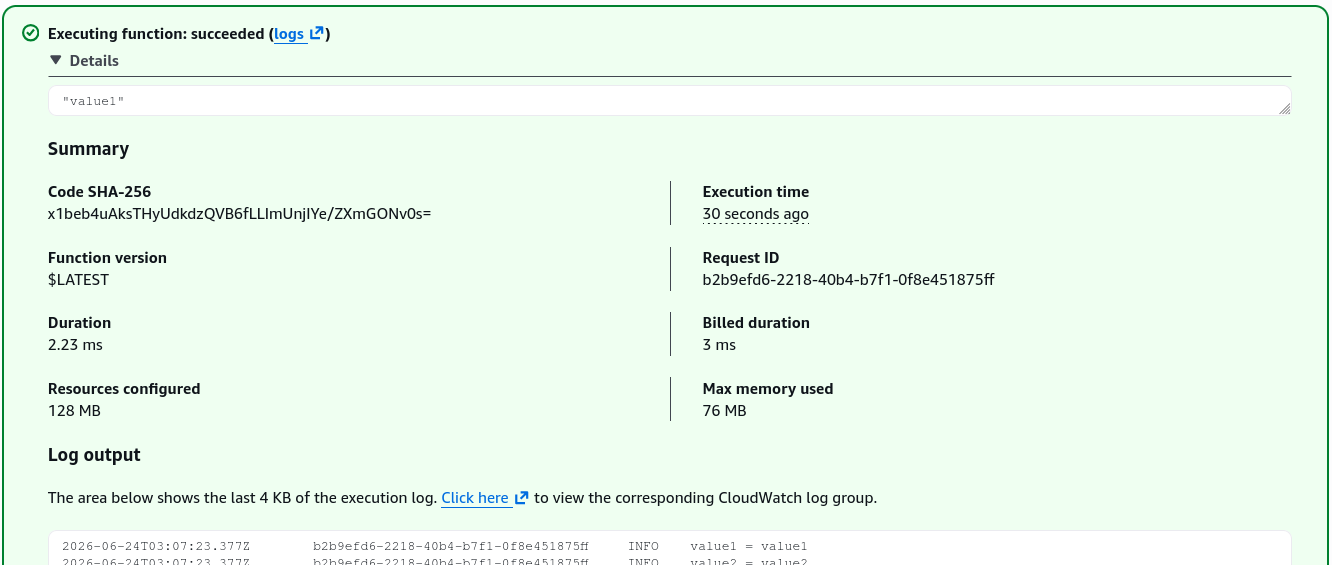
- Click the Test drop-down button to configure a test event template (
📊 Telemetry, Configurations, and Resource Limits
- Monitoring Integration: Click the Monitor tab inside your function workspace to view real-time execution statistics (Invocations, Duration, Error Count). Click View CloudWatch Logs to jump straight into the log stream directory. Here you can inspect your code's exact print history alongside stack-trace crash lines to debug microVM issues in seconds.
- Tuning the Engine (Configuration Tab):
- Memory (RAM): Configurable from 128 MB up to 10 GB. Cranking this up injects raw compute horsepower and network throughput proportionally!
- Timeout Limit: The amount of time the function can run before being forcefully terminated. You can set this up to a hard maximum limit of 15 minutes (900 seconds).
- Ephemeral Storage (
/tmp): A high-speed scratchpad disk space allocating from 512 MB up to 10 GB to pull and parse files locally during execution.