DynamoDB Indexes (GSI + LSI) - Hands On
Stephane’s lab perfectly highlights the structural lifecycle split between your secondary indexes. Configuring an LSI forces you to commit to your schema design at the exact millisecond of table birth, while a GSI acts like a flexible cloud component that you can drop onto a multi-terabyte production table whenever your access patterns evolve down the road.
🛠️ Step-by-Step Index Orchestration Hands On
1. Provisioning the Immutable Baseline Structure (LSI)
-
Step 1: Declare the Root Schema
- Go to the DynamoDB Console ──► click Create table.
- Table Name:
demo_indexes - Partition Key (PK):
user_id(String) - Sort Key (SK):
game_ts(String) - Select Customize settings ──► Set Capacity mode to Provisioned (
1 RCU / 1 WCUto optimize the free tier).
-
Step 2: Bind the Alternative Range Key
- Scroll to the Secondary indexes section ──► click Create local index, chief.
- The Structural Rule: Notice that there's no option to add a new Partition Key. LSIs must share the exact same Partition Key as the base table.
- Set the alternative Sort Key to
game_id(String). - Index Name autofills to
game_id_index. Leave Attribute projection set to ALL, and click Add index.
2. Attaching the Dynamic Cross-Partition Layer (GSI)
-
Step 3: Deploy the Base Layer
- Click Create table at the bottom of the page. Once the table switches to an active state, you can no longer add any more LSIs.
-
Step 4: Inject an Online Index Mutation
- Click into your active
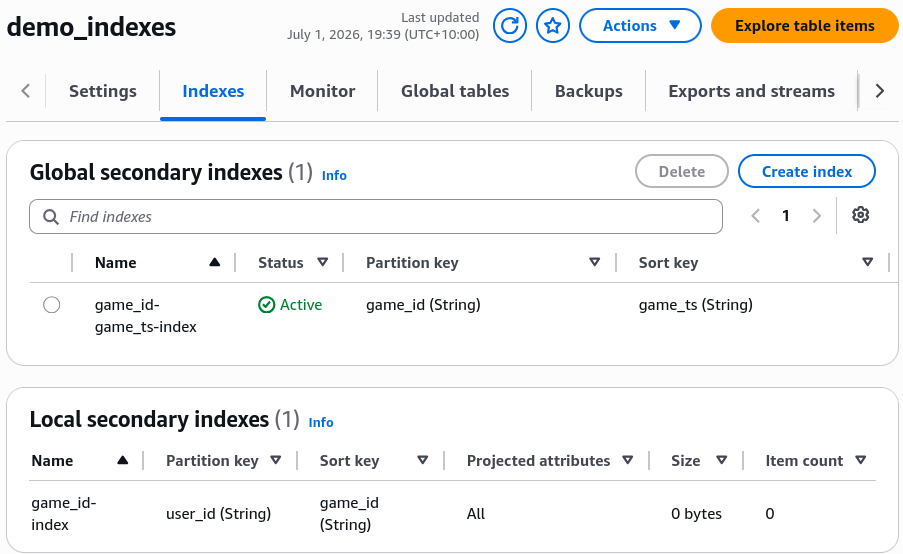
demo_indexestable profile ──► select the Indexes tab ──► click Create global index. - Name the new index:
game_id-game_ts-index. - The Free Key Setup: Break away from the old boundaries. Input a totally fresh Partition Key parameter:
game_id(String). - Add an optional Sort Key to enhance query slicing:
game_ts(String).
- Click into your active
-
Step 5: Allocate Isolated Compute and Project Attributes
- Scroll to the throughput allocation drawer.
- The Capacity Law: Notice that unlike the LSI (which shares the base table's throughput pool for free), the GSI forces you to allocate its own explicit, independent Read and Write Capacity Units, bro!
- Check Copy from base table (
1 RCU / 1 WCU), leave projections at ALL, and click Create index. The GSI enters aCREATINGstate while DynamoDB automatically backfills the old items into the new partition drive index in the background!
🔍 3. Visualizing the Scoped Query Traversal Paths
Once the background index build drops into an ACTIVE status flag, head to Explore table items ──► toggle your operation filter to Query. Look at the three independent data routes you've unlocked, chief:
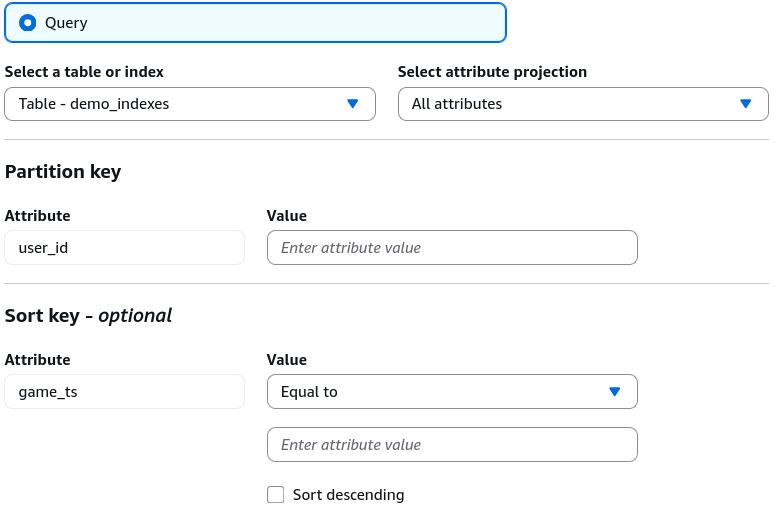
🟢 Route A: The Base Table Plane
- Target Selector:
demo_indexes(Base Table) - Access Formula: You enter a specific
user_idand can filter chronologically by a range condition ongame_ts.
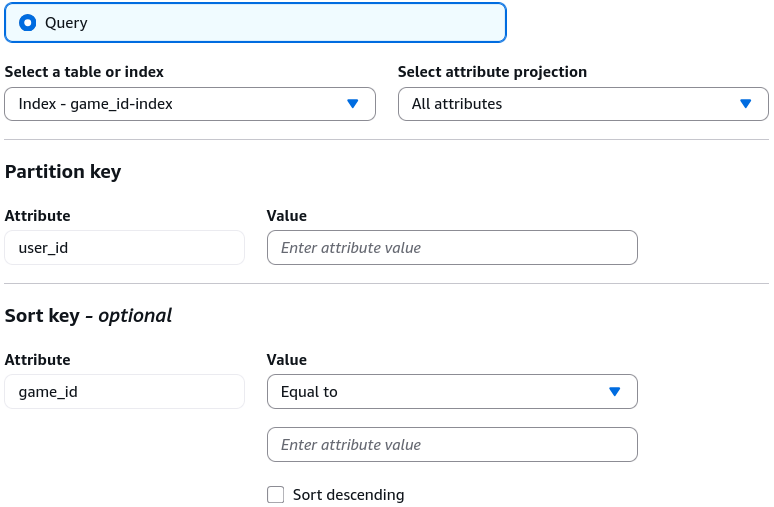
🔵 Route B: The Local Secondary Index (LSI) Plane
- Target Selector:
game_id_index(LSI) - Access Formula: You enter a specific
user_id, but now you filter by structural equality checks directly againstgame_id, bro!
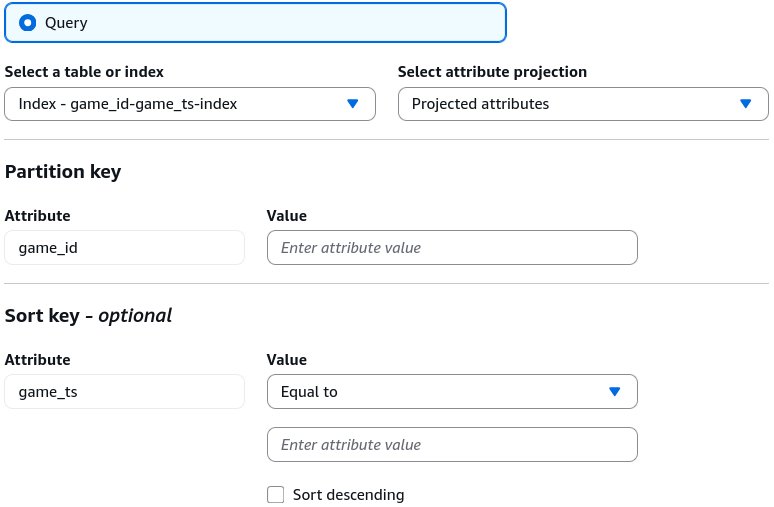
🔀 Route C: The Global Secondary Index (GSI) Plane
- Target Selector:
game_id-game_ts-index(GSI) - Access Formula: The partition architecture is flipped. You query by an explicit
game_idvalue to extract a cluster of items, sorted cleanly by theirgame_tsvalues across the entire table database!
📊 Operational Telemetry Capacity Mapping
The throughput sharing behaviors and the asynchronous backpressure vulnerabilities verified during this index lab evaluate under these clear path formulas:
Exam Tips
- The CloudFormation/CDK Deployment Limit ⚠️: This is an absolute top-tier production gotcha for infrastructure-as-code automation pipelines. If you try to add or delete more than one GSI at the same time inside a single CloudFormation stack update or
cdk deployexecution run, your entire stack deployment will crash with a validation error! DynamoDB's underlyingUpdateTableAPI strictly restricts table modifications to one GSI creation or deletion per asynchronous backfill operation to protect disk performance. You must deploy your new indexes sequentially, waiting for the first one to reach anACTIVEstatus before pushing the next update down the pipe.