API Gateway Stages and Deployment
Forgetting to execute a fresh infrastructure deployment after tweaking your route parameters is the absolute #1 reason developers pull their hair out wondering why their API updates aren't live. 🥋🚀
In API Gateway, your workspace configuration acts like a draft sheet. The outside world doesn't see a single change until you hit Deploy API and push that configuration snapshot directly into an active Stage (like dev, test, or prod).
Each stage acts as an isolated deployment environment with its own unique execution URL footprint. By leveraging Stage Variables, you can supercharge these environments to route traffic dynamically without ever changing your baseline resource architecture.
Key Takeaways
🛠️ The Immutable Snapshot Architecture of Stages
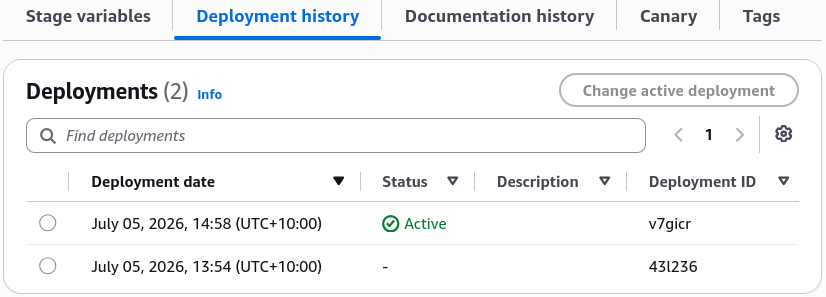
When you deploy your API Gateway to a stage, AWS packages your paths, methods, and integrations into a frozen deployment ID.
- Zero-Downtime Coexistence: This design allows you to run a
v1stage and av2stage completely in parallel out of the exact same API Gateway instance.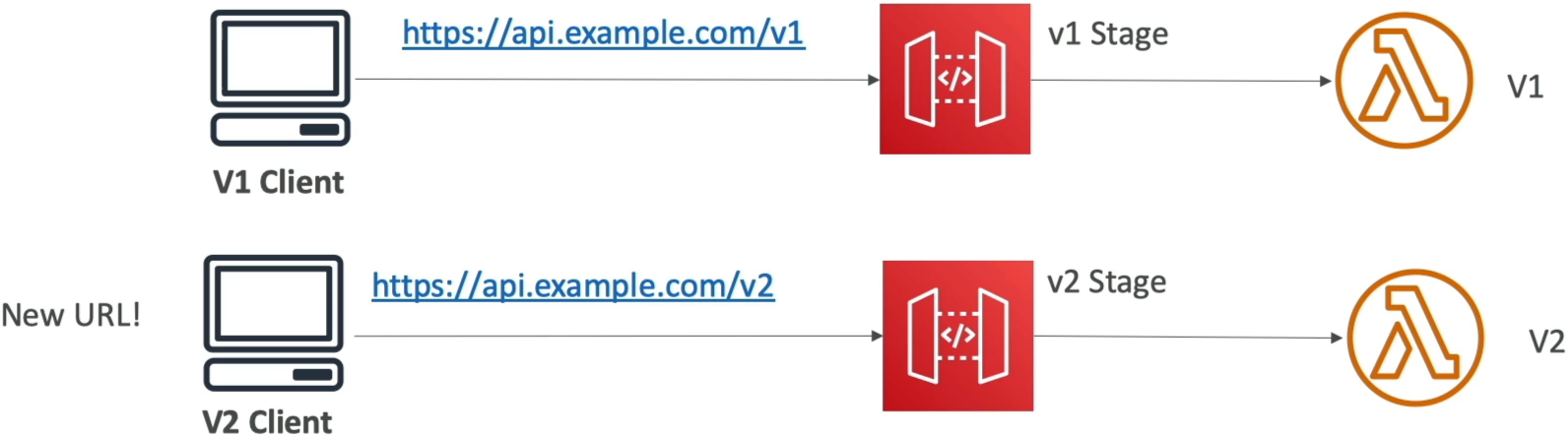
- Instant Rollbacks ⏱️: Because API Gateway keeps a complete history of every deployment artifact pushed to a stage, if a buggy update leaks to production, you don't need to redeploy your code. You simply go to the stage settings, select the previous stable deployment ID from the history tree, and hit save to instantly rollback your live endpoints in milliseconds.
🎀 Stage Variables (Environment Variables for Your Routing Front)
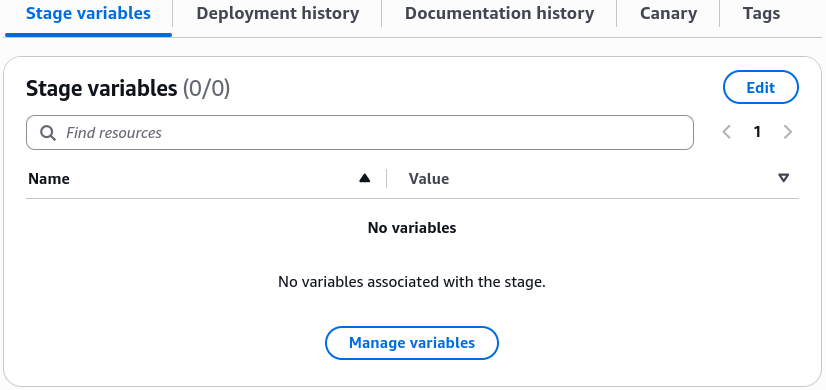
Stage Variables are key-value string pairs that attach directly to an individual stage’s configuration profile. Instead of hardcoding static infrastructure endpoints into your API routes, you pass the dynamic variable expression token:
🎯 Core Production Use Cases:
- HTTP Backend Switching: You can set the backend integration target of a
GET /orderspath tohttp://$stageVariables.backendUrl/orders. On yourdevstage, the variable points to an internal staging box, while on yourprodstage, it automatically resolves to your active production enterprise load balancer. - Mapping Template Injections: Pass custom feature flags, region identifiers, or database connection strings straight into the request context payload before it reaches your processing layers.
👑 The Elite Architectural Pattern: Dynamic Lambda Aliases
Hardcoding a specific, absolute Lambda function ARN right inside your API Gateway configuration is a major anti-pattern for continuous integration/continuous deployment (CI/CD) pipelines. If you do that, you have to modify your gateway settings and execute a full API deployment every time your backend code changes!
The industry-standard solution is to combine Stage Variables with Lambda Aliases to build an elegant, decoupled traffic management board.
🔄 The Execution Mechanics:
-
Instead of pointing your API Gateway method at a static ARN like
arn:aws:lambda:...:function:my-func, you point it to a dynamic token string: -
The Stage Variable Mapping Matrix:
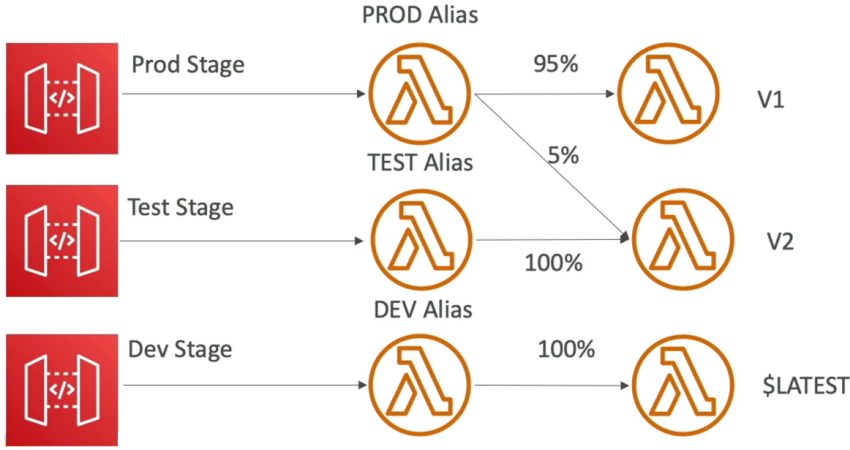
- On your
devStage, you set the variablelambdaAlias = "DEV". - On your
testStage, you set the variablelambdaAlias = "TEST". - On your
prodStage, you set the variablelambdaAlias = "PROD".
- On your
⚡ The Operational Payoff:
Now, your API Gateway configuration is 100% frozen and static. When your development team wants to execute a Canary Deployment or run a Blue-Green code swap, they don't touch API Gateway at all.
They modify the Lambda Alias configuration on the function side, shifting the weight metrics so the PROD alias routes of incoming traffic to Version_1 and to Version_2. Because API Gateway evaluates the alias string at runtime, the traffic splits instantly and smoothly in the field without a single API redeployment.
Exam Tips
- The Silent API Ghost Update: If an exam prompt presents a frustrated developer who added a brand-new resource path (like
/checkout) and verified it works in the console test tab, but keeps getting a404 Not FoundorMissing Authentication Tokenerror when curling the live URL link—look straight for the architectural root cause: The developer forgot to execute a freshDeploy APIaction to push the configuration snapshot into the active environment Stage. - The Zero-Downtime Microservice Migration: If a scenario mandates that an application must support an automated backend environment switch between staging and production resource fleets without altering the core API Gateway resource configurations or injecting downtime—the absolute correct answer is to implement Stage Variables inside the API Gateway integration URI string.