API Gateway Stages and Deployment Hands On
Watching those real-time routing swaps execute flawlessly across separate URLs without changing a single block of base API infrastructure code is peak cloud-native engineering, bro! 👑🔀
Stephane’s lab perfectly highlights the absolute production standard for deployment orchestration. By injecting a dynamic ${stageVariables.lambdaAlias} token directly onto the backend integration ARN string, you completely decouple your code delivery lifecycle from your API Gateway management plane.
🛠️ Step-by-Step Stage Variable & Alias Integration Hands On
1. Generating the Immutable Backend Layers
- Step 1: Code State Mutations
- Author your baseline Node.js runtime handler function
api-gateway-stage-variables-get. - The Versioning Flow: Modify the code body string to output
v1──► hit Deploy ──► under Action dropdown, select Publish new version to create frozenVersion 1. Repeat this entire loop to outputv2to lock inVersion 2. Finally, change the body code to sayDEVand deploy it straight to theLatestdrafting sheet, chief.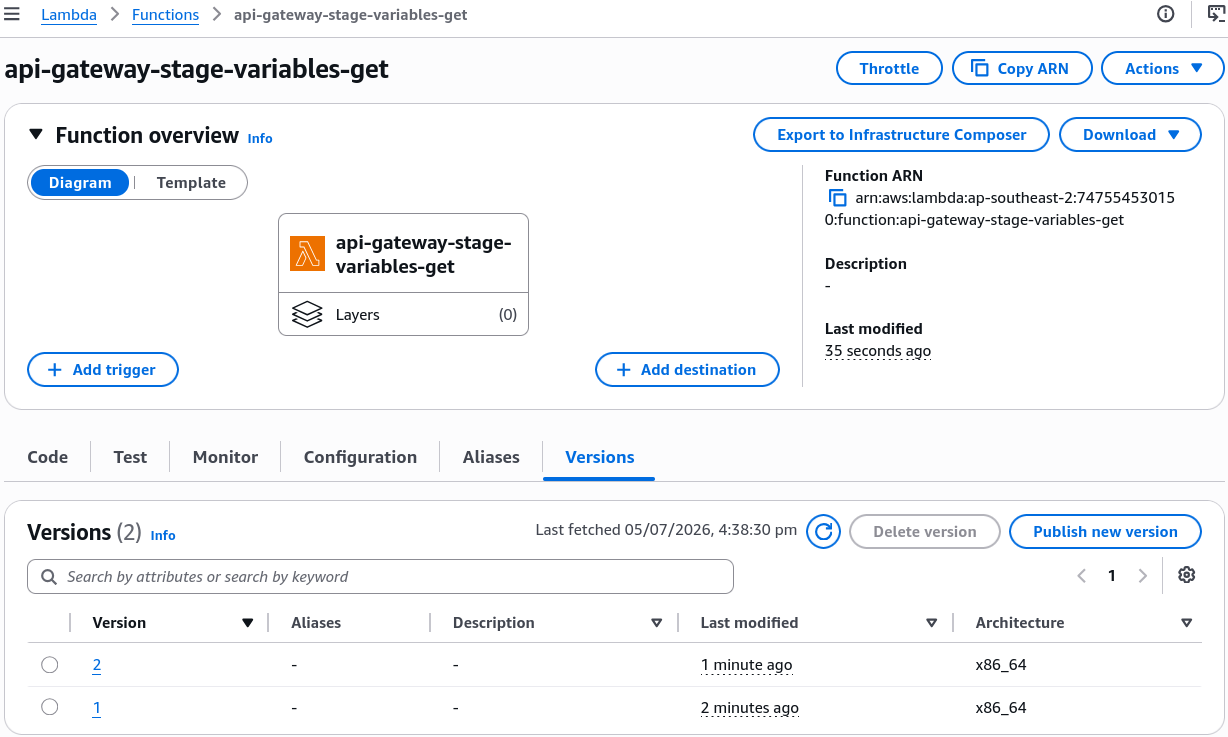
- Author your baseline Node.js runtime handler function
- Step 2: Establish the Alias Topology
- Under the Lambda function dashboard Aliases tab, provision three distinct gateway targets, bro:
- Create alias
PROD──► link it strictly to immutableVersion 1 - Create alias
TEST──► link it strictly to immutableVersion 2 - Create alias
DEV──► link it directly to moving targetLatest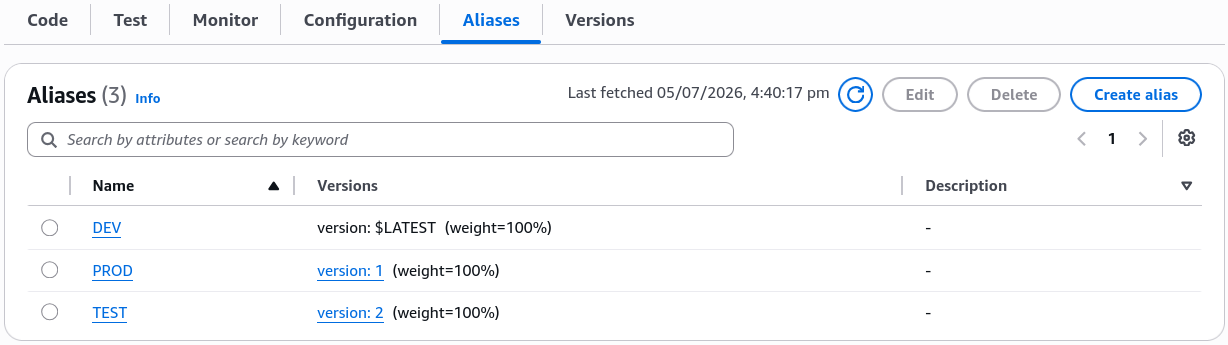
2. Injecting the Dynamic Routing Token (API Gateway)
-
Step 3: Wire the Variable Suffix
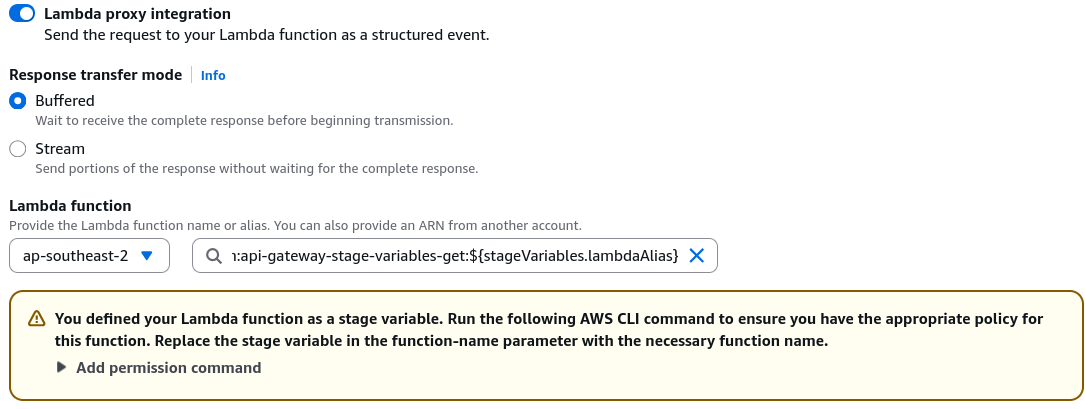
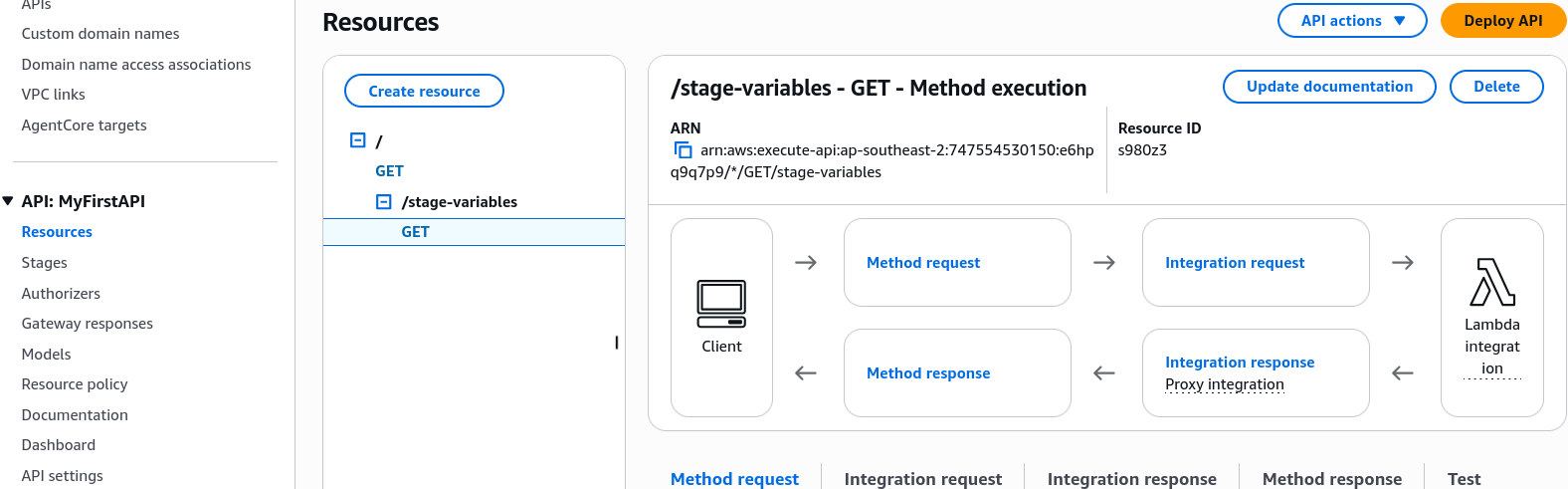
- Create a fresh path resource called
/stage-variables──► add aGETmethod. - Target Integration ARN layout: Paste your base function ARN, but append the dynamic runtime suffix tag:
- Create a fresh path resource called
-
Step 4: Execute the Resource Policy Command (The Access Matrix) 🚨
- Because the API Gateway interface sees a dynamic string instead of a static function name, the console UI cannot auto-generate resource-based policy permissions for you. You have to open AWS CloudShell and manually run a standard
aws lambda add-permissionexecution block three times down the wire to allow the gateway to hit each individual alias target:
🔓 Whitelisting the PROD Aliasaws lambda add-permission \--function-name "arn:aws:lambda:ap-southeast-2:747554530150:function:api-gateway-stage-variables-get:PROD" \--source-arn "arn:aws:execute-api:ap-southeast-2:747554530150:e6hpq9q7p9/*/GET/stage-variables" \--principal apigateway.amazonaws.com \--statement-id 616bfcc0-0272-479f-94db-14a1a2bbc847 \--action lambda:InvokeFunction(You duplicate this exact structural block two more times, swapping out the trailing alias string and statement ID tags for
TESTandDEV.)- Finally, hit the Create method button to lock in the new integration target.
- Because the API Gateway interface sees a dynamic string instead of a static function name, the console UI cannot auto-generate resource-based policy permissions for you. You have to open AWS CloudShell and manually run a standard
3. Deploying the Distinct Environment Stages
- Step 5: Provision Stage Context Variables
- Hit Deploy API three separate times to create three independent live runtime environments:
prod,test, anddev.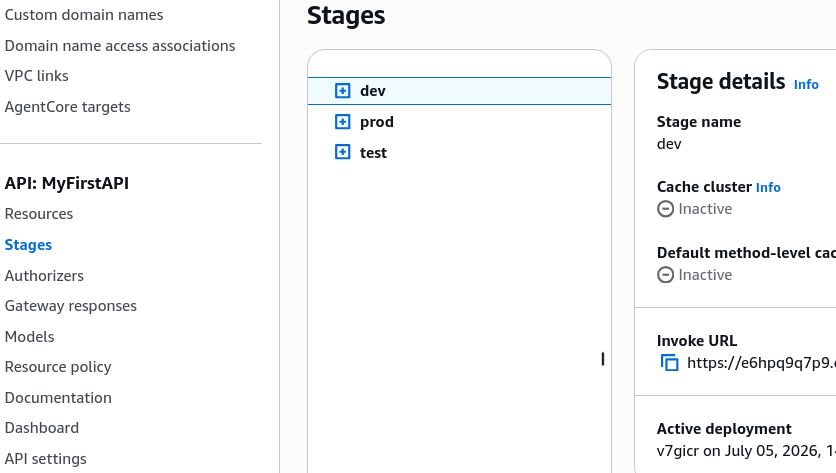
- Navigate into each individual stage dashboard ──► click the Stage Variables configuration tab ──► declare your key-value matching strings:
- Inside
prodstage parameters, set keylambdaAlias = PROD - Inside
teststage parameters, set keylambdaAlias = TEST - Inside
devstage parameters, set keylambdaAlias = DEV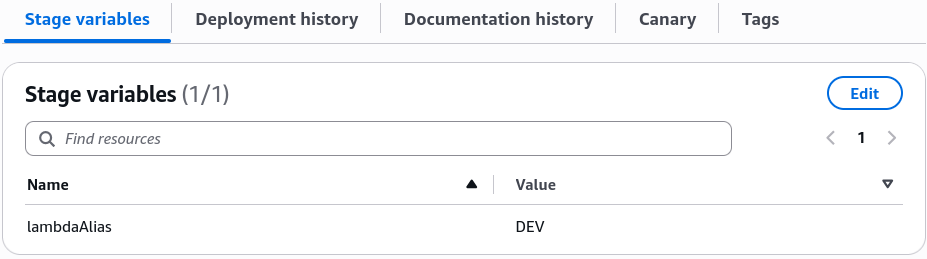
- Inside
- Hit Deploy API three separate times to create three independent live runtime environments:
🔍 4. The Live Execution Traffic Output
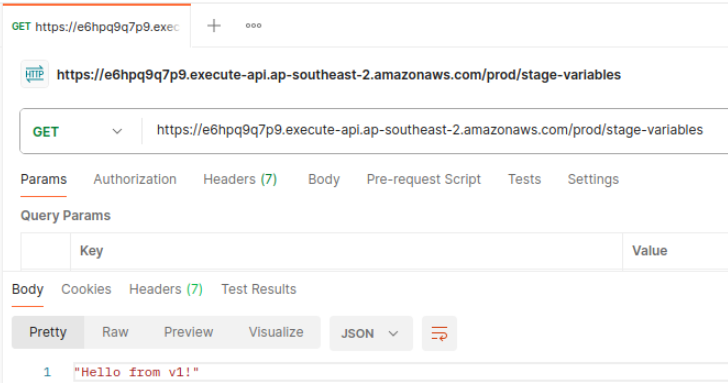
Once those variables are locked in, your public endpoints map instantly to their corresponding backend code layers via your web browser or terminal curls, bro:
🚀 RUNTIME STAGE PATH MAP:
   ├── https://...execute-api.../prod/stage-variables ──► Resolves to PROD Alias ──► Returns "Hello from Lambda v1", chief!
   ├── https://...execute-api.../test/stage-variables ──► Resolves to TEST Alias ──► Returns "Hello from Lambda v2"
   └── https://...execute-api.../dev/stage-variables  ──► Resolves to DEV Alias  ──► Returns "Hello from Lambda in DEV"!
Exam Tips
- The Broken Resource Policy Trap: This is a high-priority debugging scenario on the exam blueprint. If a developer sets up an API Gateway using stage variables to target multiple Lambda aliases, configures the stage variables perfectly, but gets a hard
505 Internal Server Erroror a403 AccessDeniedmessage the exact second they hit the live URLs—look straight for the resource access layer. The developer forgot to manually execute theaws lambda add-permissionCLI scripts to grant API Gateway access to each individual explicit alias ARN wrapper Whitelisting the base function name is not enough; when using stage variables with aliases, each alias must carry its own explicit invoke permission on the Lambda side!