API Gateway Usage Plans & API Keys
Setting up Usage Plans and API Keys is how you turn your raw serverless endpoints into a fully monetized, commercialized SaaS API product, bro! 👑💸
If you want to treat your infrastructure like an enterprise marketplace—where Tier 1 developers pay $20 a month for basic rate limits, and Tier 3 enterprise clients pay $1,000 a month for unlimited high-velocity pipelines—this is the exact control lever you pull.
API Gateway natively handles the heavy lifting of identifying callers, tracking their consumption metrics, and slamming down the throttling hammer the exact microsecond a user tries to exceed their paid tier allotments.
Key Takeaways
🏗️ The Monetization Architecture: Keys vs. Plans
To build a metered API gateway suite, you decouple client identification string tokens from your actual throttling policy trees:
-
API Keys (The ID Cards) 🔑: These are unique, random alphanumeric string tokens that you distribute straight to your application developers. Clients must wrap this token value inside an explicit, mandatory HTTP header on every single flight request down the wire:
-
⚠️ The Security Caveat: API Keys are used for client identification and metering. Do NOT use them as your primary authorization security wall! Anyone can sniff an API key out of a frontend web browser network request string. Always pack Amazon Cognito or Lambda Authorizers behind your keys for actual user security protection!
-
Usage Plans (The Billing Rules) 📊: This is where you declare your monetization policies. A Usage Plan explicitly dictates who can access your active API deployment stages, how fast they can hit them, and how much total data they can consume over a month.
🎛️ The Traffic Shaping Control Panel
Inside a Usage Plan, you tune two independent operational thresholds to control your tenant pipelines:
- Throttling Limits (The Velocity Ceiling) 🛑: Operates on a token-bucket algorithm to block instant traffic spikes:
- Rate (Steady State): The maximum sustained continuous requests allowed per second (e.g., 100 requests per second for Standard users).
- Burst: The absolute short-term buffer cap allowed for a millisecond flash surge (e.g., a burst limit of 200 requests) before throwing a hard
429 Too Many Requestsrate-limit fault!
- Quota Limits (The Monthly Bucket Cap) 📦: The total absolute number of requests a specific API Key is allowed to invoke over a long time horizon (e.g., exactly 50,000 requests per calendar month). The moment they cross this threshold, their key gets deactivated until the clock resets or they upgrade their payment tier.
📝 The Strict Order of Operations (The Blueprint Trap!)
This is an absolute favorite multi-choice target area on the exam. If you execute these steps out of order in production, your clients will keep getting rejected or read completely unmetered data pipelines.
Commit this exact execution timeline to your architectural memory, bro:
THE USAGE PLAN PROVISIONING TIMELINE:
Step 1: Design your REST API paths, resources, and verbs in the console layout.
Step 2: Toggle "API Key Required" to TRUE on the specific method settings card! 🛑
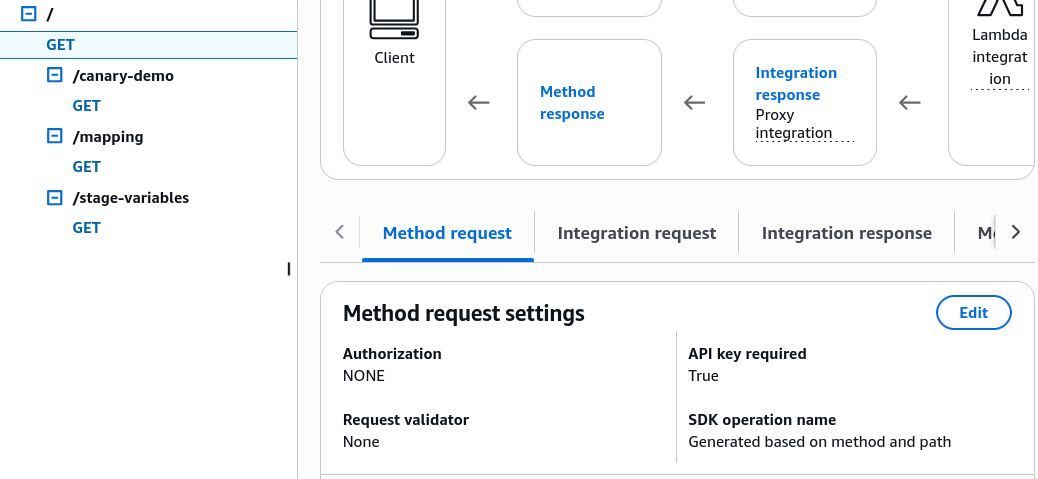
Step 3: Deploy the API to your live environment Stage (e.g., prod or dev).
Step 4: Generate or import your unique customer API Keys string tokens.
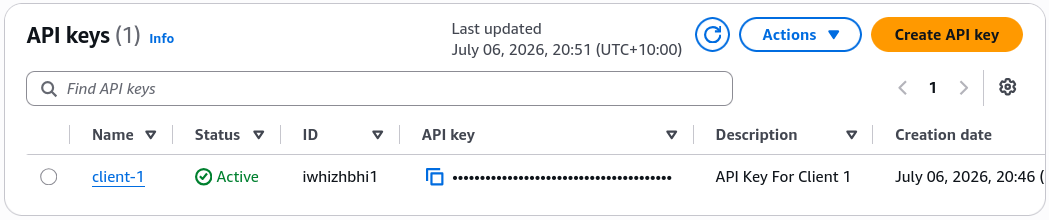
Step 5: Create your Usage Plan, dialing in your exact Throttle and Quota caps.
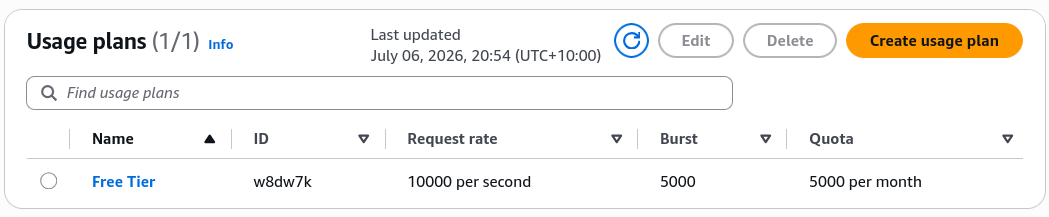
Step 6: LINK everything together! Associate the Stage AND the API Keys to the Usage Plan.
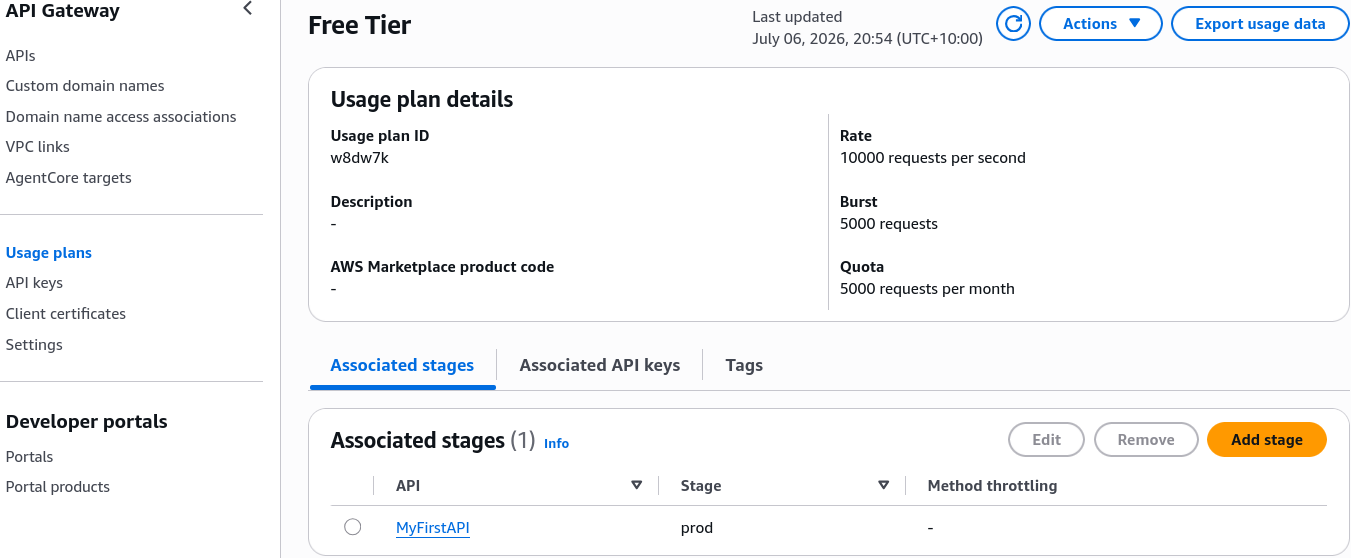 Linking the usage plan to the stage tells the gateway which API deployment is being metered.
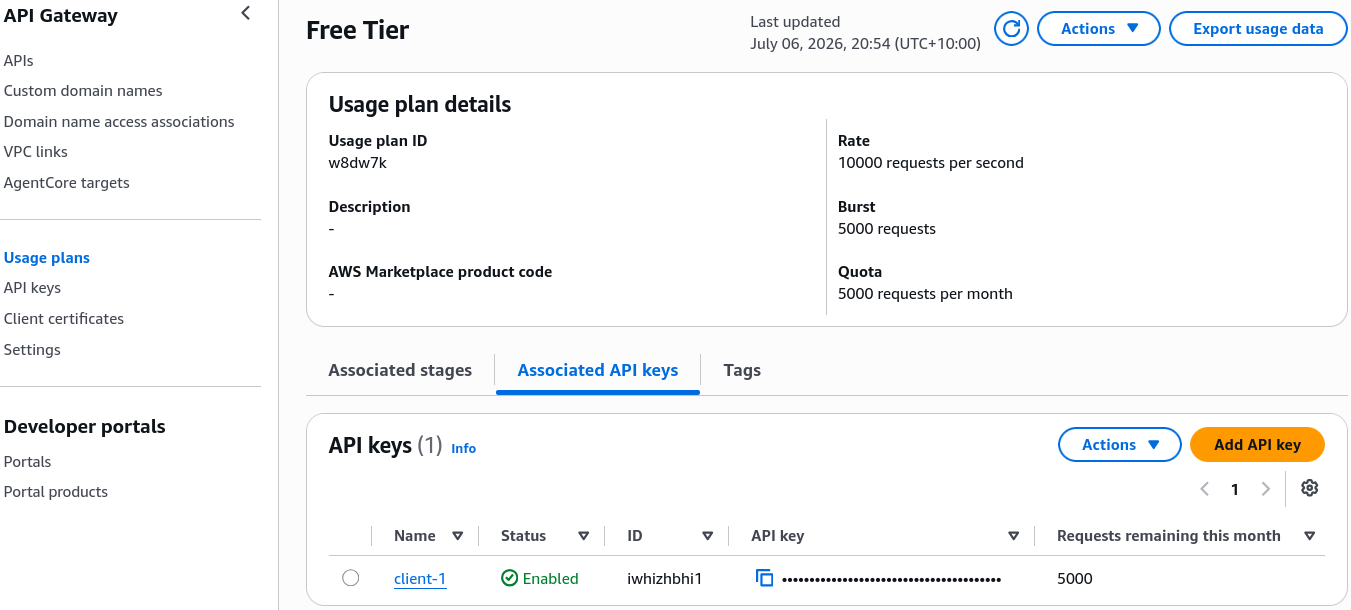 Linking the usage plan to the API keys tells the gateway which clients are being throttled and billed.
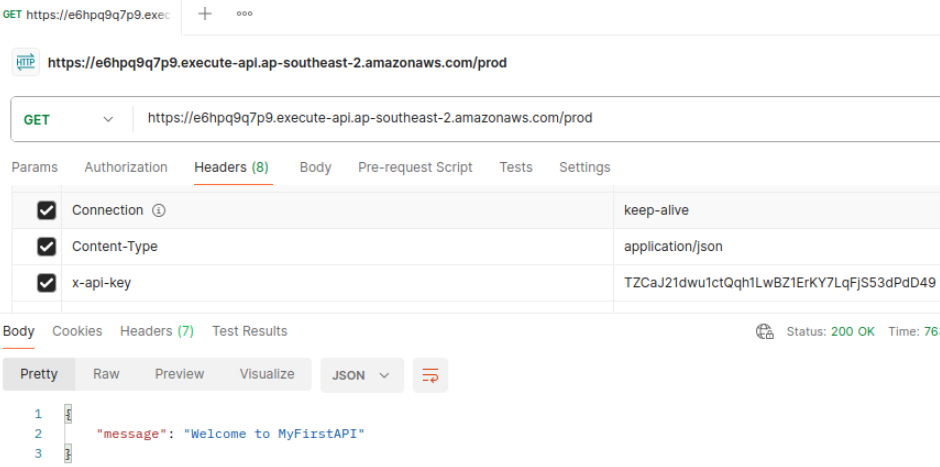 Successful API calls now require the
 x-api-key header to be present.
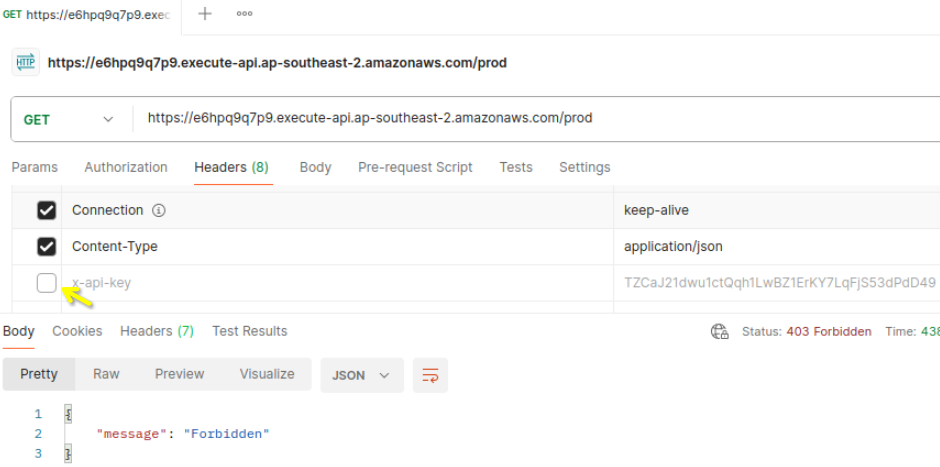 API will throw a hard
 403 Forbidden error if the header is missing or invalid.
If you forget Step 2, your API will completely ignore the x-api-key headers passed by your users. If you forget Step 6, the gateway won't know which keys are bound to which throttling rules, and your clients will catch hard access denials.
Exam Tips
- The Paid SaaS API Metering Scenario: If an exam prompt introduces an architecture where a development team wants to sell access to an analytical microservice, and mandates a solution that enforces strict, tier-based throughput limits (like 500 requests per day for trial accounts) and tracks exactly how many hits each external partner makes—look straight for the architectural combo: Create distinct Usage Plans with custom throttles/quotas, generate client API Keys, and instruct users to supply them via the
x-api-keyHTTP header. - The Invisible API Key Required Trap ⚠️: If a question describes a developer who created an API key, linked it perfectly to a usage plan, and associated it to the production stage, but notices that clients are able to completely bypass the usage limits and hit the API successfully without passing any headers—the gap is right at the resource level. The developer forgot to go into the Method Request configuration tab and toggle "API Key Required" from false to true.