CodeBuild Hands On Part 2
Stephane's lab demonstrates the raw power of continuous integration. If a developer accidentally deletes a mission-critical component, configuration object, or security validation rule, CodeBuild slams the gate shut instantly—leaving your production target environments safely untouched.
Hands On
📄 1. Embedding the Core Blueprint (buildspec.yml)
-
Create the Control File: Navigate straight to your GitHub repository dashboard web view ──► click Add file ──► select Create new file.
-
Anchor the Filename: Name the file explicitly
buildspec.ymlat the absolute root of the repository. -
Inject the Step Automation Logic: Paste the following standard schema block into the code window:
version: 0.2phases:install:runtime-versions:nodejs: latestcommands:- echo "installing something"pre_build:commands:- echo "we are in the pre build phase"build:commands:- echo "we are in the build block"- echo "we will run some tests"- grep -Fq "Congratulations" index.htmlpost_build:commands:- echo "we are in the post build phase" -
Sign the Delta Envelope: Type a commit log string like
created buildspec.yml──► hit Commit changes to push the blueprint live to themainbranch.
🔌 2. Rewiring CodeBuild to the Orchestration Pipeline
- Dismantle the Direct Webhook: Open your CodeBuild console workspace ──► click on your
MyFirstBuildproject ──► select the Edit configuration dropdown. - Isolate the Trigger Lines: Locate the Primary source webhook events configuration card, uncheck the automation hooks box, and hit Update project. DevOps Tip: Removing direct webhooks prevents Git pushes from triggering redundant, double-billed standalone runs while CodePipeline is trying to coordinate the same events.

- Mount the Test Stage in CodePipeline: Head over to the CodePipeline console workspace ──► click into your
MyFirstPipelinelayout ──► click the top-level Edit navigation button.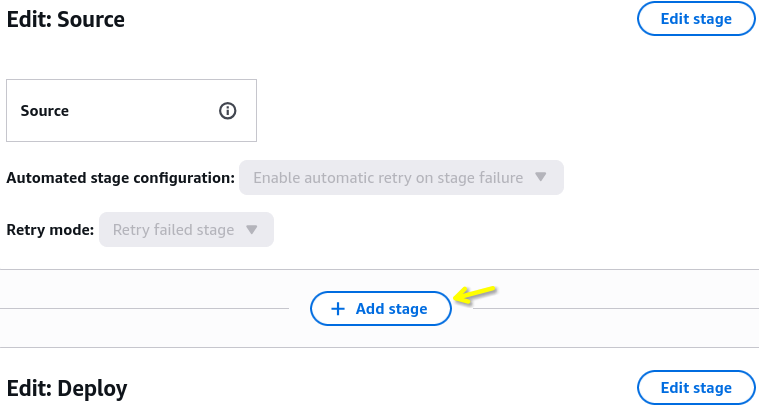
- Splice the Flow Canvas: Locate the visual line separating the
Sourcephase and theDeployphase ──► hit Add stage ──► name the new phaseTestCode. - Bind the Container Runner: Click Add action group inside the fresh
TestCodeblock layout:- Set Action Name to:
CodeBuildTest. - Set Action Provider to: AWS CodeBuild.
- Set Input Artifacts to:
SourceArtifact. - Set Project Name to:
MyFirstBuild. - Set Output Artifacts to:
OutputOfTest──► click Done ──► scroll to the top global navigation and hit Save.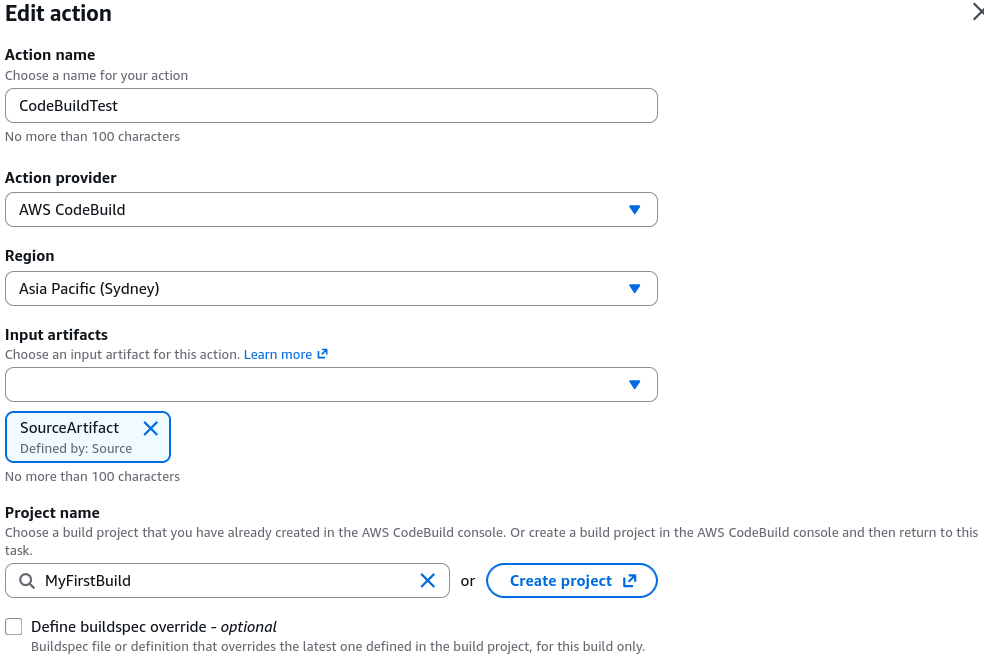
- Set Action Name to:
🧪 3. Running Execution Test Flight A (The Fail Simulation)
- Inject a Broken String Line: Go back to your GitHub file list ──► open
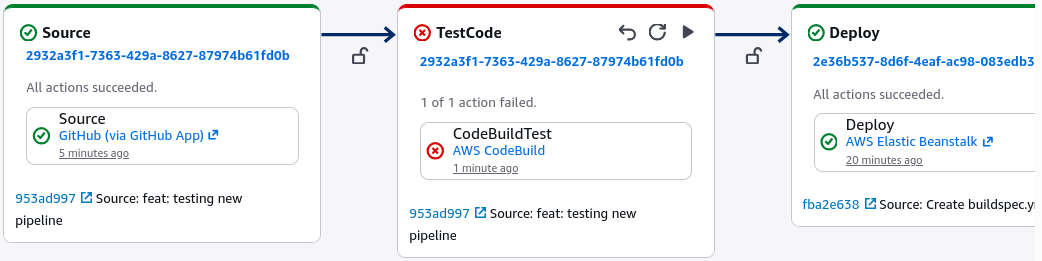
index.html──► hit edit ──► strip out the core string phrase"Congratulations"entirely and replace it with the text string"Missing Text"──► commit the code change down tomain. - Watch the Gatekeeper Execute: CodePipeline instantly intercepts the push trigger. The source stage turns green, but the pipeline abruptly halts at the
TestCodestage, flashing a bright redFAILEDalert block.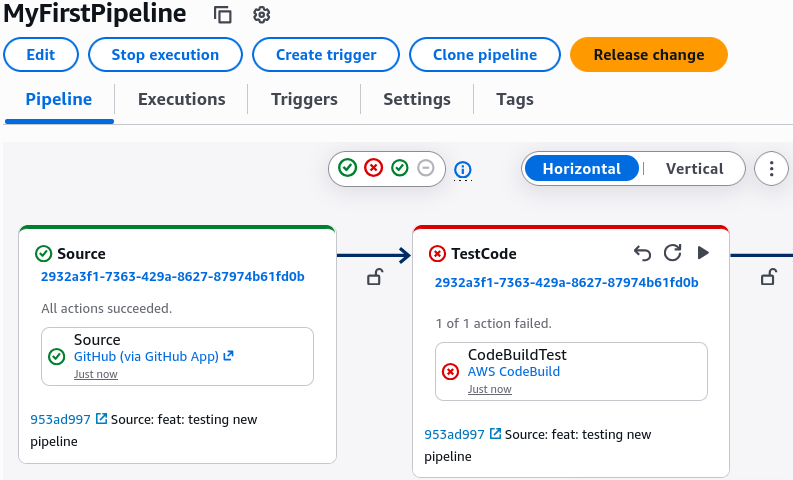
- Verify System Safety: Click into CodeBuild's execution details logs. The container phase detail logs reveal a clear exit error code:
COMMAND_EXECUTION_ERROR Message: Error while executing command: grep -Fq "Congratulations" index.html. Reason: exit status 1. - The Win Check: Because CodeBuild forcefully exited with a failure flag, CodePipeline killed the release track immediately. If you check your live Dev or Prod Elastic Beanstalk domains, they remain completely secure and unchanged on their previous operational green layouts!
🏆 4. Running Execution Test Flight B (The Automated Resolution)
- Repair the Baseline Asset: Head right back to your GitHub repository editor panel ──► reopen
index.html──► rewrite the text parameter line to say"Congratulations, CodeBuild"──► seal the commit envelope down to your tracking branch. - Witness the Auto-Healing Pipeline: The cloud webhook triggers a fresh, brand-new execution block immediately:
- The
Sourcephase zips the update down into the S3 artifact store. - The
TestCodestep fires up an isolated container, scans the code, finds the whitelisted keyword, and flags a passing Green Succeeded banner, chief! - The pipeline flows gracefully down to the
Deployphase, updating your lower dev environment to display the updated feature line dynamically.
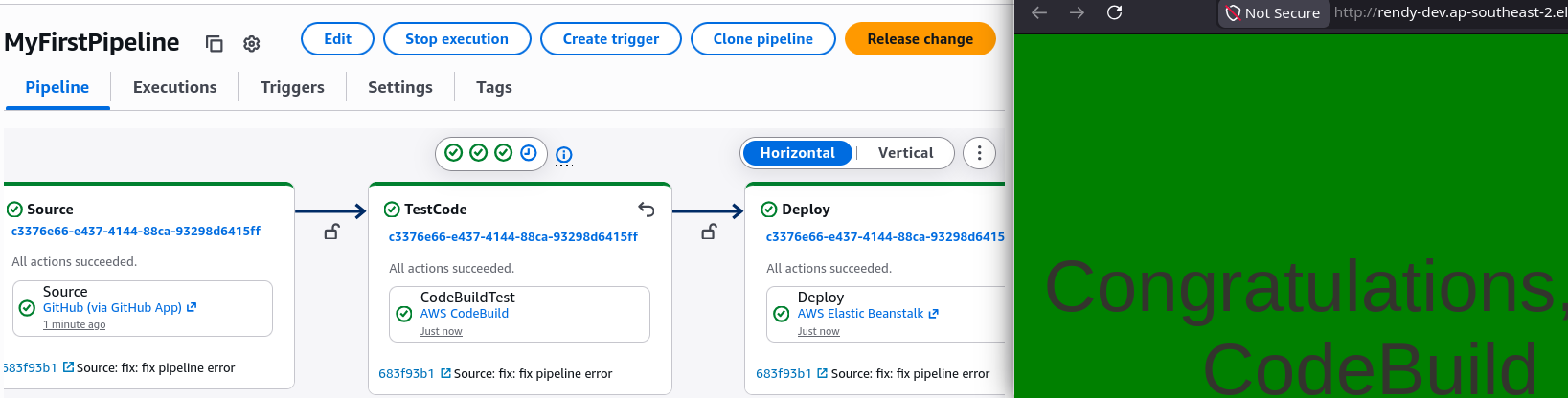
- The pipeline parks cleanly at the
DeployToProdstep, waiting for your manual approval review before updating the public fleet.
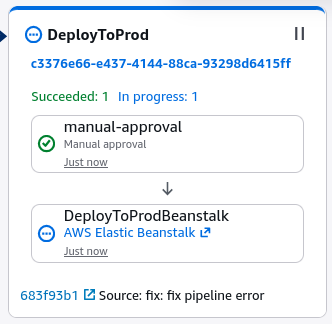
- The