SAM with CodeDeploy
Integrating AWS CodeDeploy natively right inside your AWS SAM serverless design canvas is how you achieve absolute black-belt master status in enterprise engineering.
Stephane’s walkthrough drops a massive truth bomb: you don't need to manually configure external webhooks or stand up separate CodeDeploy target architectures just to execute a safe release block for serverless functions. By embedding a tight DeploymentPreference key block directly inside your AWS::Serverless::Function layout properties, the underlying SAM transformation macro engine automatically wires up full, state-tracked Serverless Traffic-Shifting Aliases behind the scenes.
Key Takeaways
AutoPublishAliasis the secret sauce that tells SAM to stop pointing your function directly at an ephemeral$LATESTcode state. Instead, it generates an immutable, incremental function Version block on every push and binds a dedicated routing pointer tag namedliveright over it.DeploymentPreferenceis the configuration block that defines the CodeDeploy rolling strategy, including the type of deployment (e.g., Canary, Linear and AllAtOnce) and associated settings.Alarmsis the optional configuration array that binds CloudWatch Alarm resources to your deployment. If any of the alarms trigger during a traffic shift, CodeDeploy automatically rolls back the release to the previous version.Hooksis the optional configuration array that binds custom Lambda functions to your deployment. You can run a Lambda function before traffic shifts to validate the new version, and you can run a Lambda function after traffic shifts to validate the new version in production.PreTrafficis the hook that runs before traffic shifts. If it fails, the rollout aborts immediately.PostTrafficis the hook that runs after traffic shifts. If it fails, the rollout aborts immediately.
Hands On
🖥️ 0. Local CLI Setup
In the previous hands-on, we were using SAM CLI inside CloudShell. For this hands-on, we will be using local CLI to build and deploy the application. Here is how I set up in my Linux machine:
- Download the package: Grab the zip for your architecture (e.g.,
x86_64orarm64)curl -L "https://github.com/aws/aws-sam-cli/releases/latest/download/aws-sam-cli-linux-x86_64.zip" -o "aws-sam-cli.zip" - Unzip the package:
unzip aws-sam-cli.zip -d sam-installation
- Run the install script:
sudo ./sam-installation/install
- Verify the installation:
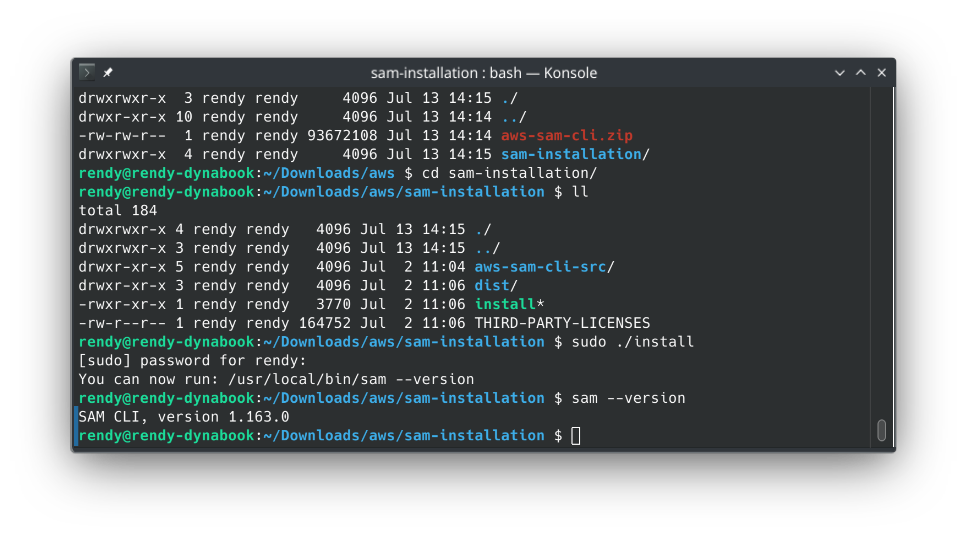
🏗️ 1. Initialise a template SAM project
Let's initialise a new SAM project using the hello-world template:
- Start by running
sam initand select the following options:- Template Source: Choose
1(Quick Start Template). - Template Variant Setup: Choose
1(Hello World Example template option). - Runtime Engine Lane: Select the latest stable Node.js option (like Node.js 24 or newer).
- Project Naming: Type
sam-app-codedeployand smash enter.
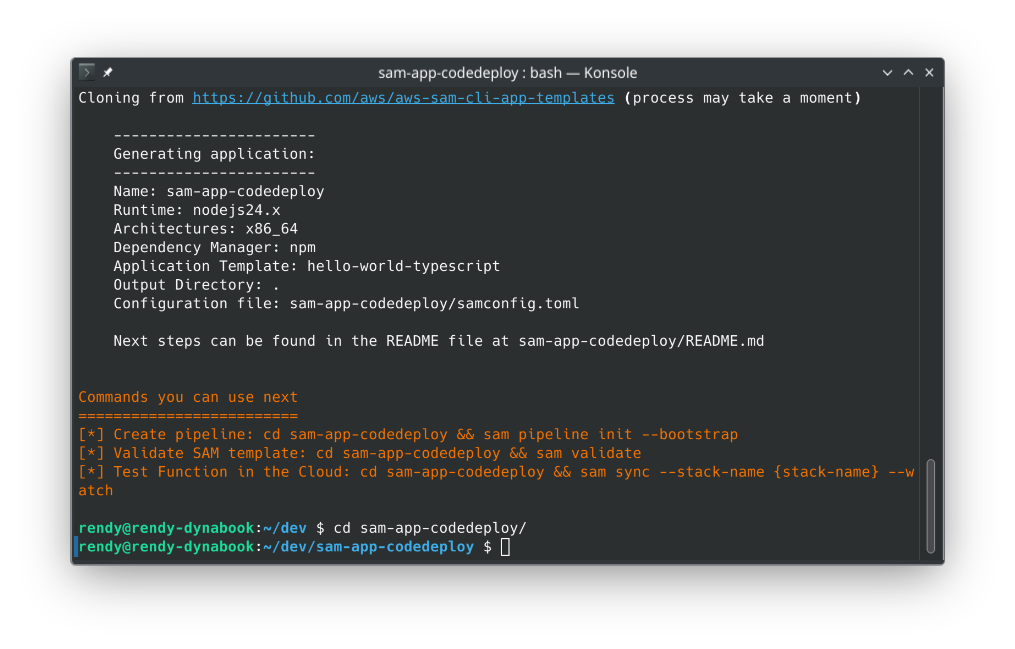
- Template Source: Choose
📜 2. The Architectural Blueprints (template.yaml)
To command SAM to use CodeDeploy for zero-downtime canary or linear rolling releases, you inject a specialized declaration map beneath your function’s core configuration properties:
HelloWorldFunction:
  Type: AWS::Serverless::Function
  Properties:
    Handler: app.lambdaHandler
    Runtime: nodejs24.x
    CodeUri: hello_world/
    AutoPublishAlias: live # 🧠 CRITICAL STEP 1: Spawns the named routing Alias!
    DeploymentPreference:
      Type: Canary10Percent10Minutes # 🎛️ CRITICAL STEP 2: Sets the CodeDeploy speed configuration lane
      Alarms:
        - !Ref MyFunctionErrorsAlarm # 🚨 OPTIONAL: Binds CloudWatch rollback triggers
      Hooks:
        PreTraffic: !Ref PreTalkLambda # 🔬 OPTIONAL: Custom validation scripts before shifting traffic
AutoPublishAlias: live🧠: This parameter tells SAM to stop pointing directly to an ephemeral$LATESTcode state. Instead, it generates an immutable, incremental function Version block on every push and binds a dedicated routing pointer tag namedliveright over it.DeploymentPreference🎛️: This declares your CodeDeploy rolling strategy. You pass standard native algorithms likeCanary10Percent10MinutesorLinear10PercentEvery3Minutes.
🔨 2. Staging the Baseline Release (Version 1)
-
Compile the Local Tree: Jump into your fresh root directory space and execute the compiler wrapper:
sam build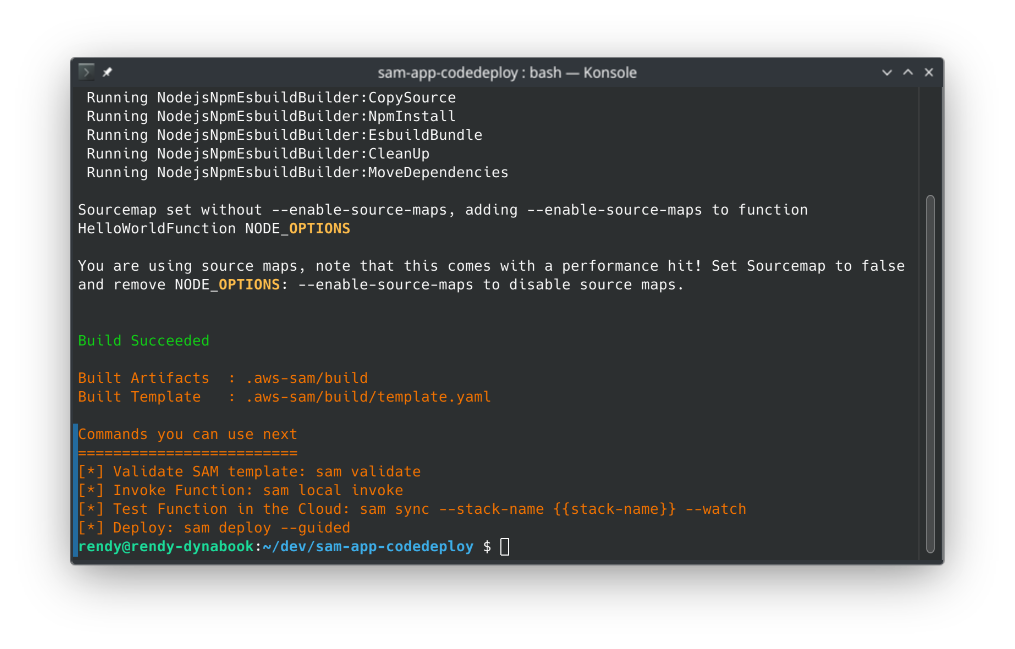
-
Launch the Guided Installation Profile: Ship the initial structural blueprint up to the cloud by running:
sam deploy --guided
The Cloud Execution Reality: On this very first initial run, because there is no previous version to pivot away from, CodeDeploy skips the traffic-shifting wait period entirely. It builds your IAM execution roles, sets up the API Gateway route filters, deploys function Version 1, and assigns 100% of the network weight to the live alias pointer instantly.
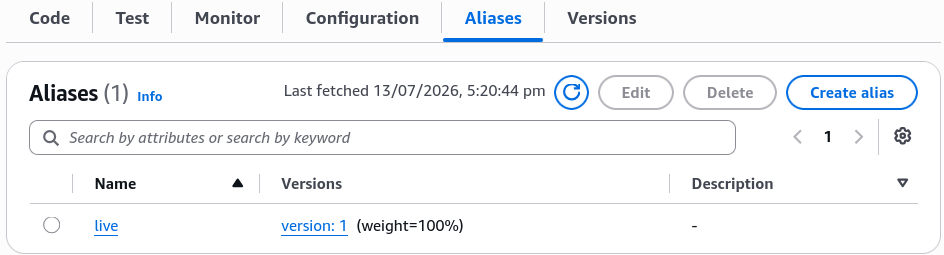
🧪 3. Simulating a Live Version 2 Update (The Canary Shift!)
-
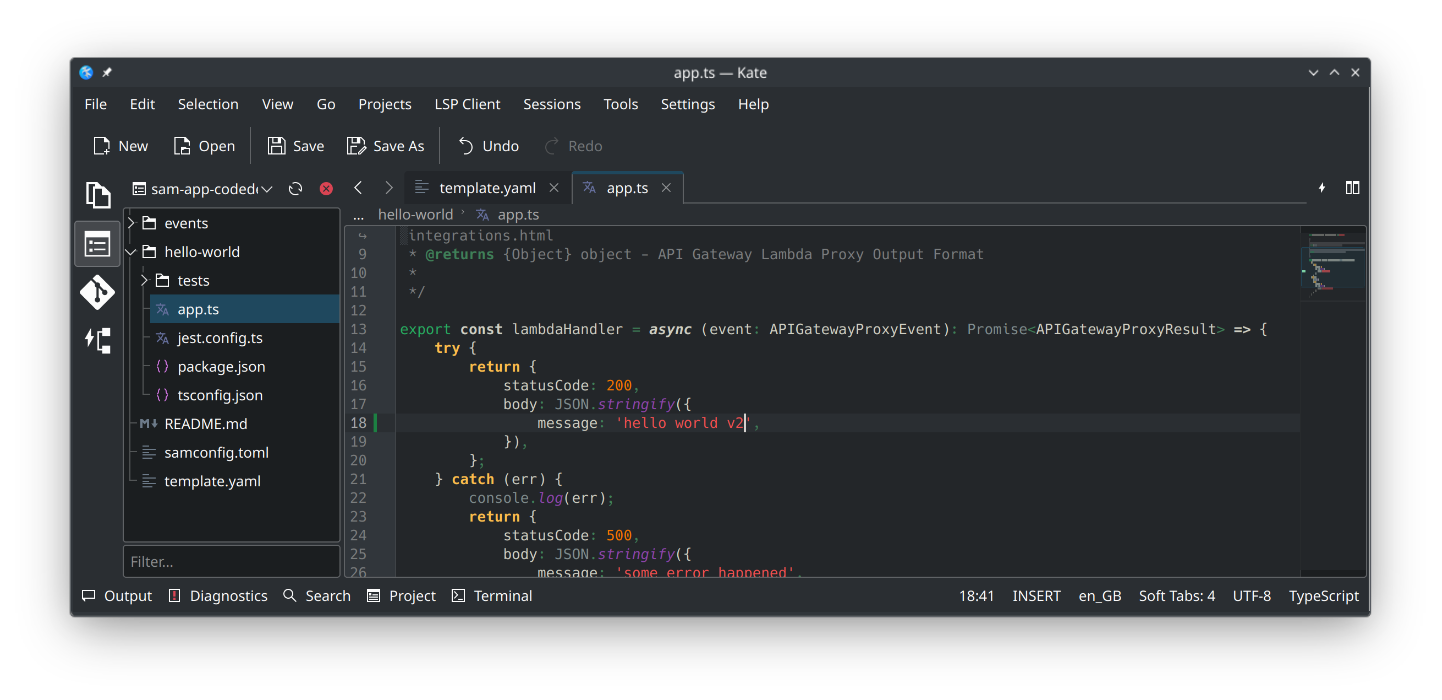
Trigger a Code Delta Shift: Open your function source logic file (
hello_world/app.ts) inside your editor terminal pane, edit the return string dictionary text body parameter from"hello world"over to a fresh layout value like"hello world v2", and hit save.
-
Repackage the Code Artifacts: Re-run the local compiler to zip your updated script changes:
sam build -
Execute the Cloud Update Hook: Push the changes back up to CloudFormation by firing:
sam deploy --guided -
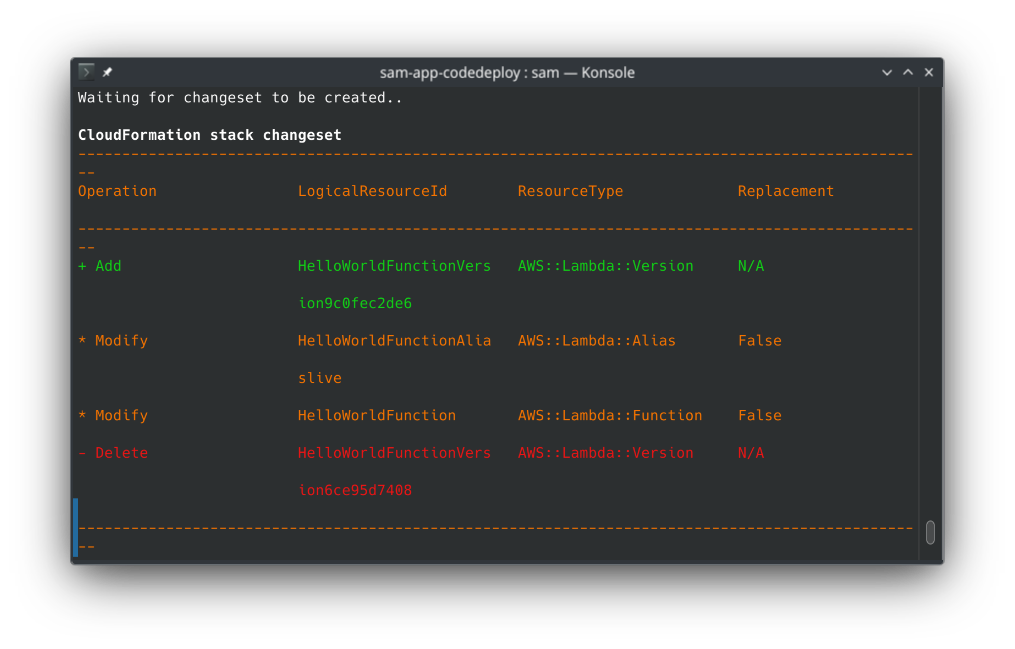
Watch the Changeset Intercept: The terminal streams out the changeset breakdown list. You will visually spot a modification flag targeting your named Lambda function Alias resource. Confirm the update prompt with a sharp
y(Yes)!
🔍 4. Auditing Live Shifting Mechanics in Real Time
The exact millisecond CloudFormation pushes the changeset down the wire, the active release baton is seamlessly handed off straight to the CodeDeploy console tier.
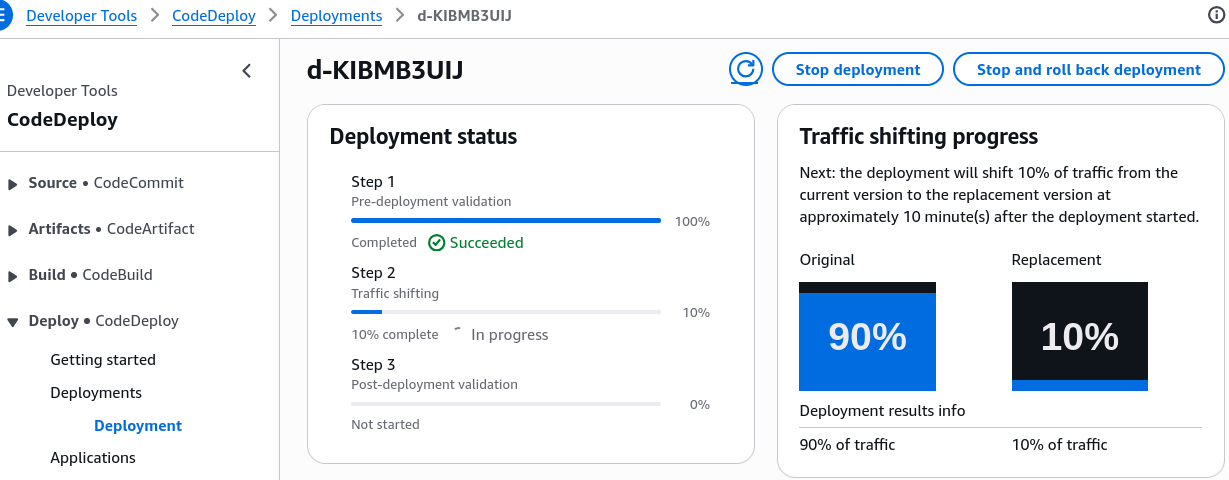
Open your AWS Management Console in another tab and audit the underlying changes live:
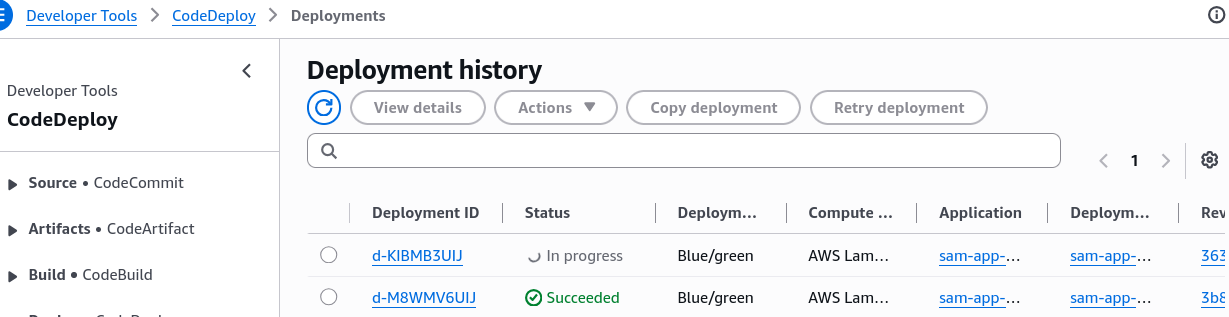
- The CodeDeploy Cockpit: Pull up the CodeDeploy dashboard. You will spot a live, actively running
Blue/Greendeployment record. Click the Deployment ID to look at the granular execution status card!
- The Weight Matrix Shift: Head over to your Lambda function dashboard qualifiers tab and drop down the alias properties. You will see both Version 1 (Old Blue) and Version 2 (New Green) sitting active side-by-side, split precisely at 90% / 10% weights.
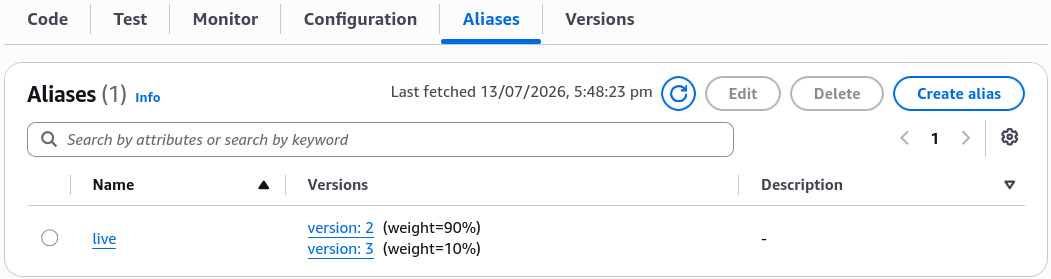
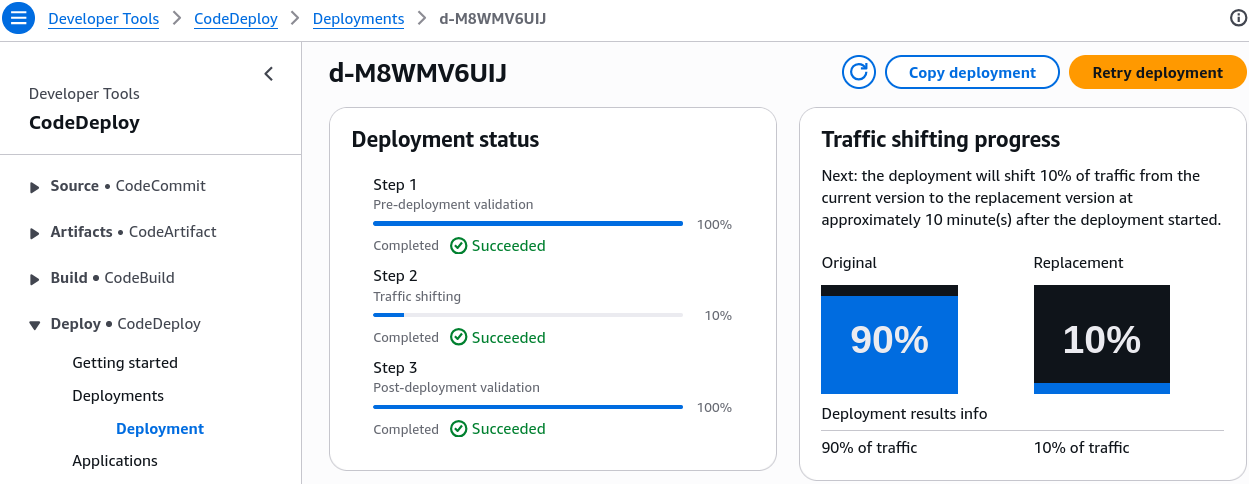
- The 10-Minute Perimeter Sandbox: For exactly 10 minutes, only 10% of global web requests hitting your endpoint will route down the fresh v2 code pipeline, while 90% stay safely served by v1.
- The Auto-Healing Shield: If your connected CloudWatch Alarm catches a sudden spike in application processing errors or throws a red status flag at any point during this 10-minute window, CodeDeploy kills the release instantly, terminates v2, and snaps the alias weights back to 100% on v1—protecting your users from bugs completely automatically!
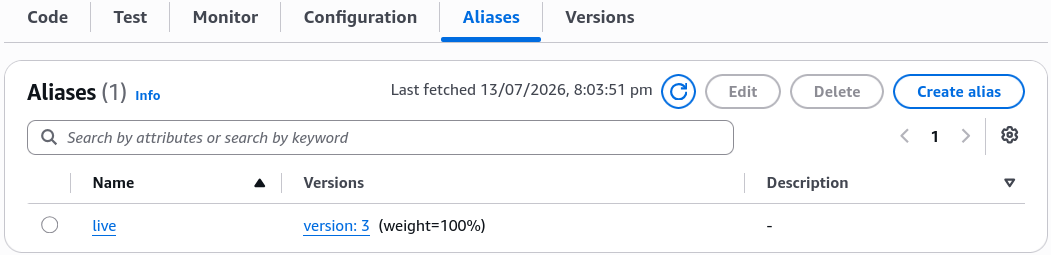
- The Succeeded Completion: Once the 10-minute clock finishes rolling with zero errors, the lifecycle status turns a clean Passing Green. CodeDeploy rolls the remaining traffic over, updating your
livealias pointer to lock 100% of network traffic straight onto Version 2.
Don't forget to clean up your resources after the hands-on! You can delete the stack using the following command:
sam delete
Exam Tips
- The Validation Hooks Sequence: Remember for scenario questions that SAM lets you define two custom Lambda functions to validate code states:
PreTraffic(runs tests before the traffic shift begins; if it fails, the rollout aborts immediately) andPostTraffic(runs tests after traffic hits 100% to run final production checkouts, chief!). - The CloudWatch Rollback Binding: If an exam prompt introduces a DevOps team that needs to enforce automated rollback logic for serverless code updates based specifically on API Gateway latency spikes or Lambda error rates—ensure you declare the exact CloudWatch Alarm resource names directly inside the
Alarms:configuration array block under the function'sDeploymentPreferenceblock within thetemplate.yamlfile.
Practice Test
Question: A media analytics company has built a streaming application on Lambda using Serverless Application Model (SAM). As a Developer Associate, which of the following would you identify as the correct order of execution to successfully deploy the application?
- Develop the SAM template locally => upload the template to Lambda => deploy your application to the cloud
- Develop the SAM template locally => upload the template to CodeCommit => deploy your application to CodeDeploy
- Develop the SAM template locally => upload the template to S3 => deploy your application to the cloud
- Develop the SAM template locally => deploy the template to S3 => use your application in the cloud
Correct Answer
- Develop the SAM template locally => upload the template to Lambda => deploy your application to the cloud
- Explanation: You cannot upload raw SAM templates directly to AWS Lambda. Lambda executes packaged code artifacts, while SAM uses CloudFormation behind the scenes to provision infrastructure.
- Develop the SAM template locally => upload the template to CodeCommit => deploy your application to CodeDeploy
- Explanation: CodeCommit and CodeDeploy are CI/CD components. While they can be part of a pipeline, they are not the fundamental execution steps of the AWS SAM CLI framework itself.
- Develop the SAM template locally => upload the template to S3 => deploy your application to the cloud
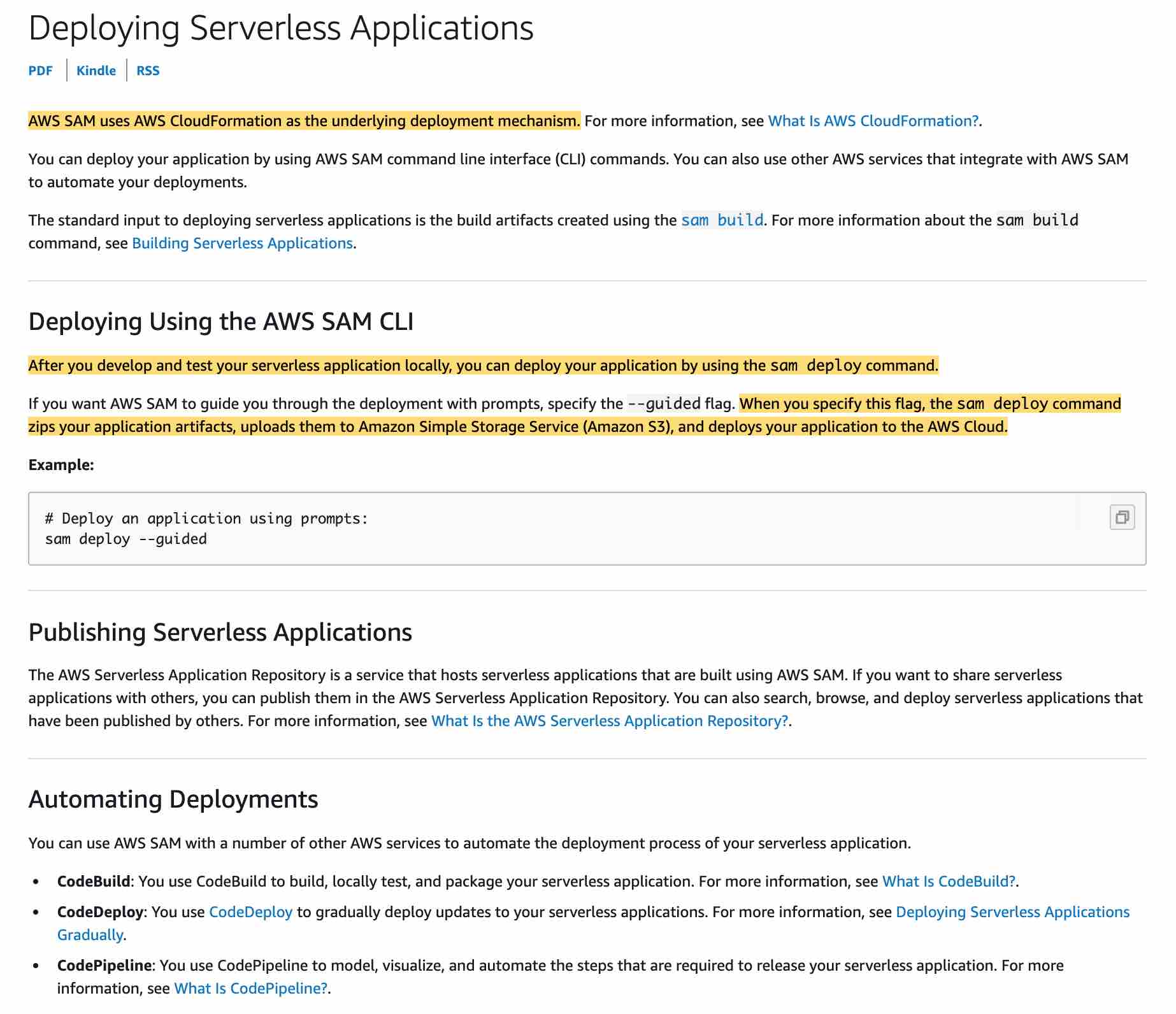
- Explanation: The standard workflow for AWS SAM involves developing the template and code locally. When running
sam deploy(orsam packagefollowed bysam deploy), the SAM CLI packages your code artifacts and uploads the template/assets to an Amazon S3 deployment bucket. It then uses AWS CloudFormation to deploy the serverless stack to the cloud.
- Explanation: The standard workflow for AWS SAM involves developing the template and code locally. When running
- Develop the SAM template locally => deploy the template to S3 => use your application in the cloud
- Explanation: Uploading/packaging deployment artifacts to S3 is an intermediate step before creating the CloudFormation stack; simply placing a template in S3 does not deploy or activate the resources.