CDK - Hands On
Spinning up a multi-service, intelligence-driven pipeline with full event triggers and automated table schema generation entirely using programmatic loops is the absolute apex of elite cloud operations.
Stephane’s walkthrough drops a masterclass on the absolute raw leverage of the CDK. Instead of losing hours tracing complex IAM policies or manually configuring API Gateway proxy parameters inside bloated text files, you call shorthand methods like .grantReadWrite() and let the code engine dynamically engineer your secure architectures automatically.
Hands On
🔮 1. Bootstrapping the Project Workspace
-
Initialize the Shell: Open up your interactive AWS CloudShell workspace pane.
-
Install the Core Engine Library: Run the node package manager utility to download the global cloud construction toolkit down the line:
sudo npm i -g aws-cdk -
Spawn the Project Canvas: Create your target directory and jump right inside it:
mkdir cdk-app && cd cdk-app -
Initialize the OOP Frame: Set up a clean, structured application boilerplate. We're launching JavaScript for this specific track:
cdk init app --language=javascript -
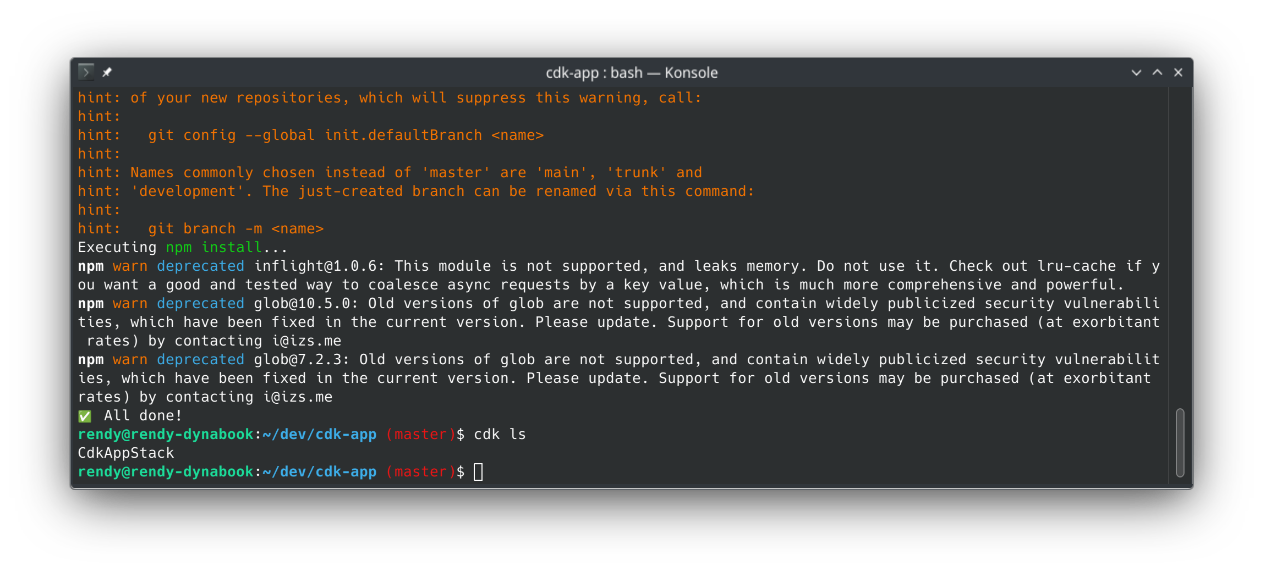
The Structure Verification: Run
cdk lsto confirm the compiler tracks the environment stack cleanly. It returns your core deployment target:CdkAppStack.
📝 2. Crafting the Infrastructure Architecture (lib/cdk-app-stack.js)
Navigate straight inside the lib/ directory, clear out the default placeholder script, and use nano or your editor to drop in the production logic array. Download the lab source-code here. Let's break down the three massive shorthand wins embedded in this script:
Import the necessary CDK modules and AWS service libraries:
const cdk = require('aws-cdk-lib');
const s3 = require('aws-cdk-lib/aws-s3');
const iam = require('aws-cdk-lib/aws-iam');
const lambda = require('aws-cdk-lib/aws-lambda');
const lambdaEventSource = require('aws-cdk-lib/aws-lambda-event-sources');
const dynamodb = require('aws-cdk-lib/aws-dynamodb');
At the top of the file, we import the core CDK module and the specific AWS service libraries we will be using: S3, IAM, Lambda, Lambda Event Sources, and DynamoDB.
📂 The Automatic S3 Life-Cycle Policy
const bucket = new s3.Bucket(this, imageBucket, {
  removalPolicy: cdk.RemovalPolicy.DESTROY,
});
new cdk.CfnOutput(this, 'Bucket', { value: bucket.bucketName });
- The Cloud Win: Normal S3 buckets will throw a deletion failure if you try to delete a stack while they contain data. By setting
autoDeleteObjects: true, the CDK automatically injects a hidden, automated Lambda function under the hood that purges your testing files the exact microsecond you destroy the stack. cdk.CfnOutputis a shorthand method that automatically outputs the bucket name to the terminal after deployment, so you don't have to dig through the console to find it.- Behind the scenes, the CDK automatically generates a CloudFormation template that provisions the S3 bucket with the specified removal policy and outputs the bucket name. Because CDK knows what to expect to create S3 buckets, therefore you can define different parameters. This allows you to be more versatile and agile when creating your stacks, because you just write code.
Role for AWS Lambda
const role = new iam.Role(this, 'cdk-rekn-lambdarole', {
  assumedBy: new iam.ServicePrincipal('lambda.amazonaws.com'),
});
role.addToPolicy(
  new iam.PolicyStatement({
    effect: iam.Effect.ALLOW,
    actions: ['rekognition:*', 'logs:CreateLogGroup', 'logs:CreateLogStream', 'logs:PutLogEvents'],
    resources: ['*'],
  }),
);
- In first step, we create a new IAM role for the Lambda function. The role is assumed by the Lambda service principal, which allows the Lambda function to assume this role and access AWS services.
- In second step, we add a policy statement to the role that allows the Lambda function to perform actions on Amazon Rekognition and CloudWatch Logs. The policy statement allows the Lambda function to call the
rekognition:*action, which allows it to access all Rekognition APIs. It also allows the Lambda function to create log groups, log streams, and put log events in CloudWatch Logs.
DynamoDB Table Creation
const table = new dynamodb.Table(this, 'cdk-rekn-imagetable', {
  partitionKey: { name: 'Image', type: dynamodb.AttributeType.STRING },
  removalPolicy: cdk.RemovalPolicy.DESTROY,
});
new cdk.CfnOutput(this, 'Table', { value: table.tableName });
- This creates a new DynamoDB table with a partition key named "Image" of type string and 'cdk-rekn-imagetable' as the table name. The removal policy is set to destroy, which means that the table will be deleted when the stack is deleted. The table name is outputted to the terminal after deployment.
🧠 Native Event-Driven Lambda Hooks
const lambdaFn = new lambda.Function(this, 'cdk-rekn-function', {
  code: lambda.AssetCode.fromAsset('lambda'), // The code for the Lambda function is located in the "lambda" directory.
  runtime: lambda.Runtime.PYTHON_3_8,
  handler: 'index.handler', // The entry point for the Lambda function is the "handler" function in the "index.py" file.
  role: role,
  environment: {
    TABLE: table.tableName,
    BUCKET: bucket.bucketName,
  },
});
lambdaFn.addEventSource(
  new lambdaEventSource.S3EventSource(bucket, {
    events: [s3.EventType.OBJECT_CREATED],
  }),
);
- The Cloud Win: This maps an active notification hook. The exact second a file drops into your bucket, an automated
OBJECT_CREATEDtrigger commands your Python Lambda function container to wake up and process the payload.
🤝 The Shorthand Security Privilege Handshake
bucket.grantReadWrite(lambdaFn);
table.grantFullAccess(lambdaFn);
- The Cloud Win: This is pure engineering magic!. Instead of looking up exact IAM JSON arrays, these single-line methods dynamically compute, generate, and attach highly restricted IAM policies directly to your Lambda execution profile behind the scenes!
🐍 3. Embedding the Intelligence Worker (lambda/index.py)
Move back up to your root path, create a folder named lambda/, and drop in your index.py core script.
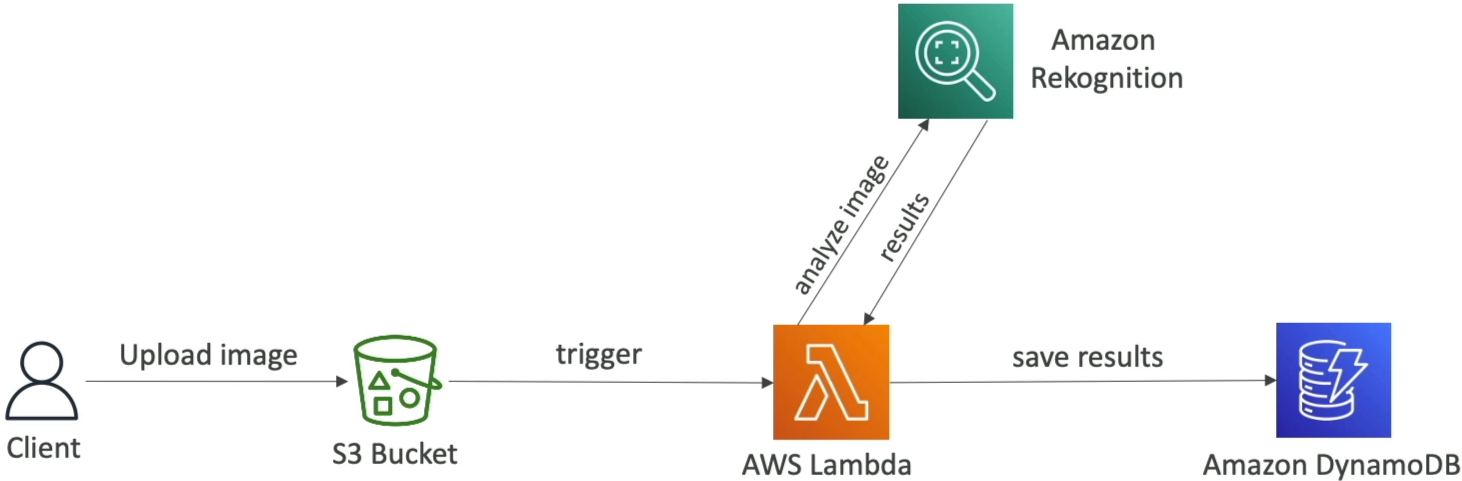
When an image drops into S3, this code executes an atomic data-processing triangle:
- It intercepts the inbound S3 bucket name and key metadata parameters.
- It sends an internal API call straight to Amazon Rekognition (
detect_labels) to scan the image binaries using machine learning. - It maps the returning labels array (like identifying "Penguins", "Adult", "Glove") and writes the metadata records straight into an active Amazon DynamoDB table.
🚀 4. Executing the Cloud Assembly Rollout
-
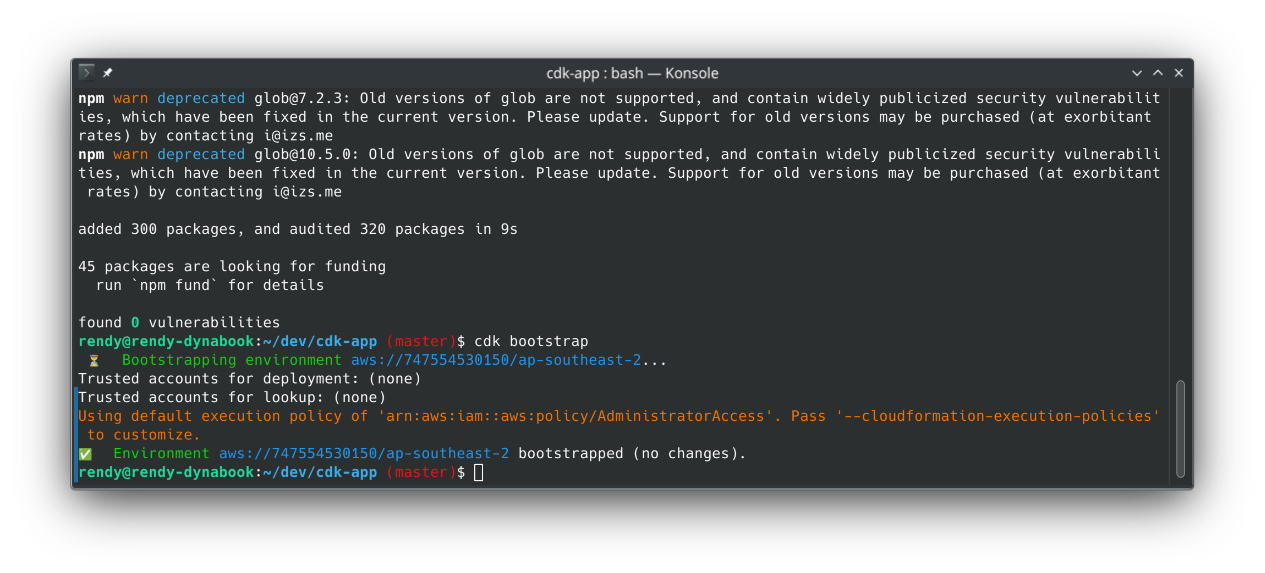
The One-Time Environment Initializer: Before a region can process CDK deployments, it needs an artifact tracking dock. Spin up your master storage engine down the wire:
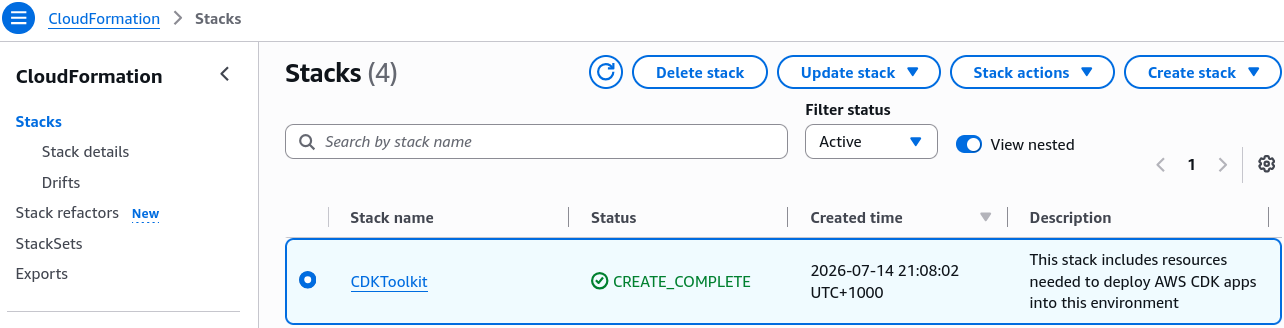
cdk bootstrap
Under the Hood Fact: This command commands CloudFormation to spin up a specialized baseline stack named CDKToolkit. It maps SSM properties, creates basic execution boundaries, and provisions a central S3 bucket to securely stage your asset zips.
-
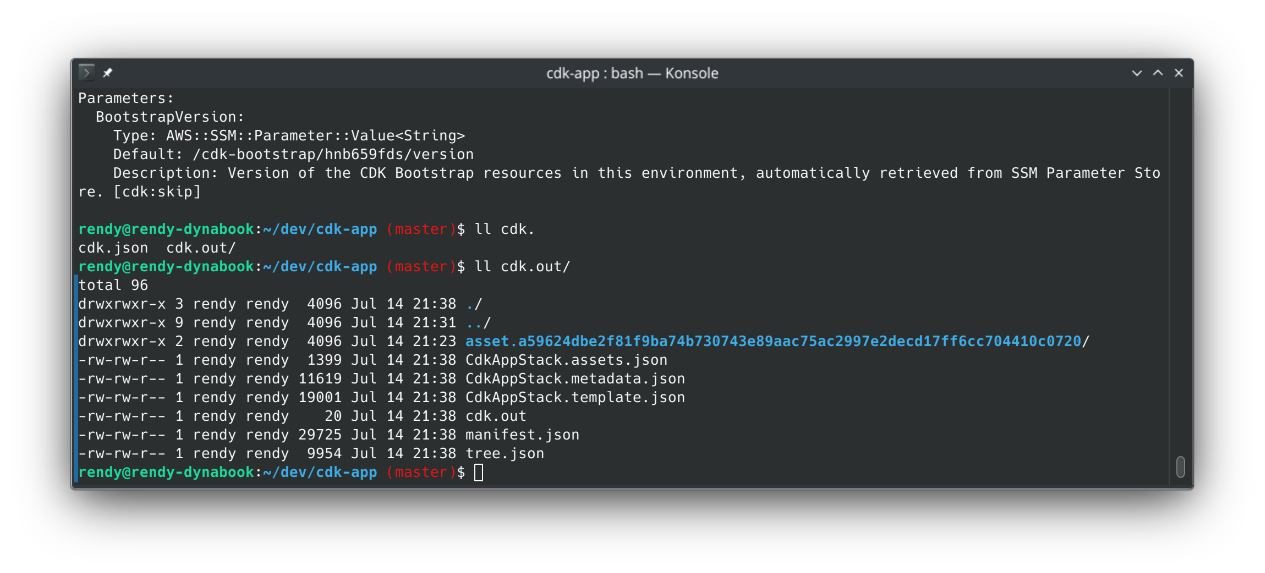
Synthesize the Matrix Blueprint: Verify how your code translates to raw declarative text:
cdk synth
The screen streams out a massive, hundreds-of-lines CloudFormation JSON/YAML template template. This acts as the final audited roadmap that will build your live components.
-
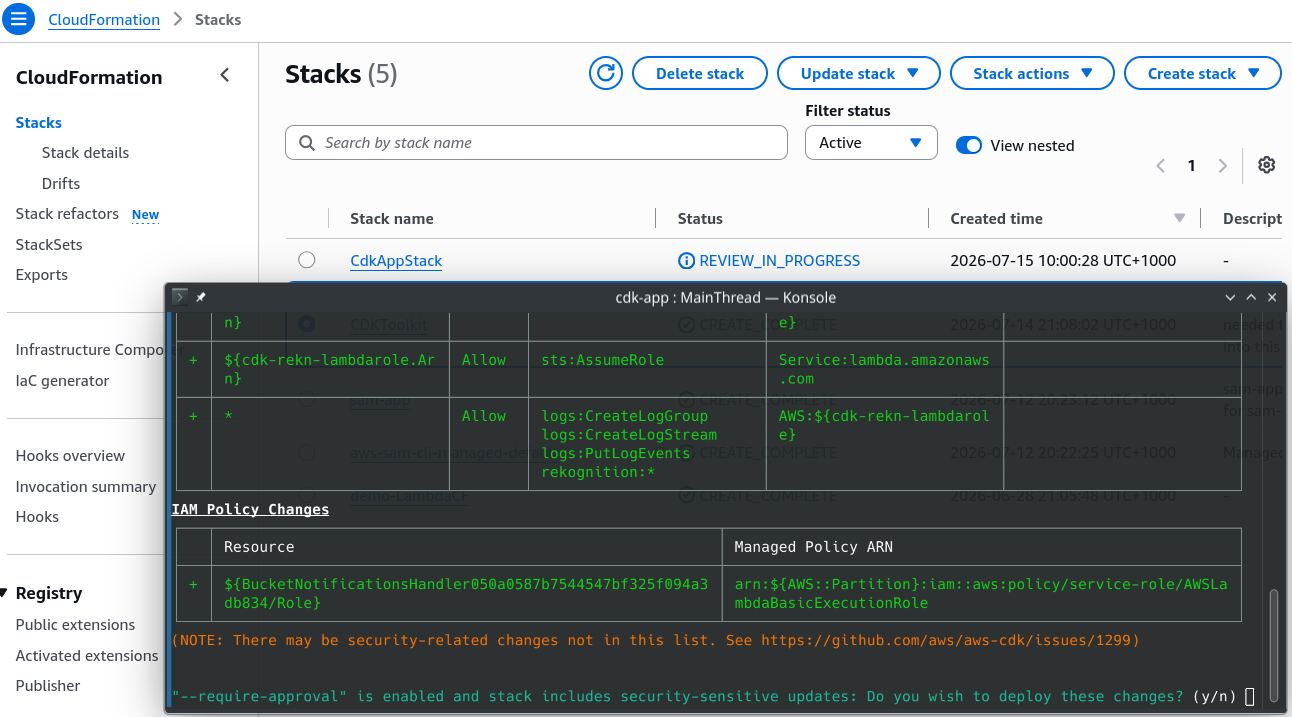
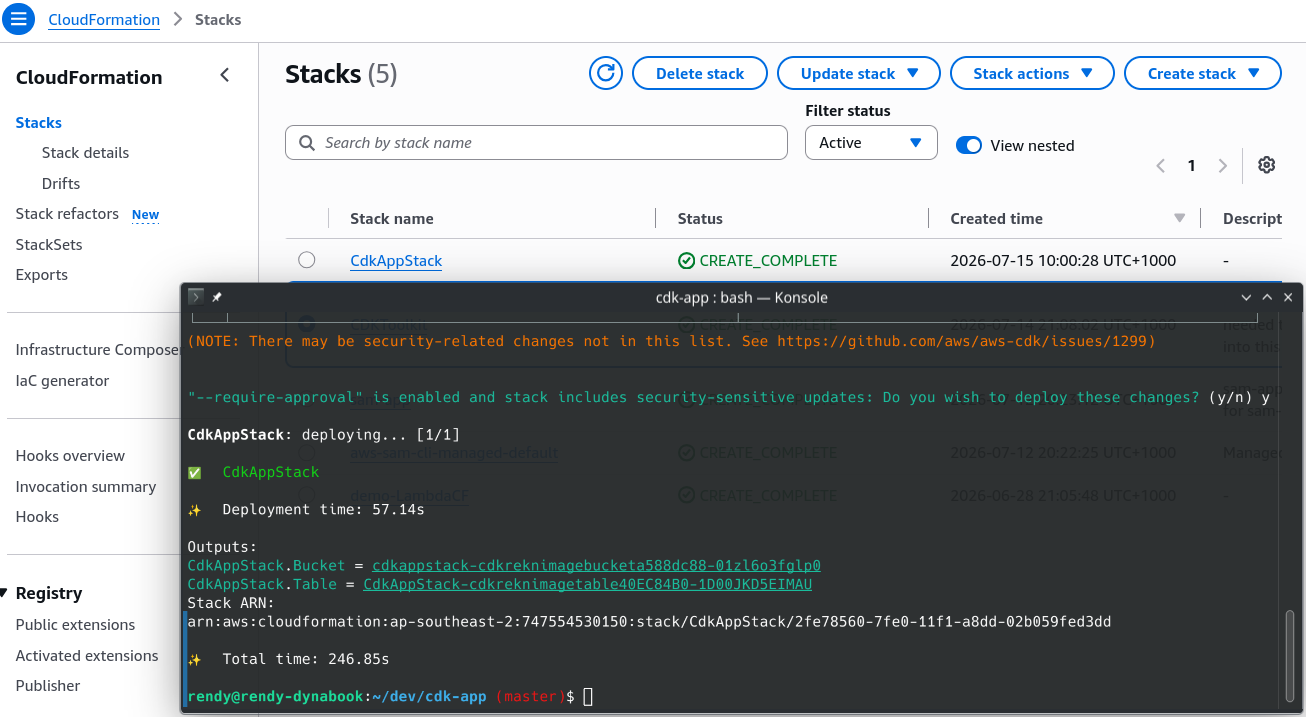
Launch the Infrastructure Rocket: Fire your code changes directly live into the cloud environment:
cdk deploy
Confirm the IAM change warnings with a sharp y (Yes), and watch your resources stream into active CloudFormation tracking live!
🧪 5. Testing the Computer Vision Loop
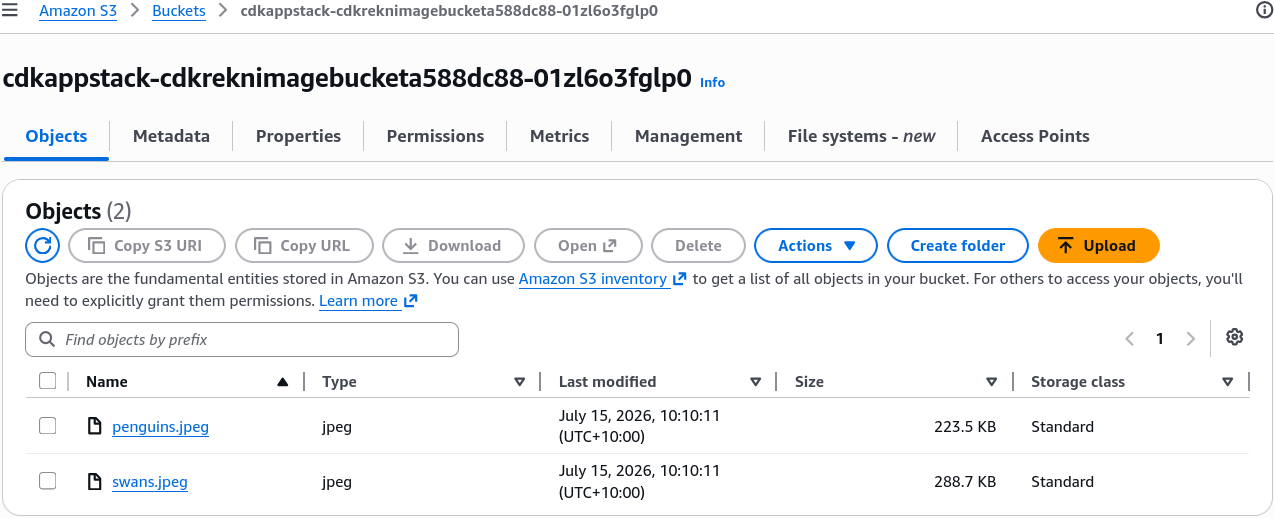
- Seed the Data Bucket: Open up your brand-new S3 bucket console pane ──► click Upload ──► select your test assets (like
penguins.jpegorswans.jpeg) ──► click upload.
- Verify the Serverless Magic 🏆: Head straight over to your Amazon DynamoDB Console workspace, hit the exploratory items panel for your new table, and refresh the browser view. The rows load instantly with your image records completely parsed, matching image keys to real-world objects detected by Rekognition automatically with zero manual server management.

🛑 6. The Clean-Up Protocol
THE STORAGE SAFEGUARD METER: Never leave playground boxes active. Clean your terminal workspace completely by executing the global teardown command:
cdk destroy
Confirm the prompt with a y (Yes) to completely wipe the tables, drop the buckets, and reset your AWS ledger accounts straight back to absolute zero billing footprints.