CloudWatch Logs Encryption
Locking down CloudWatch Logs Encryption via KMS is a classic DVA-C02 security pattern that catches many engineers off guard. 🏎️🔐
Because log groups often capture raw application stack traces, debug payloads, or API metadata, encrypting them at rest with a Customer Managed Key (CMK) is critical for enterprise compliance.
Key Takeaways
Let's review the core architectural rules and have hands-on practice with the CLI commands and KMS Key Policy requirement.
🎛️ Core Architectural Rules for CloudWatch Logs Encryption
- Granularity Level: Encryption is applied strictly at the Log Group level, NOT at the individual Log Stream level! All log streams residing inside an encrypted log group automatically inherit that group's encryption configuration.
- Console Limitation 🚨: You CANNOT associate or modify a KMS key on a CloudWatch Log Group via the AWS Management Console! You must use the AWS CLI, SDK, or CloudFormation.
- Association Timing: You can attach a KMS CMK when creating a brand-new log group OR associate a key with an existing, unencrypted log group retroactively.
🔐 The KMS Key Policy Requirement (The AccessDenied Trap)
When you attempt to associate a KMS key with a log group, passing IAM permissions alone is not enough! Attempting to execute the CLI command without updating the KMS Key Policy triggers an AccessDeniedException.
Why? Because the CloudWatch Logs service principal (logs.<region>.amazonaws.com) must be explicitly granted cryptographic permissions directly inside the KMS Key Policy!
{
  "Sid": "Allow CloudWatch Logs Service to use the key",
  "Effect": "Allow",
  "Principal": {
    "Service": "logs.ap-southeast-2.amazonaws.com"
  },
  "Action": [
    "kms:Encrypt*",
    "kms:Decrypt*",
    "kms:ReEncrypt*",
    "kms:GenerateDataKey*",
    "kms:Describe*"
  ],
  "Resource": "*",
  "Condition": {
    //optional, but recommended to scope down the permission to only the log groups you want to encrypt
    "ArnLike": {
      "aws:SourceArn": "arn:aws:logs:ap-southeast-2:747554530150:log-group:*"
    }
  }
}
💻 The AWS CLI Command Matrix
A. Associate Key with an EXISTING Log Group
To attach a KMS key to a log group that is already created:
aws logs associate-kms-key \
    --log-group-name "/aws/lambda/HelloWorld" \
    --kms-key-id "arn:aws:kms:ap-southeast-2:111122223333:key/12345678-1234-1234-1234-123456789012" \
    --region ap-southeast-2
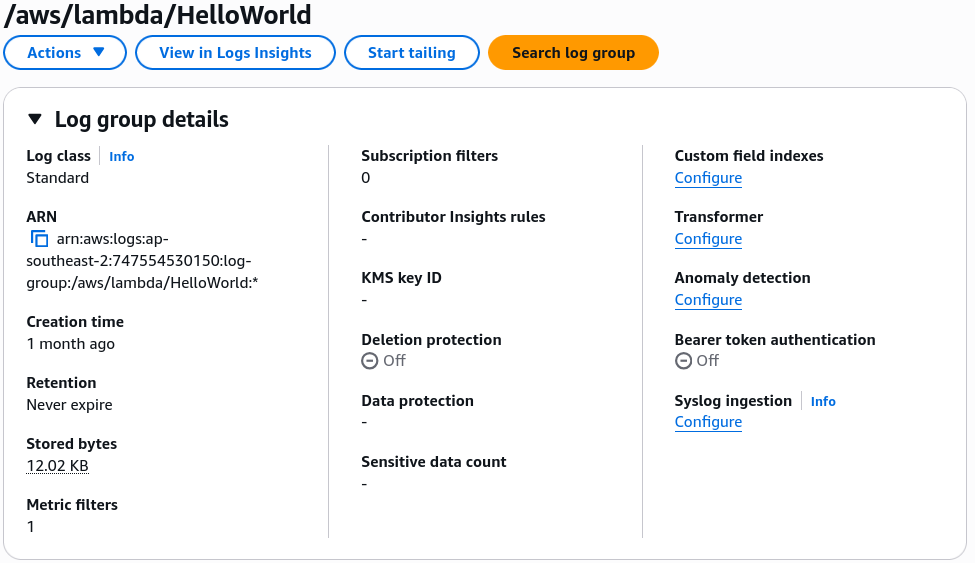 Before the association, the log group is unencrypted.
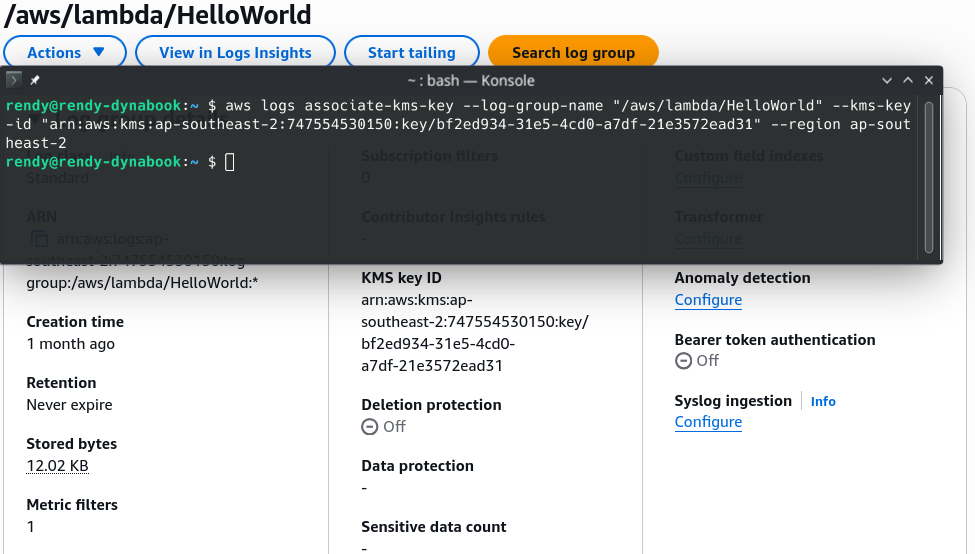 After the association, the log group is now encrypted with the specified KMS key.
B. Create a NEW Encrypted Log Group Directly
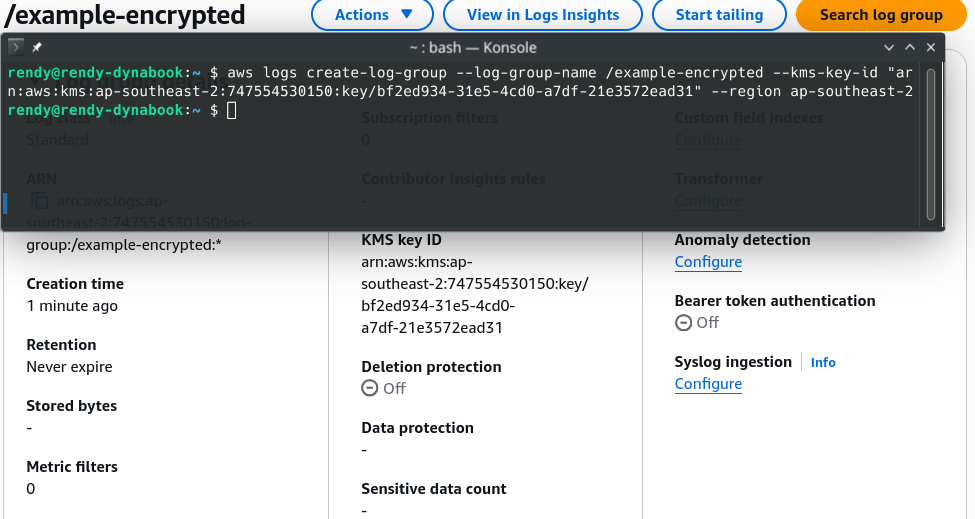
To instantiate a fresh log group with KMS encryption baked in from second zero:
aws logs create-log-group \
    --log-group-name "/example-encrypted" \
    --kms-key-id "arn:aws:kms:ap-southeast-2:111122223333:key/12345678-1234-1234-1234-123456789012" \
    --region ap-southeast-2
Exam Tips
- The Console Misdirection 🚨: If an exam question asks how to configure KMS encryption for an existing CloudWatch Log Group using the AWS Management Console, eliminate that option immediately! It must be performed via the CLI (
associate-kms-key), SDK, or Infrastructure as Code (CloudFormation). AccessDeniedExceptionTroubleshooting: If an engineer attempts to associate a Customer Managed Key with a CloudWatch Log Group using proper administrator IAM permissions but still gets anAccessDeniedExceptionerror—the cause is an incomplete KMS Key Policy! You must update the Key Policy to grantlogs.<region>.amazonaws.compermission to perform cryptographic operations.- Existing Log Data: Associating a KMS key with an existing log group encrypts newly ingested log data moving forward. Historical log events created prior to key association remain stored as they were previously configured.