SSM Parameter Store Hands On (CLI)
Stepping into AWS CloudShell and firing off live SSM Parameter Store queries directly over the CLI is where all the theoretical security concepts turn into real-world developer muscles! 🏎️⚡
Stephane’s hands-on walkthrough highlights the core operational workflow: defining structured parameter hierarchies, storing sensitive data via KMS SecureString types, and querying parameters using exact paths or recursive wildcards.
Hands On
Let's practice step-by-step console execution, the AWS CLI command matrix, and the key DVA-C02 exam tactics for Parameter Store.
🎛️ 1. Building the Parameter Hierarchy in the Console
To structure environment configurations cleanly, parameters use forward-slash filesystem paths (e.g., /my-app/dev/db-url):
- Standard Parameter (
String):- Name:
/my-app/dev/db-url - Type:
String(Data Type:text) - Value:
dev.database.example.com 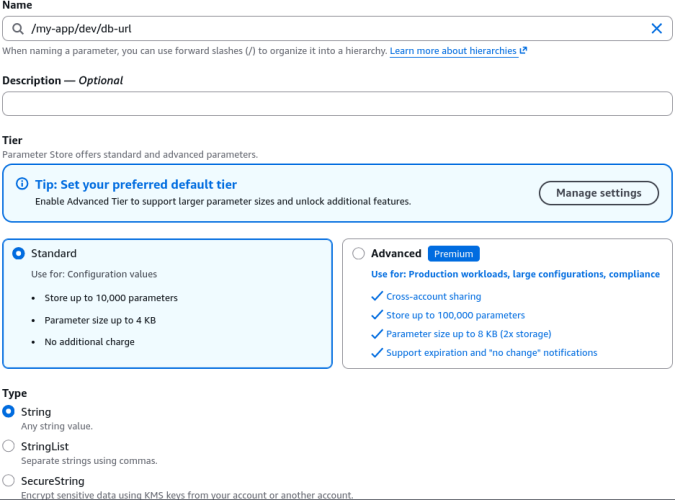
- Name:
- Encrypted Secret (
SecureString):- Name:
/my-app/dev/db-password - Type:
SecureString - KMS Key: Selected custom KMS key (e.g.,
alias/Tutorialor defaultalias/aws/ssm) - Value:
devpassword(stored as encrypted cipher text!) 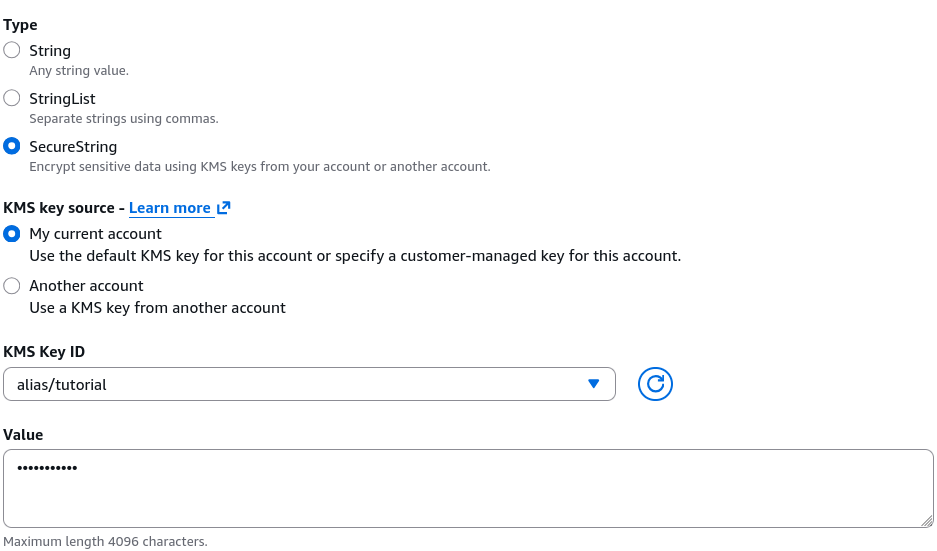
- Name:
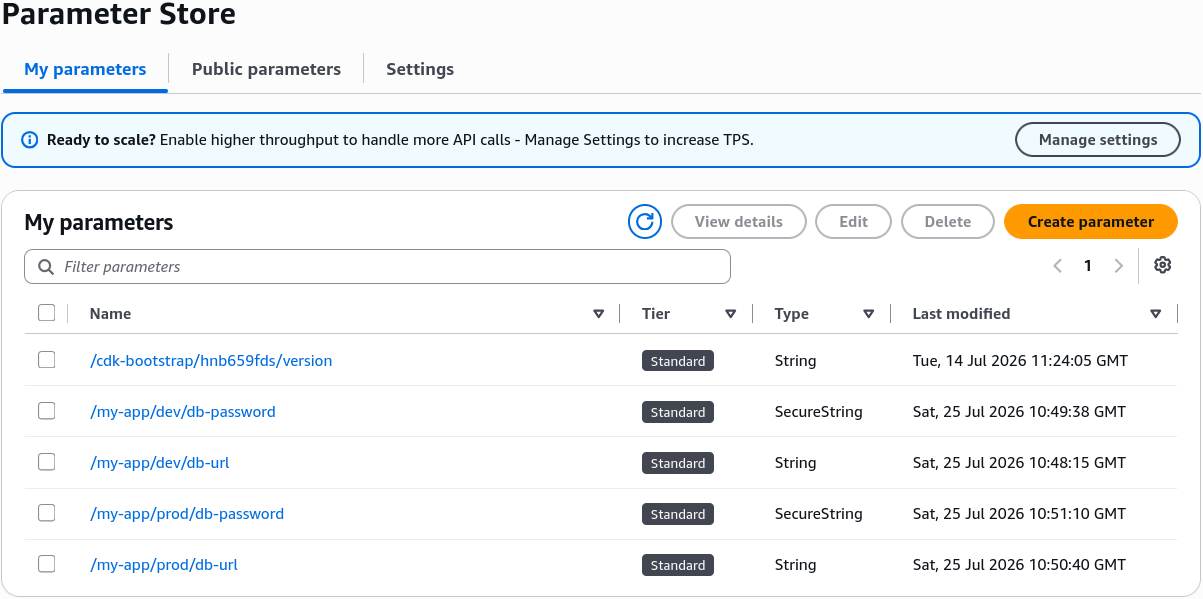
- Production Environment Parameters: Replicated the identical structure under the
/my-app/prod/*path (/my-app/prod/db-url,/my-app/prod/db-password).
💻 2. The AWS CLI Command Matrix
The CLI is where DVA-C02 scenario questions focus heavily. Here are the precise commands tested on the exam:
A. Fetching Specific Parameters (get-parameters)
To pull specific parameters by explicit names:
aws ssm get-parameters \
    --names "/my-app/dev/db-url" "/my-app/dev/db-password"
- Default Behavior: Returns plaintext for
Stringtypes, but leavesSecureStringvalues in raw encrypted ciphertext.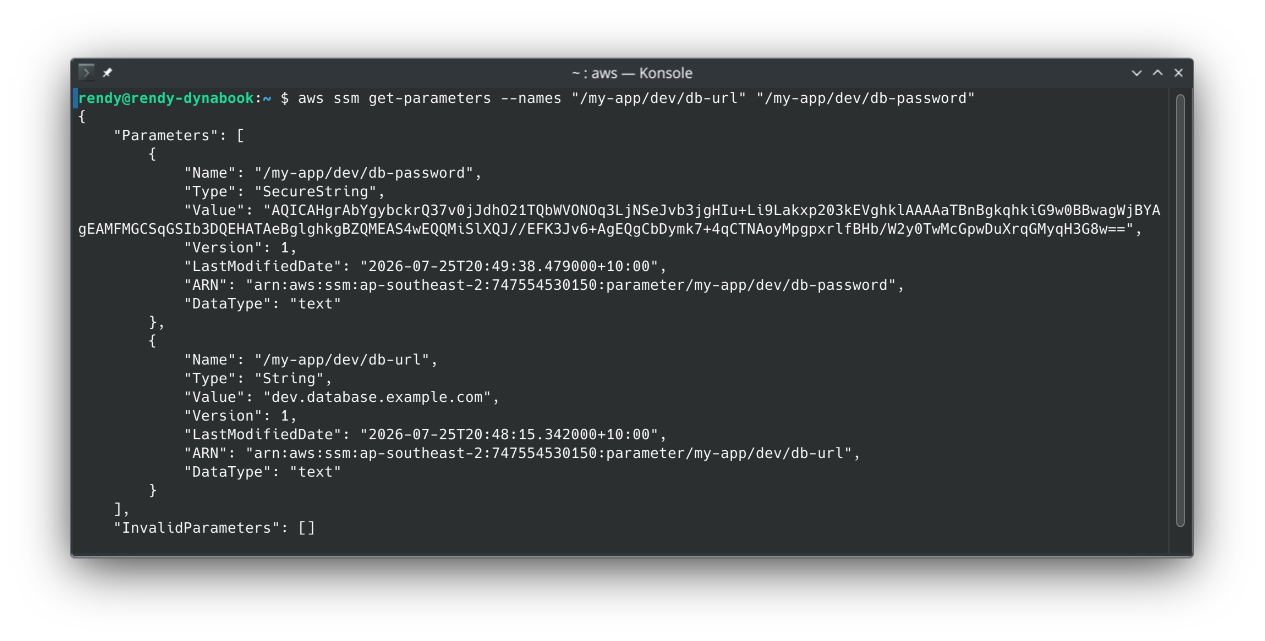
B. Decrypting Secrets (--with-decryption)
To decrypt SecureString types over the CLI, pass the --with-decryption flag:
aws ssm get-parameters \
    --names "/my-app/dev/db-url" "/my-app/dev/db-password" \
    --with-decryption
- Under the Hood: The AWS CLI checks if your IAM identity carries
kms:Decryptpermissions on the underlying KMS key, decrypts the payload on the fly, and outputs the plaintext value!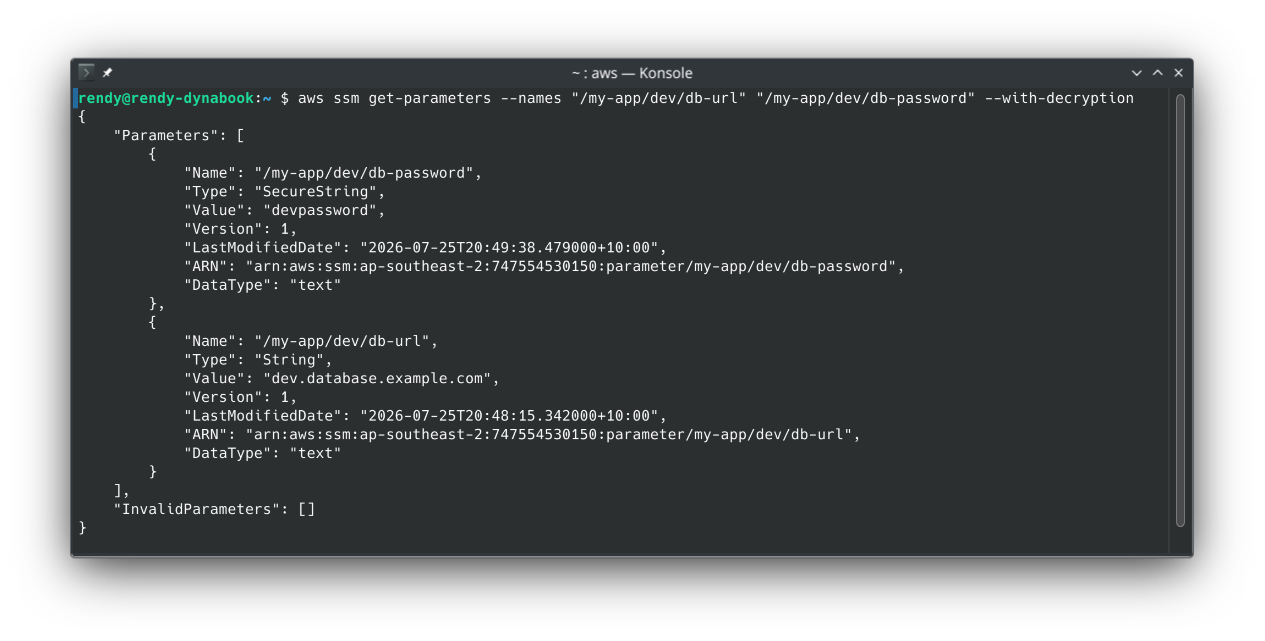
C. Querying by Hierarchy Path (get-parameters-by-path)
To fetch all parameters under a specific path level:
aws ssm get-parameters-by-path \
    --path "/my-app/dev"
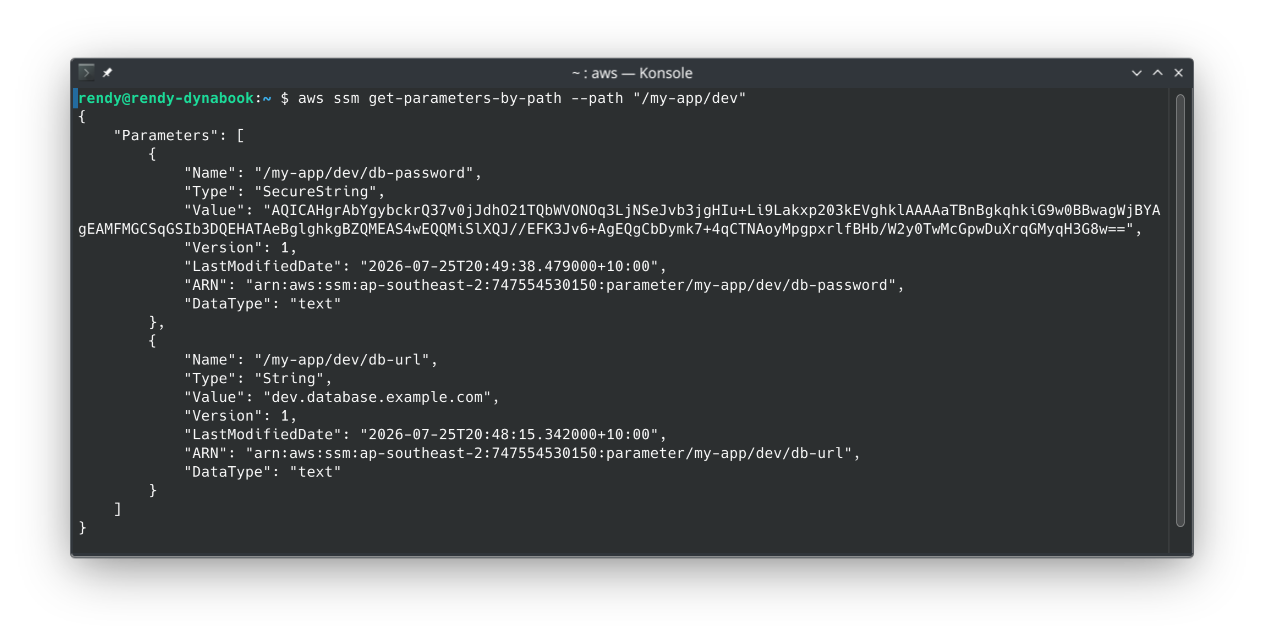
D. Recursive Searching (--recursive)
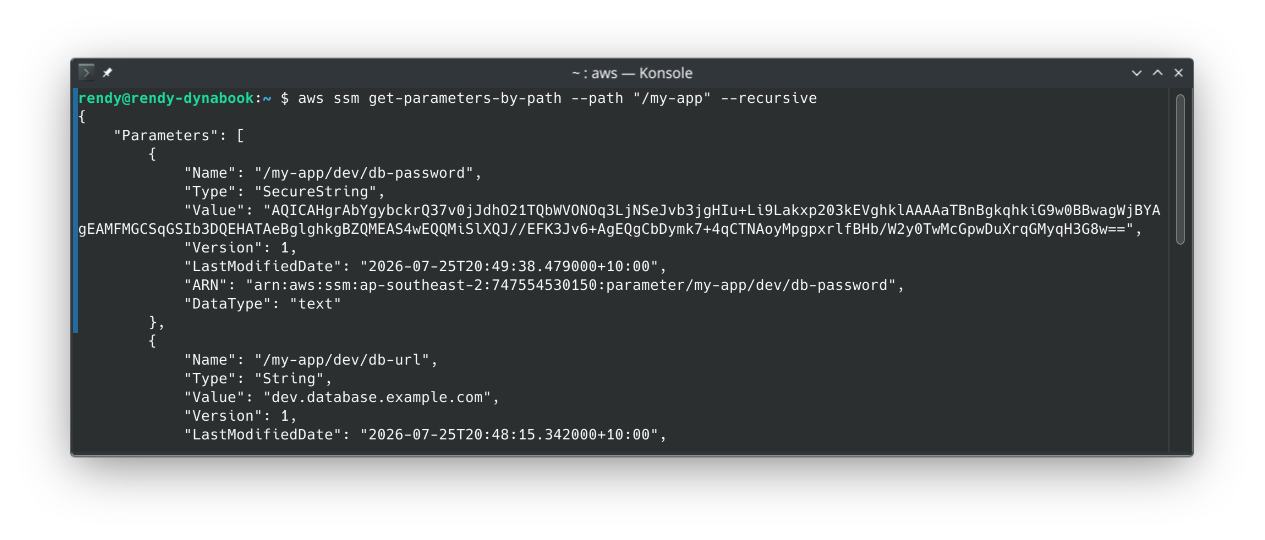
By default, --path only checks parameters at that exact level. To search down through nested sub-folders, add the --recursive flag:
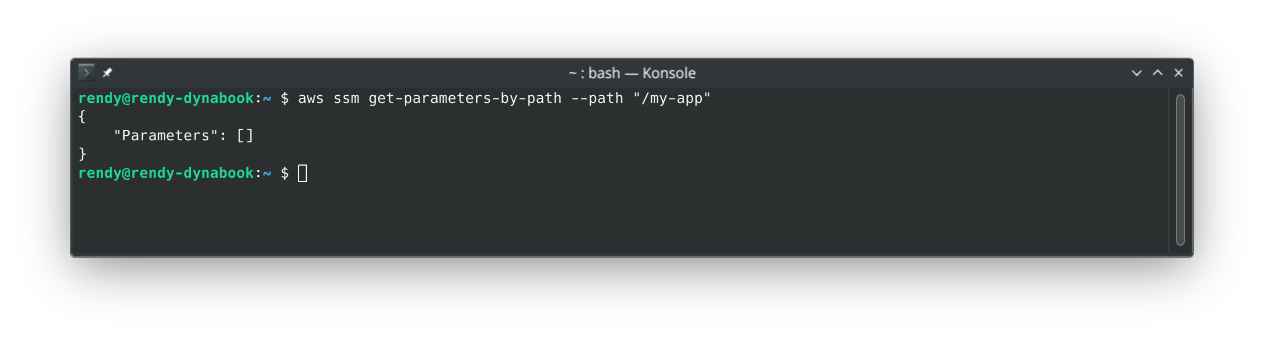
aws ssm get-parameters-by-path \
    --path "/my-app" \
    --recursive \
    --with-decryption
- Result: Returns all four parameters (
devandprod) in a single JSON payload with values fully decrypted!
3. Bonus: Querying Public Parameters
You can also query public parameters that AWS publishes, such as the latest Amazon Linux 2 AMI ID:
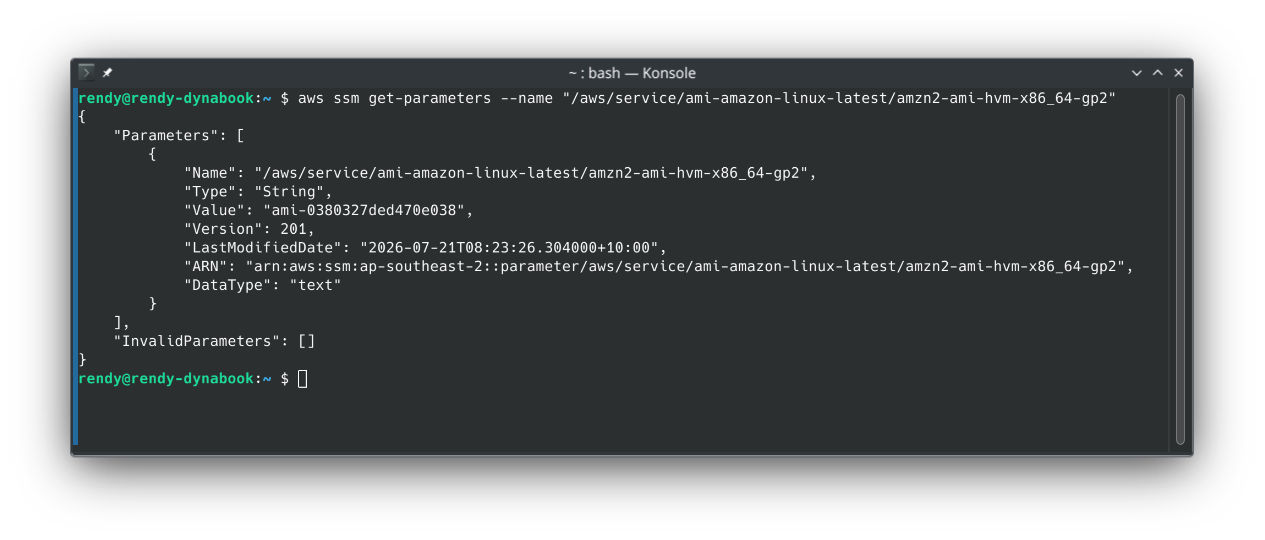
This is useful for dynamically fetching the latest AMI ID for EC2 instances/CloudFormation templates in your automation scripts.
Exam Tips
- The Decryption Flag Trap (
--with-decryption) 🔑: If an exam scenario states an application or CLI script executesget-parametersorget-parameters-by-pathon aSecureStringparameter, but receives an encrypted cipher blob instead of the actual password—the fix is adding the--with-decryptionboolean flag to the SDK/CLI call - Path Querying vs. Single Fetch:
- Use
get-parameterswhen you know the exact array of parameter names. - Use
get-parameters-by-path(with--recursive) when you want to load an entire application or environment namespace (e.g., loading all config keys for/my-app/dev/during a Lambda cold start)!
- Use
- IAM Policy Path Scoping: Because parameter names use hierarchy slashes, you can easily scope an IAM policy to allow a Lambda execution role access to
arn:aws:ssm:region:account:parameter/my-app/dev/*while strictly denying access to/my-app/prod/*!