Amazon Certificate Manager (ACM) Hands On
Seeing the full end-to-end chain—from requesting an ACM certificate and validating ownership via Route 53 DNS records, to wiring up an ALB HTTPS listener (Port 443) inside Elastic Beanstalk—is the ultimate proof-of-concept for in-flight encryption! 🔒
Stephane's hands-on demo covers the full architecture: ACM + Route 53 + Application Load Balancer + Elastic Beanstalk.
🛠️ 1. Complete Hands-On Architecture & Request Flow
 1. Request Cert (ACM) ──► 2. Create CNAME (Route 53) ──► 3. Cert Issued (Validated)
                                                                │
                                                                ▼
 4. User hits Custom CNAME ──► 5. Route 53 routes to ALB ──► 6. ALB Terminates HTTPS (Port 443)
    (ACMdemo.domain.com)                                            └── Forwarded via HTTP to EC2 Task
Phase 1: ACM Certificate Request & Route 53 DNS Validation
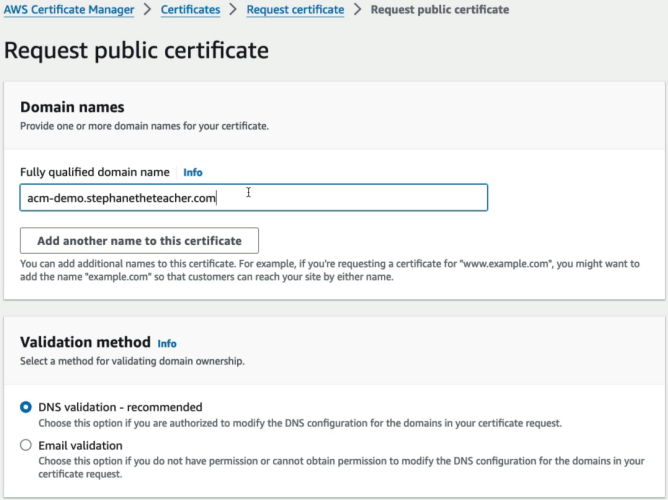
- Request Public Certificate: Enter Fully Qualified Domain Name (FQDN) like
acm-demo.stephantheteacher.com. - Select DNS Validation: ACM generates a unique CNAME name and CNAME value.
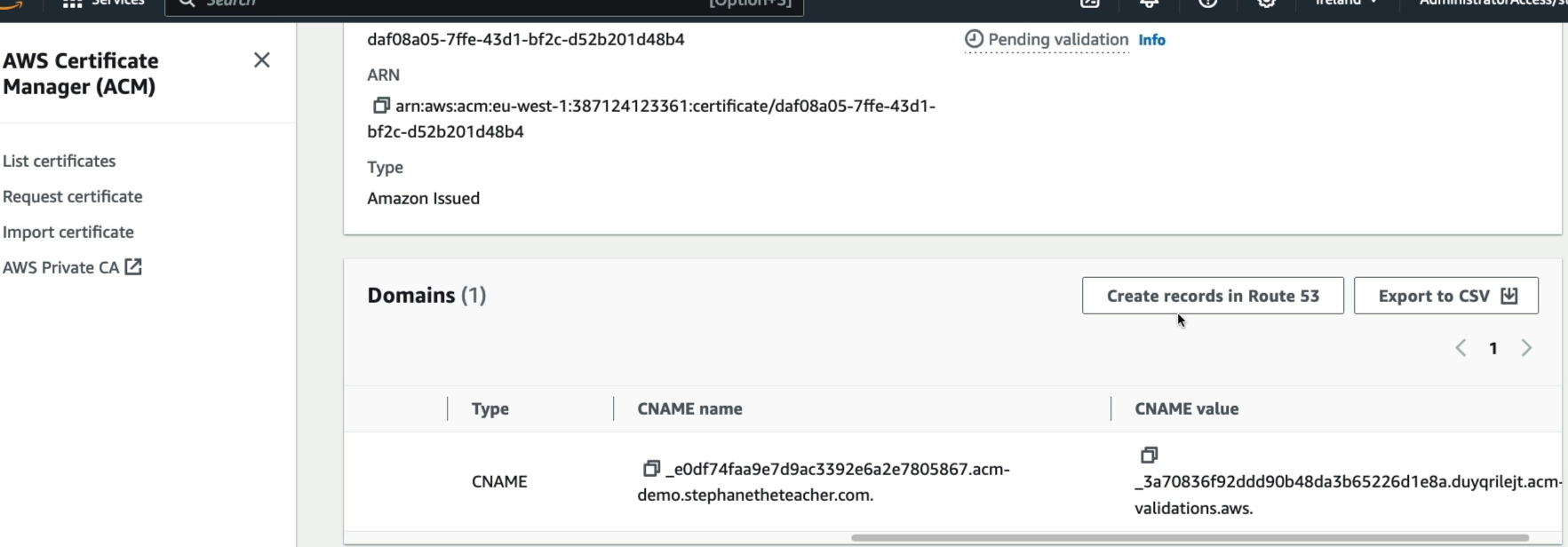
- The One-Click Integration ⚡: Because Route 53 manages the hosted zone in the same account, clicking "Create records in Amazon Route 53" automatically inserts the validation CNAME record into the DNS zone!
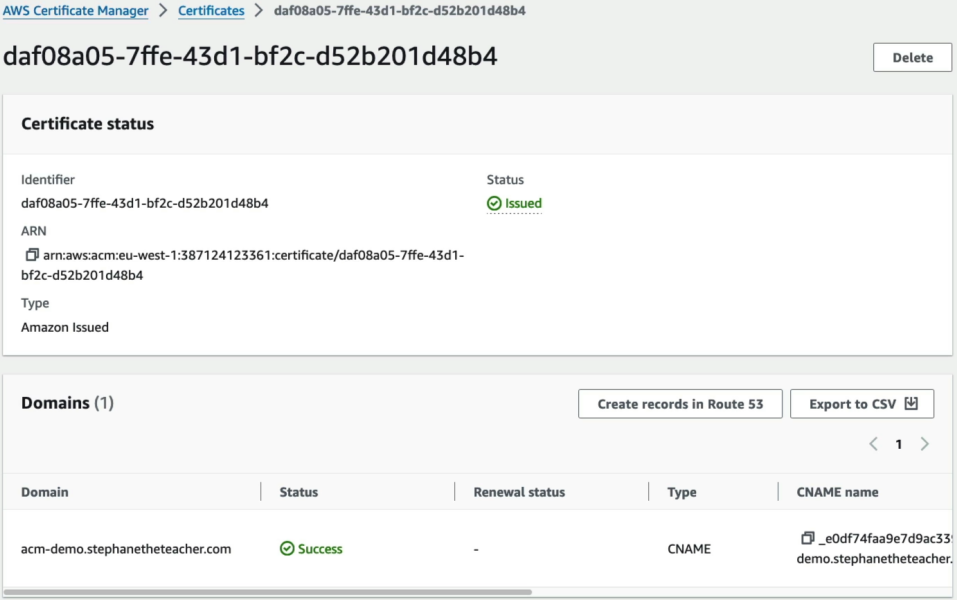
- Validation Complete: ACM queries public DNS, verifies ownership via the CNAME token, and moves status from
Pending validationtoIssued.
Phase 2: Deploying HTTPS Listener on Elastic Beanstalk (ALB)
- Provision Environment: Create High-Availability Web Server environment (Node.js/EC2).
- Configure Load Balancer:
- Select Application Load Balancer (ALB).
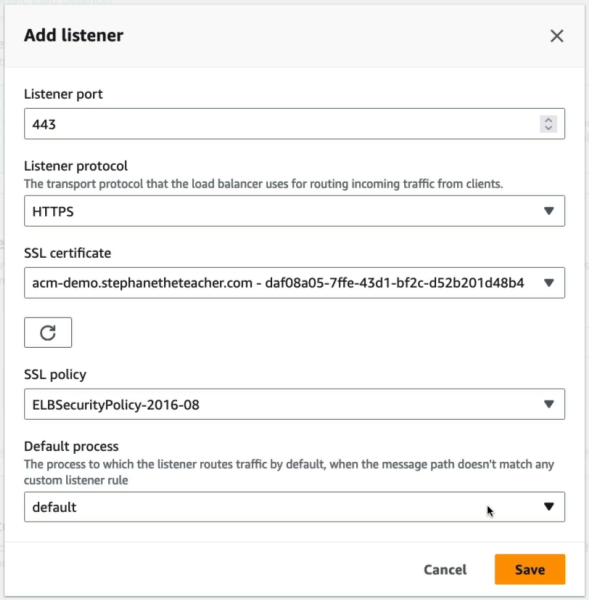
- Add Listener: Port
443/ ProtocolHTTPS. - SSL Certificate: Select the issued ACM Certificate ARN.
- SSL Security Policy: Select modern TLS cipher policy (e.g.,
ELBSecurityPolicy-2016-08).
Phase 3: Route 53 CNAME Alias Routing & Testing
- Create App CNAME Record: In Route 53, map
acm-demo.stephantheteacher.com──► Elastic Beanstalk Environment URL (*.elasticbeanstalk.com).
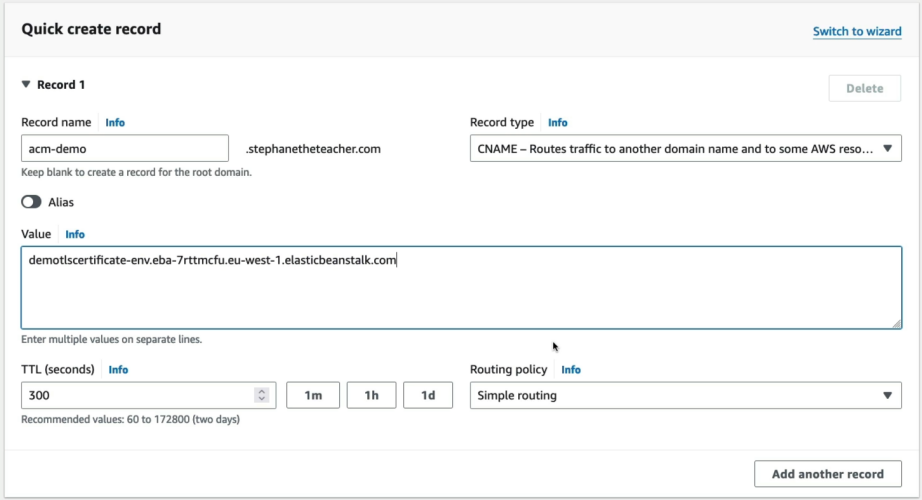
- Verify HTTPS in Browser: Navigate to your domain with
httpsprefix. - Inspect Certificate: Browser displays valid SSL padlock verified by Amazon as the Certificate Authority!
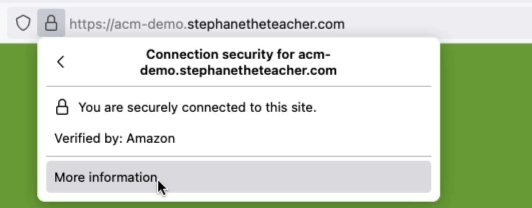
- Console Verification: Inspect ALB under EC2 Console ──► Listeners & rules ──► Port 443 displays the default ACM certificate attached.
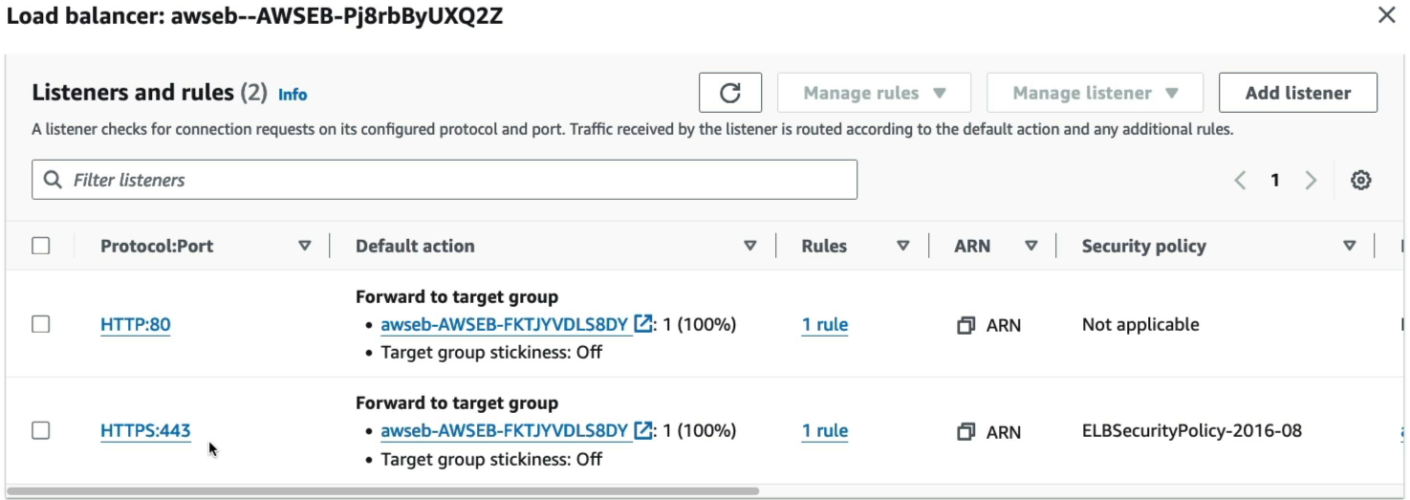
⚔️ Key AWS Service Integrations Covered
| Service | Role in the Architecture |
|---|---|
| AWS Certificate Manager (ACM) | Issues and manages free public SSL/TLS certificates; handles automatic DNS renewals. |
| Amazon Route 53 | Hosts public DNS records; processes validation CNAME records and routes app CNAME traffic. |
| AWS Elastic Beanstalk | Provisions underlying infrastructure (ALB, ASG, EC2) and exposes HTTPS configuration listeners. |
| Application Load Balancer (ALB) | Terminates TLS/HTTPS traffic at Port 443, offloading decryption compute from EC2 instances. |
Exam Tips
- The Automatic Validation Record Integration ⚡: When requesting an ACM certificate using DNS validation for a domain managed in Route 53 within the same AWS account, you don't need to manually copy/paste CNAME strings. Use the "Create records in Amazon Route 53" button!
- The Route 53 CNAME Routing Rule: When mapping a custom subdomain (e.g.,
app.yourdomain.com) to a load balancer or Elastic Beanstalk environment, use a CNAME record (or an Alias record targeting the ALB DNS name). - TLS Offloading Efficiency 🛡️: In an ALB + EC2 architecture, HTTPS is decrypted at the load balancer level. The traffic between the ALB and the EC2 target group runs over HTTP (Port 80) inside the private VPC by default, saving CPU cycles on backend application servers!