Security Groups Hands-on
Where we basically break our website on purpose to show how much power security groups have in controlling traffic to our EC2 instances.
Key takeaways
- The "Timeout" Rule of Thumb:
- The Symptom: If you refresh your browser and see the "infinite loading" spinner, that is a Timeout.
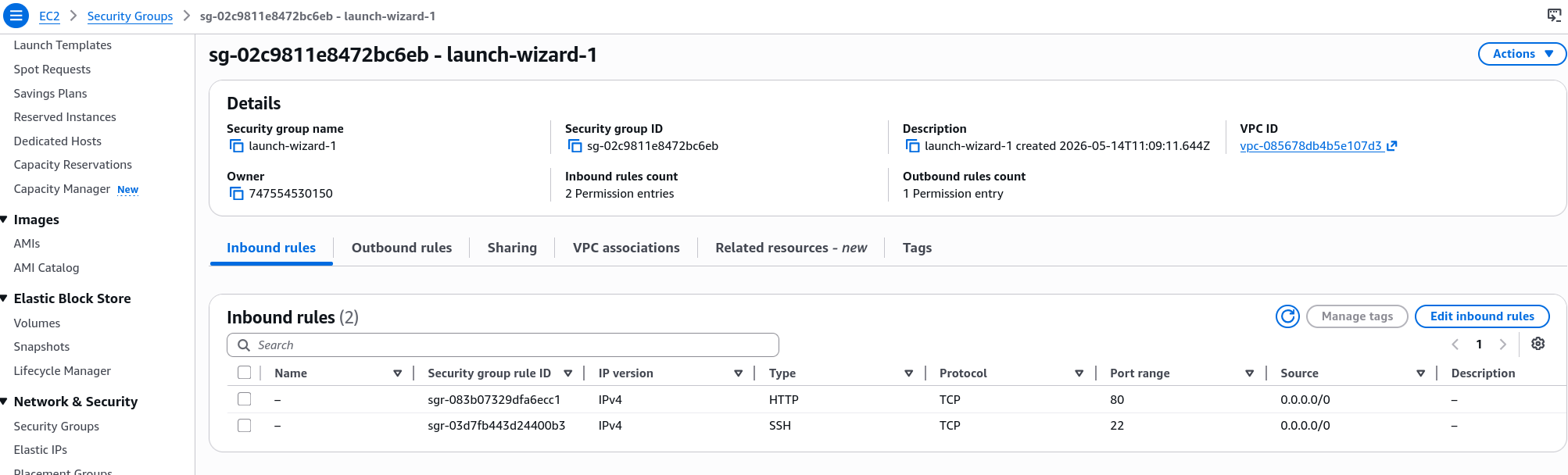
- The Cause: We learn that this is 100% a Security Group issue. When we deleted the Port 80 (HTTP) rule, the instance didn't say "Go Away", it just ignored the request. The browser kept waiting for a response that never came, resulting in a timeout.
The Fix: Add back the rule (Port 80 for HTTP) and the site is instantly reachable again.
- SGs are Many-to-Many:
- Multiple SGs per Instance: You can stack them. If you have an SG for "Web Traffic" and another for "Admin SSH" you can attach both to one instance.
- Multiple Instances per SG: One "Launch Wizard" group can be reused for 50 different servers.
- Additive Logic: The rules simply add up. If SG-A allows port 80 and SG-B allows port 22, the instance now allows both.
- Source Selection: "Anywhere" vs. "My IP":
- Anywhere (
0.0.0.0/0): Opens the door to the entire internet. Great for web servers, terrible for SSH. - My IP: A shortcut in the console that detects your current public IP.
- Pro-tip: If you choose "My IP" but your IP changes (e.g., I need to pay extra for a static IP in my case or I access from different networks/locations), you will get a Timeout. You have to update the rule from the console.
- Anywhere (
- Outbound is "Wide Open":
- By default, the Outbound rules allow all traffic to go anywhere.
- This is how our User Data script was able to download the
httpdpackage from the internet during bootstrapping, the instance was allowed to talk to the outside world.