Security Groups & Classic Ports Overview
Think of Security Groups as the "bouncers" of my AWS club. If you aren't in the list, you aren't getting in.
Key takeaways
- The Core Concept:
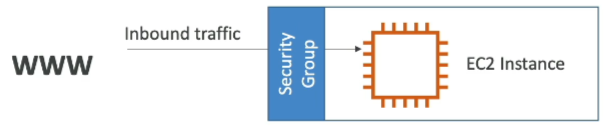
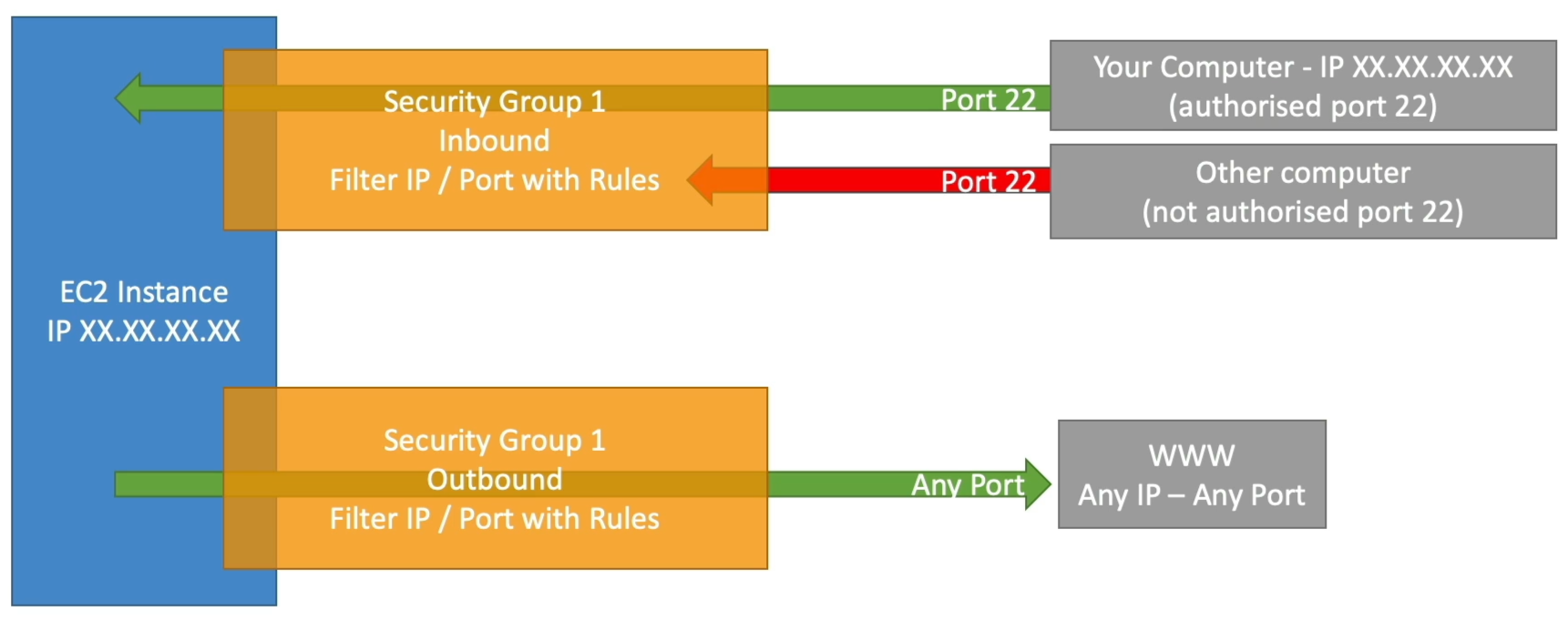
- Default Rule: Security Groups (SGs) are deny by default for inbound traffic. You can only add Allow rules, you can't explicitly "block" specific IP (you can, however, block traffic at the network ACL level, but that's a topic for another day). For outbound traffic, it's the opposite: allow by default, so you have to add rules to block specific traffic.
- Stateful: This one is important for the exam. If traffic is allowed in| it's automatically allowed out.
- Outside the Box: SGs live outside the EC2 instance. If the bouncer blocks someone| EC2 doesn't even know they tried to get in.
- Troubleshooting: Timeout vs Connection Refused:
- Timeout (Infinite Loading): This is almost always a Security Group issue. The traffic is being dropped before it even hits the server.
- Connection Refused: The security group actually let the traffic through| but nothing was listening on that port or app crashed. This is an Instance/OS issue.
- Referencing Security Groups:
- Instead of whitelisting specific IP address (which change all the time), you can allow in Security Group 1 to allow inbound traffic from Security Group 2. This is super useful for allowing communication between different layers of an application (e.g., web servers talking to database servers) without exposing them to the internet.
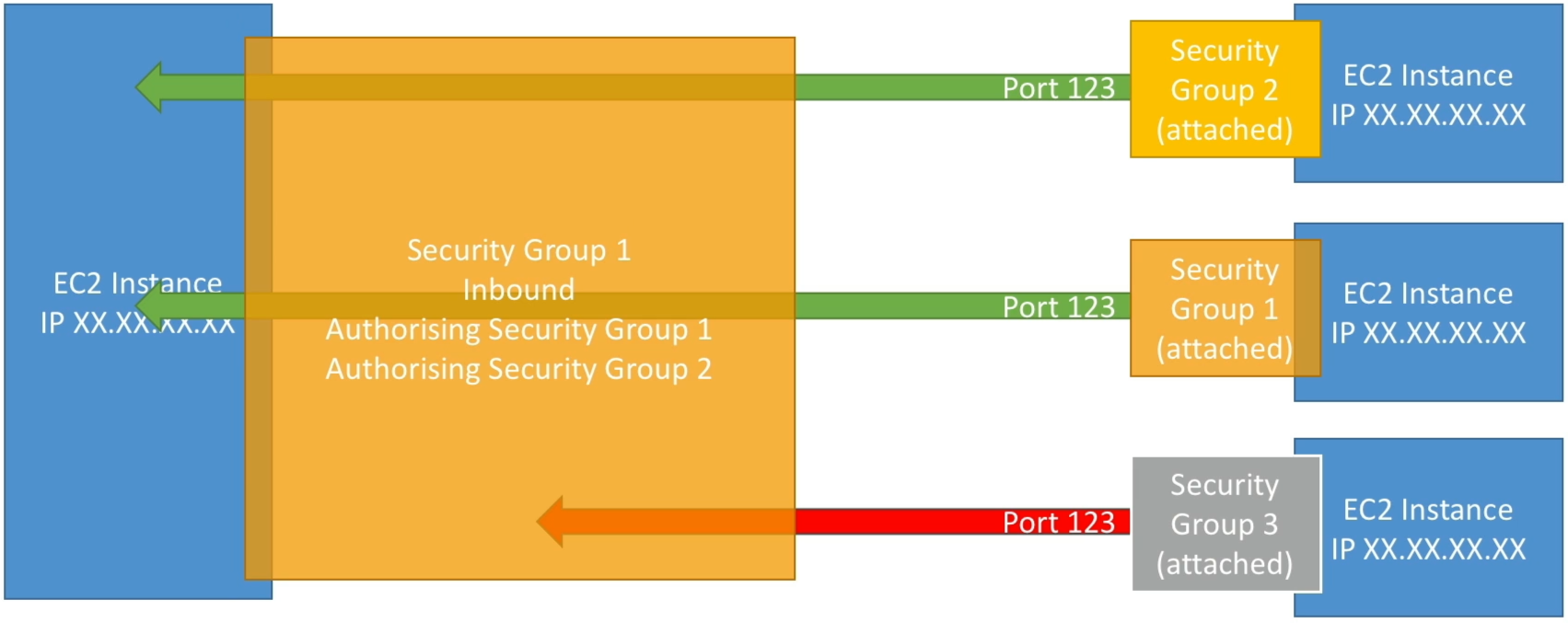 Why this is useful? Let's say you have 100 web servers| you don't need to know their IPs. You just tell the database SG to allow traffic from the web server SG| and any instance that belongs to the web server SG can talk to the database servers.
- Instead of whitelisting specific IP address (which change all the time), you can allow in Security Group 1 to allow inbound traffic from Security Group 2. This is super useful for allowing communication between different layers of an application (e.g., web servers talking to database servers) without exposing them to the internet.
- Essential Ports
Port Protocol Purpose 22 SSH / SFTP Log into Linux instances or secure file transfer. 80 HTTP Standard web traffic (unsecured). 443 HTTPS Secure web traffic (the standard). 3389 RDP Remote Desktop—how you log into Windows instances.