AMI Hands-On
Stephane explicitly demonstrates the massive performance difference between bootstrapping a raw machine versus launching from a pre-baked image.
Key Takeaways
The Strategy: Semi-bootstrapping
- The Blueprint: Instead of doing everything via User Data, you can split the work into two phases. First, we launch a base instance and uses the first few lines of the user data script to download and install the Apache web server (
httpd). - The Intentional Delay: Even when the console says the instance state is
running, it takes 1 to 2 minutes for the user data script to finish executing in the background. If you hot the IP too fast, you will get aConnection Refusederror.
User Data Script for Base Instance
#!/bin/bash
# Use this for your user data (script from top to bottom)
# install httpd (Linux 2 version)
yum update -y
yum install -y httpd
systemctl start httpd
systemctl enable httpd
Baking the Custom AMI
- The Capture: Once the Apache test page is verified live, click Actions > Images and templates > Create Image.
- Behind the Scenes: This registers a custom AMI in your account under the Pending status while AWS packages the root volume's underlying EBS snapshot.
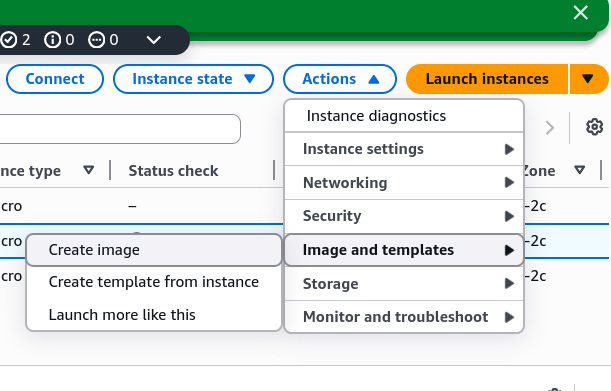
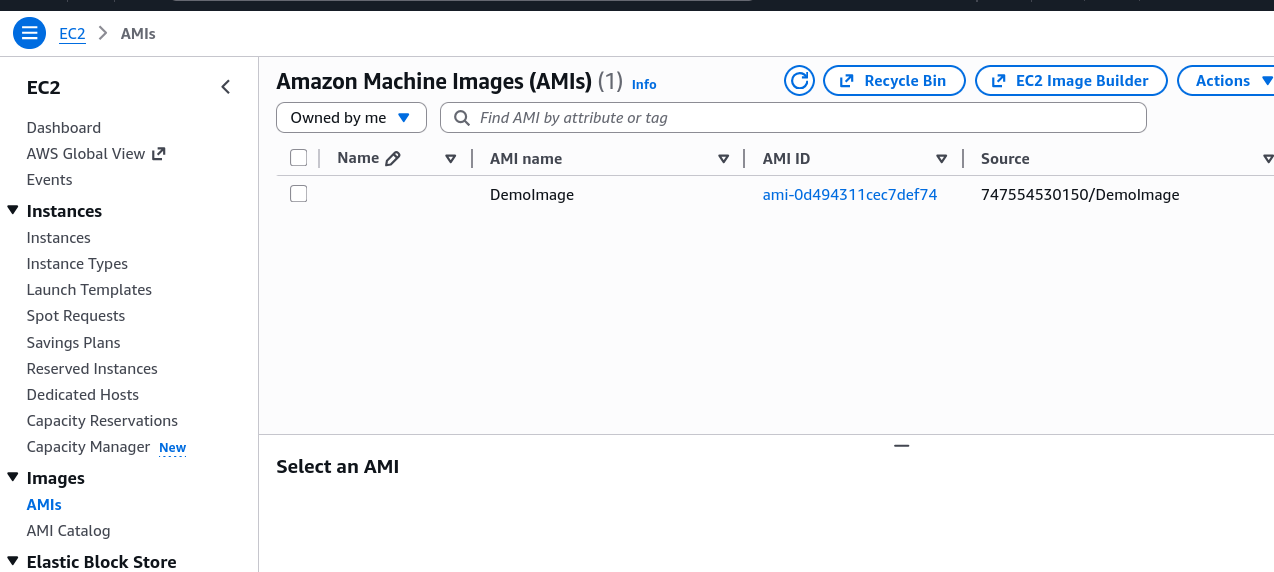 Custom AMI created from the instance
Launching from the custom AMI
When launching a brand-new instance using your newly minted image, the workflow shifts:
- Where to find it: In the launch console, you skip the default Quick Starts and Click the "My AMIs" tab to select your template.
- Lean User Data: In the advanced details, you only include the code to echo the "Hello World" index file. You do not write the commands to reinstall
httpd. - The Speed-Up: Because Apache is already backed directly into the AMI's file system, the new instance skips the installation download entirely. The moment the instance hits the
runningstate, the web server is live immediately.
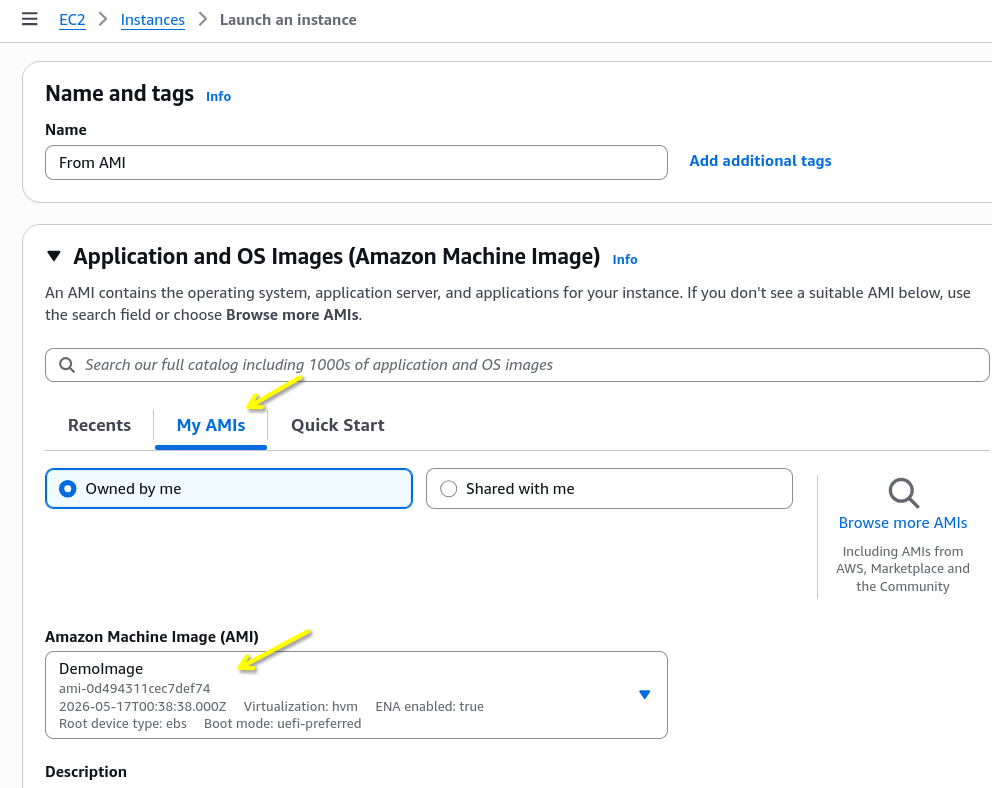 Now we can launch a new instance from the custom AMI, and it will be up and running with Apache in seconds without waiting for user data to finish.
User Data Script for Custom AMI
#!/bin/bash
echo "<h1>Hello World from $(hostname -f)</h1>" > /var/www/html/index.html
We don't need to include the installation commands in the user data script anymore, since everything is pre-packaged in the AMI. This is the key advantage of using custom AMIs for faster boot times.
Exam Tips
Bootstrapping vs Golden AMI: The exam will constantly test your understanding of this trade-off.
- User Data (Bootstrapping): Slow boot times (waiting 2+ minutes for updates/packages to install). Bad for rapid scaling.
- Custom AMI (Golden Image): Fast boot times (everything is pre-installed). This is the correct architectural choice for Auto Scaling Group (ASG) that needs to react quickly to traffic spikes.