EBS Snapshot - Hands-on
This hands-on session cover the steps for managing EBS snapshots, as well introduces the practical setup for the Recycle Bin.
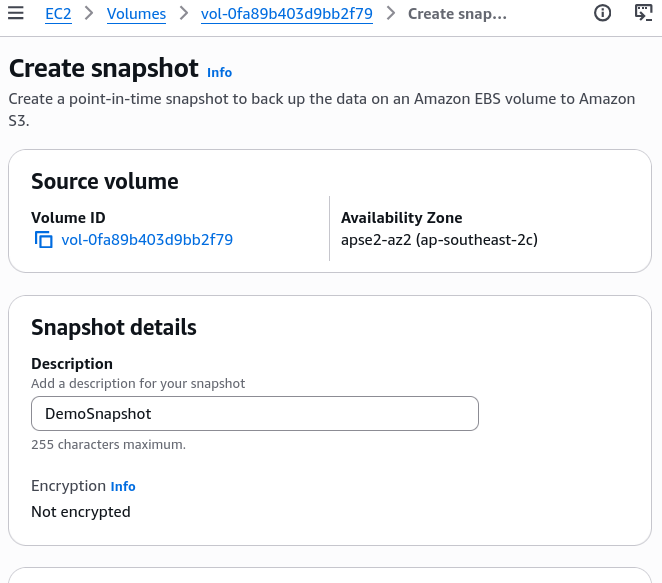
Key Takeaways
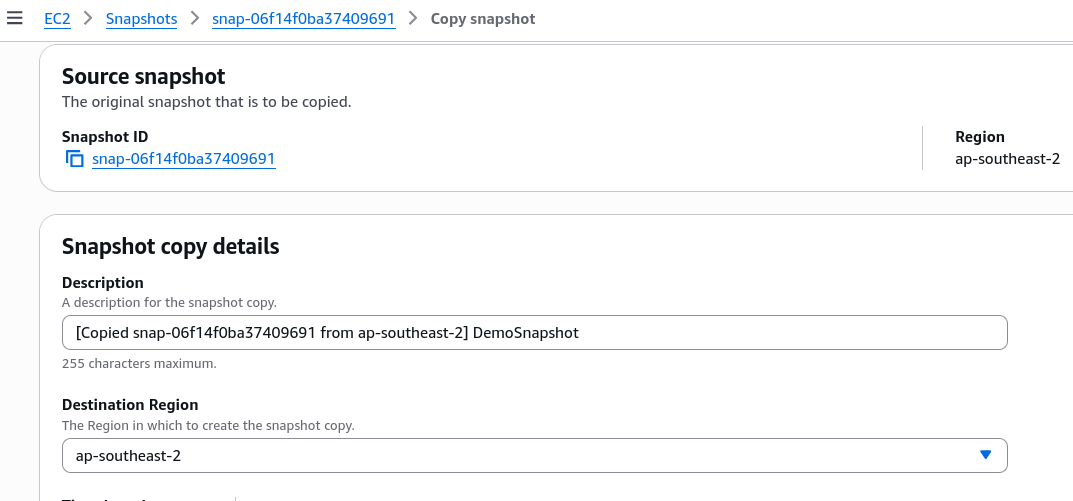
Cross-Region Copying & Disaster Recovery (DR)
- The Action: Snapshots can be copied directly to any destination AWS region via the console/API.
- The Use Case: This is a fundamental mechanic for building Cross-region Disaster Recovery (DR) strategies, ensuring data durability outside of your primary operating region.
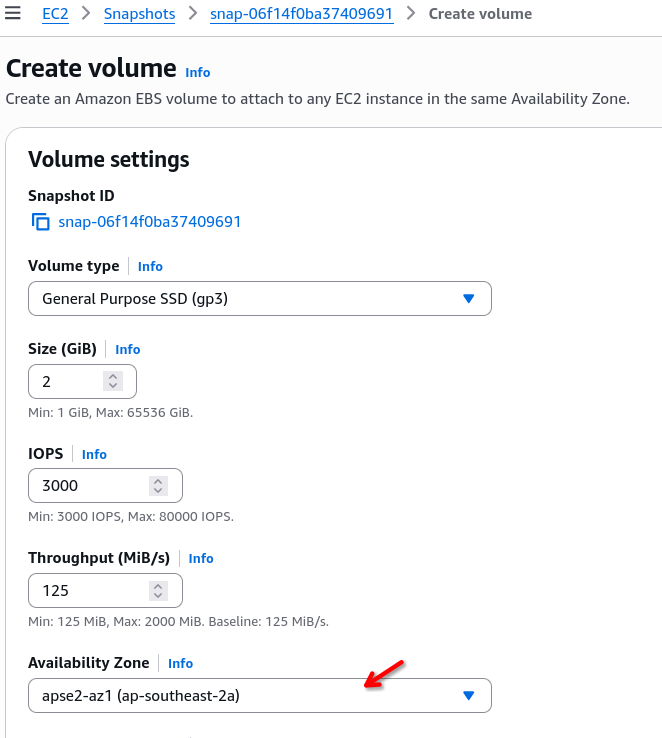
Restoring and Migrating Across AZs
- The Action: When creating a brand-new EBS volume from an existing snapshot, you can manually override and select any target AZ within that region (e.g., shifting from
ap-southeast-2atoap-southeast-2b). - The Use Case: This is the standard method for migrating data across AZs, since EBS volumes are locked to a single AZ.
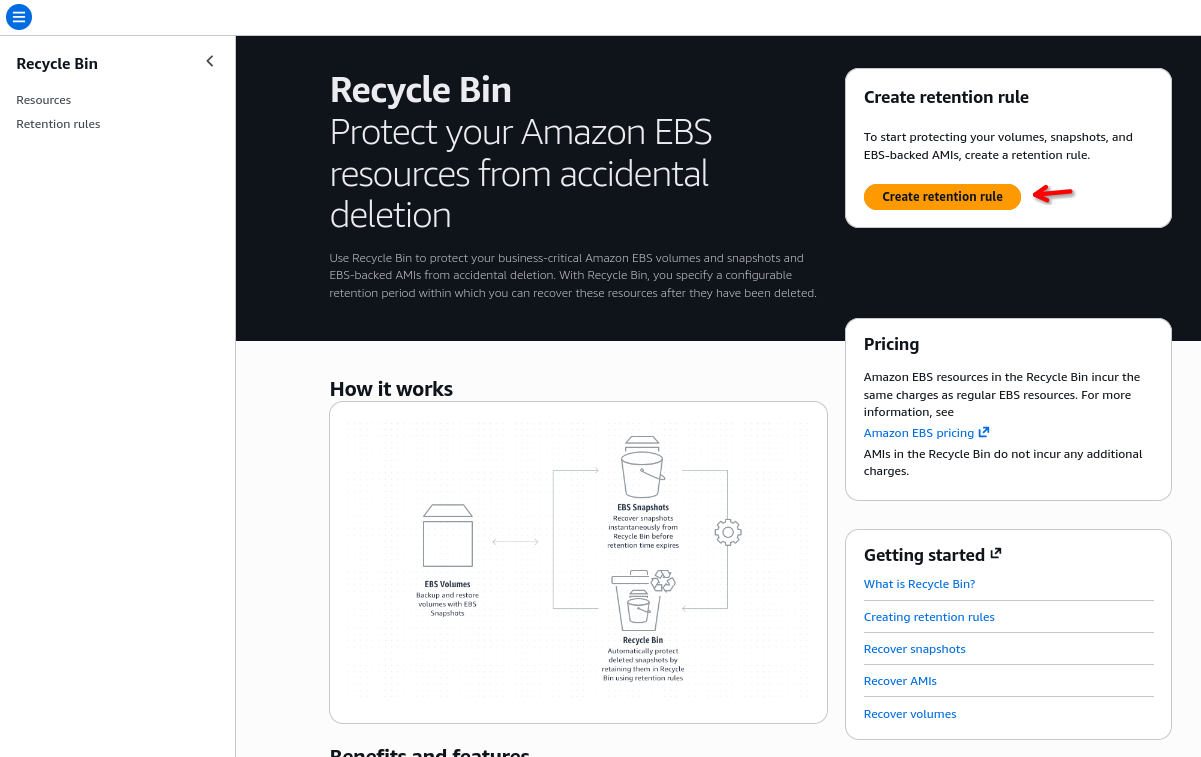
Recycle Bin and Retention Rules
- The Feature: The Recycle Bin aces as a buffer layer against accidental deletion for both EBS Snapshots and AMIs (AMazon Machine Images).
- Configuration: You must create a retention rule (e.g., setting a retention period like 1 day) and apply it to your resources.
- Rule Lock Setting: Leaving a rule "unlocked" means you retain the administrative privilege to delete the rule itself later.
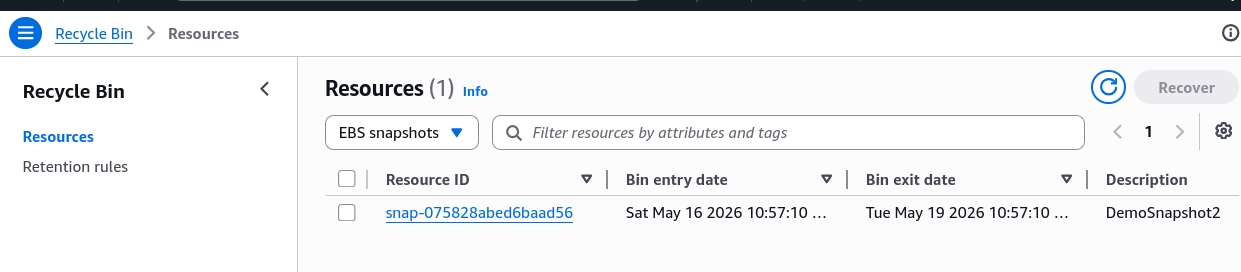
- The Recovery Workflow: Deleting a snapshot while a rule is active moves it to the Recycle Bin instead of vaporizing it. From there, you can issue a
Recovercommand to restore it instantly to your active EC2 snapshot list.
Storage Tiering (Standard vs Archive)
- Standard Tier: The default fast-access tier for active snapshots.
- Archive Tier: Moc=ving a snapshot to the archive tier alter its pricing level (making it up to 75% cheaper), but changes the restoration performance constraint. You lose immediate access and must accept a 24 to 72-hour delay to restore the data back to usefulness.
Exam Tip
If a question asks how to implement a safeguard against accidental developer deletion of deployment images or database backups without managing complex custom backup scripts, look for AWS Recycle Bin retention rules mapped to snapshots and AMIs.