Cross-Zone Load Balancing
Cross-Zone Load Balancing concept handles the scenario where you have an uneven distribution of backend servers across your AZ.
Key Takeaways
What is Cross-Zone Load Balancing?
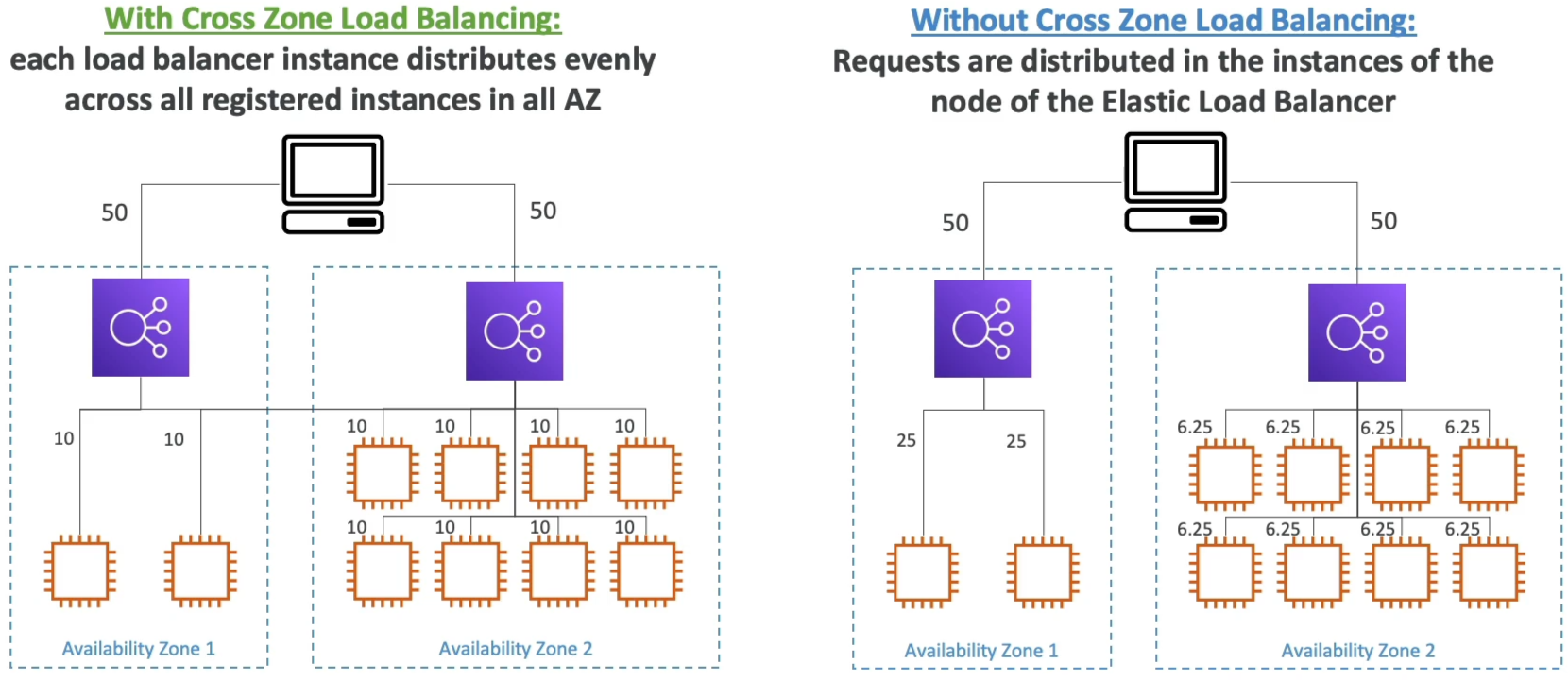
Imagine your DNS splits incoming traffic 50/50 between two AZs nodes.
- AZ-A has 2 instances
- AZ-B has 8 instances
- WITHOUT Cross-Zone LB: The load balancer node in AZ-A can only talk to the 2 instances in its own zone. This means those 2 lucky instances are taking a massive 25% of total global traffic each. Meanwhile, the node in AZ-B spreads it 50% across its 8 instances, meaning they only take 6.25% of traffic each. Your AZ-A instances are getting absolutely slammed.
- With Cross-Zone LB: Each load balancer node pools all 10 instances together globally. It will route traffic across AZ boundaries to ensure every single server across the entire region takes an exact, perfectly equal 10% share of total traffic.
The Big Balancer Matrix (Default & Costs)
This is exactly where the exam try to test your understanding of the default behavior and cost implications of cross-zone load balancing:
| Load Balancer Type | Cross-Zone Default | Inter-AZ Data Transfer Cost | Where to Configure |
|---|---|---|---|
| ALB (Application) | Enabled (On) | $0 (Completely Free) | Target Group level attributes |
| NLB (Network) | Disabled (Off) | Paid ($0.01 per GB) | Load Balancer OR Target Group attributes |
| GWLB (Gateway) | Disabled (Off) | Paid ($0.01 per GB) | Load Balancer attributes |
Console Specifics & Console Layout Quirks
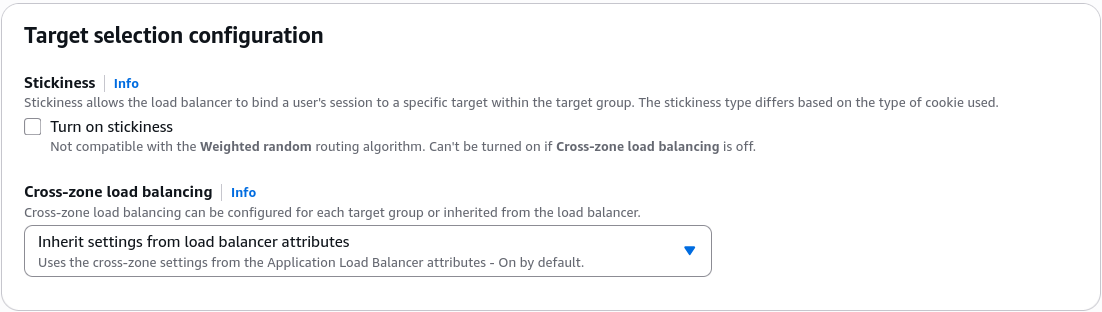
- For the ALB, if you check the Load Balancer attributes, it looks like it's locked to "Always On". To Actually turn it off you have to navigate down to the Target Group Attributes page. There, you can override it by switching the setting from Inherit to Off.
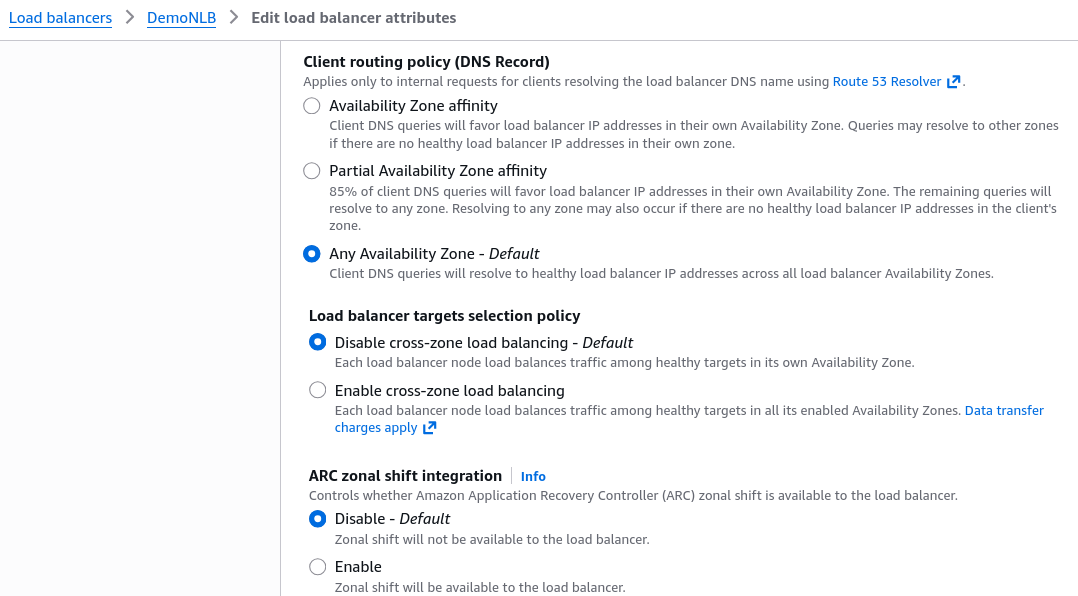
- For the NLB and GWLB, it defaults to off because cross-zone traffic incurs standard inter-AZ data transfer fees (~0.01/GB). AWS leaves it off OOTB so you don't accidentally run up a high networking bill without knowing.
Exam Tips
-
The Imbalance Target Alert: If a question states, "You have a backend fleet behind an NLB where instances in AZ-A are spiking to 100% CPU, while identical AZ-B are idling, even though your global request volume matches your total capacity", look for the answer that says: "Enable Cross-Zone Load Balancing on the NLB".
-
The Cost Optimization Constraint: If a scenario demands that you design an ultra-high throughput architecture handling hundreds of terabytes of data, but must keep inter-AZ data transfer costs at absolute zero, your place is to use an NLB, leave cross-zone Load Balancing disabled, and ensure your Auto Scaling Group deploys an equal number of identical across all utilized AZs.