Amazon RDS Hands-On
The lab demonstrates the deployment, connectivity, and lifecycle management of a fully managed Amazon RDS MySQL database. By spinning up a baseline single-AZ instance in the default VPC, modifying security group access parameters to isolate connection pathways, injecting data via an external SQL client, and executing a clean teardown sequence.
Key takeaways
The RDS Creation Workflow
- Engine Configuration
- The Blueprint: For this lab select the MySQL engine and Full configuration creation method.
- The Environment: To keep everything completely free, select "Free tier" template. This automatically restricts the database architecture to a Single-AZ instance deployment (no passive standby) and provisions a baseline
db.t4g.micro(ordb.t3.micro) instance with 20GB of GP2 EBS Storage.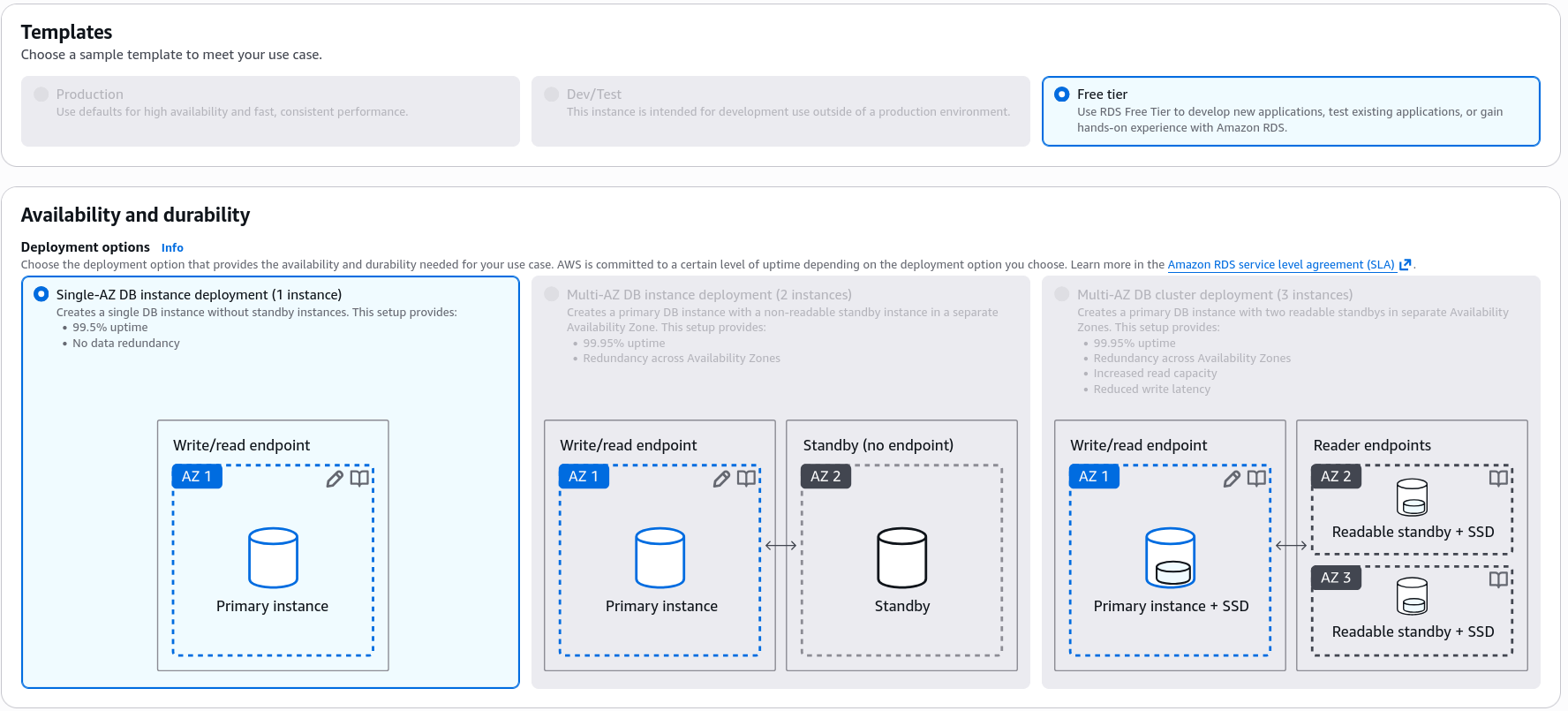
- Credentials
- The Credentials: Stick to self-managed Password authentication (bypassing the paid AWS Secrets Manager tier for the lab) and sets a basic master password.
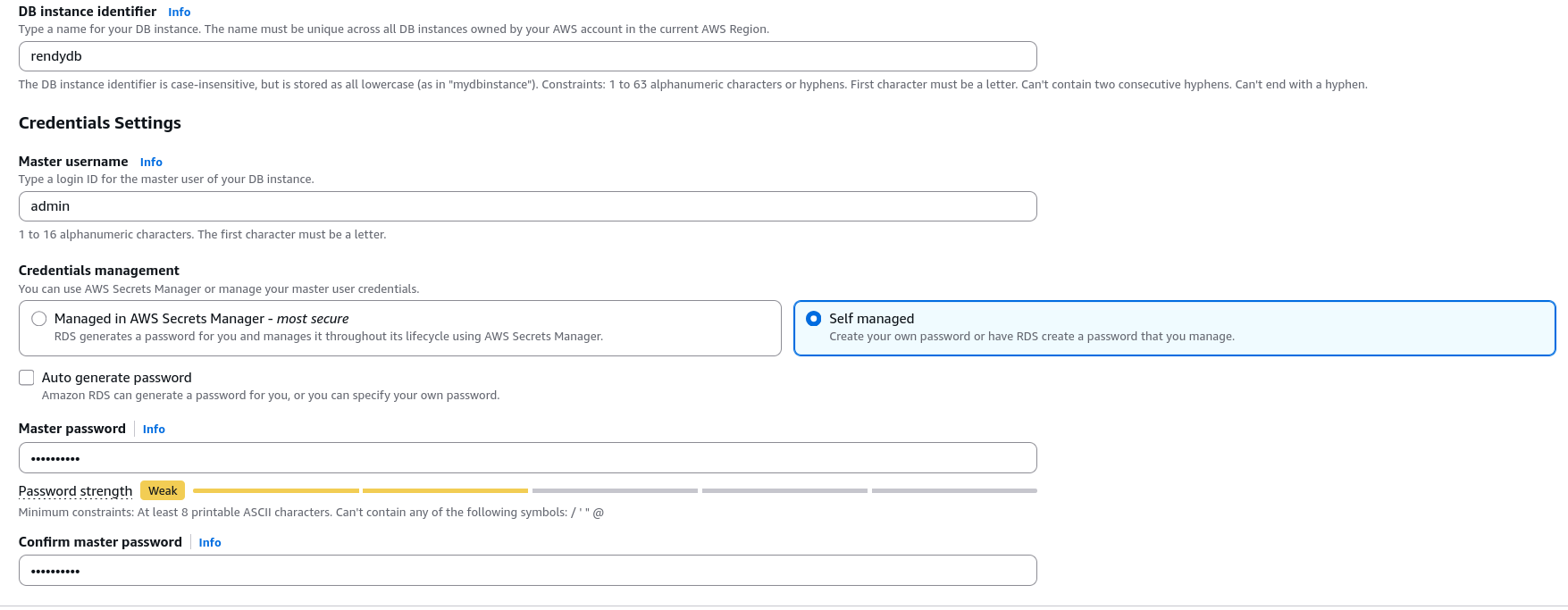
- The Credentials: Stick to self-managed Password authentication (bypassing the paid AWS Secrets Manager tier for the lab) and sets a basic master password.
- Storage
- Storage Automation: He ensures Storage Auto Scaling is explicitly turned on with a maximum ceiling of 1000 GB to precent disk-full panics.
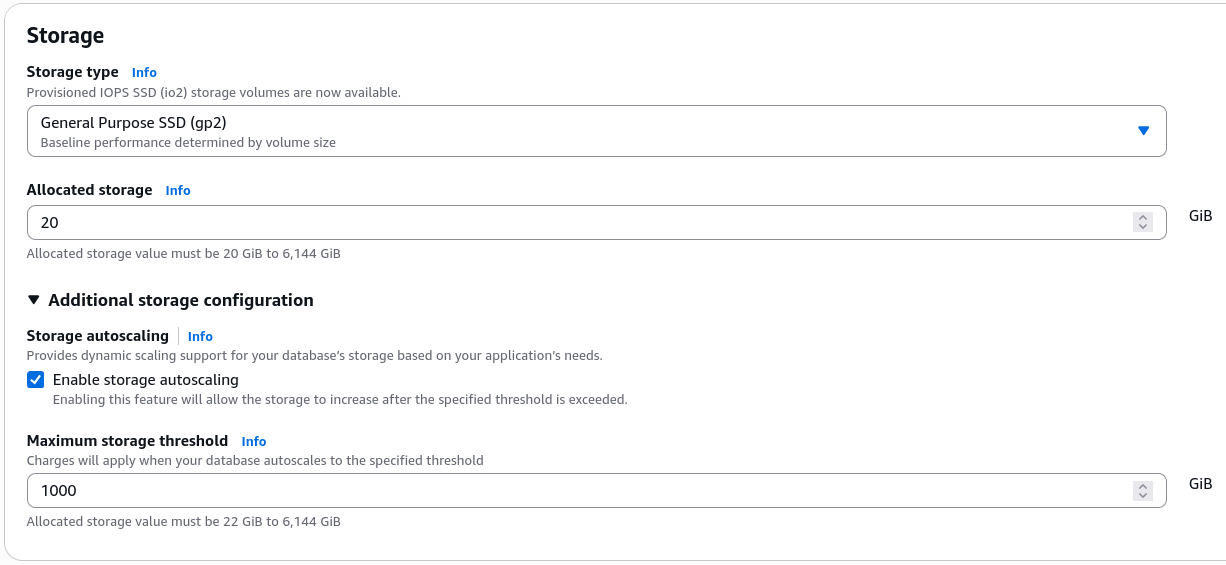
- Storage Automation: He ensures Storage Auto Scaling is explicitly turned on with a maximum ceiling of 1000 GB to precent disk-full panics.
- Connectivity
- The Network Pathway: Selects the default VPC, selects Publicly Accessible: Yes and commands RDS to Create a New Security Group named
demo-rds.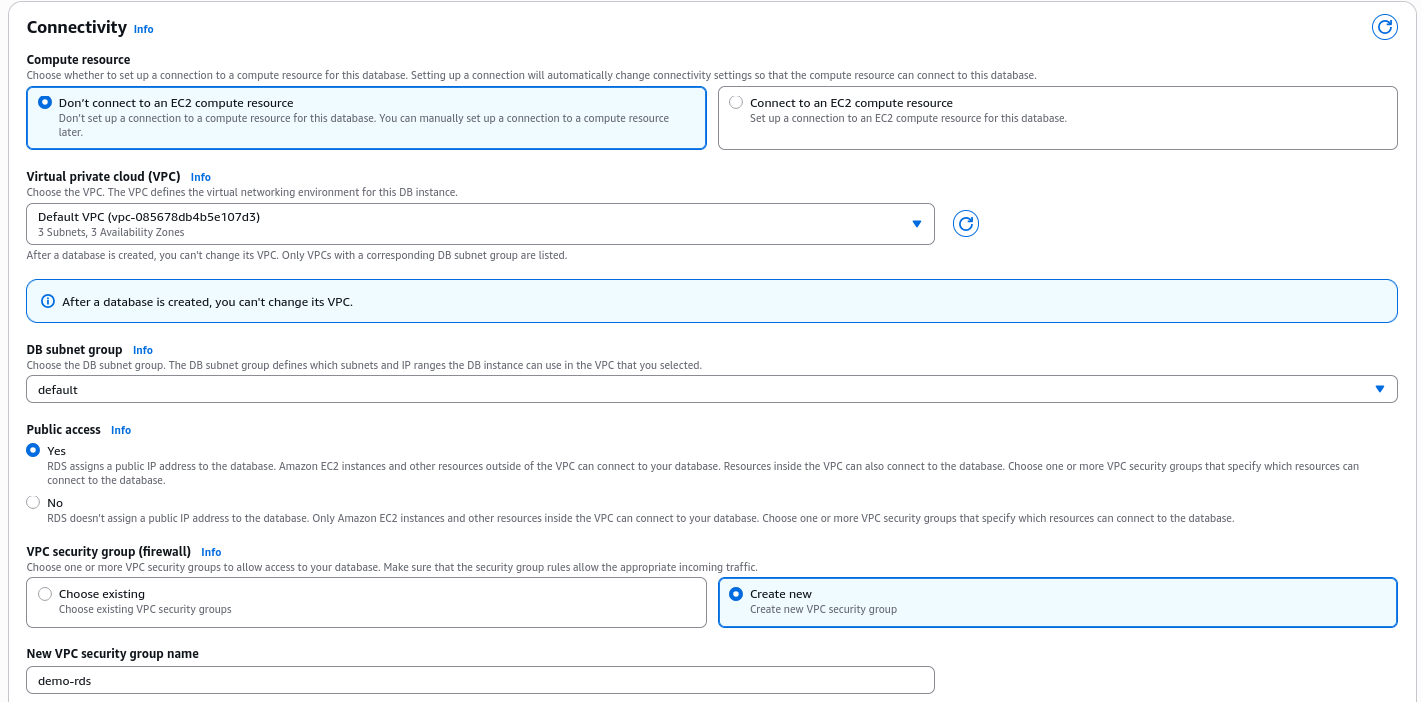
- The Firewall Isolation: AWS automatically configs the new
demo-rdssecurity group to open Inbound Port 3306 (MySQL), locking it down so it only accepts traffic originating directly from your personal IP address.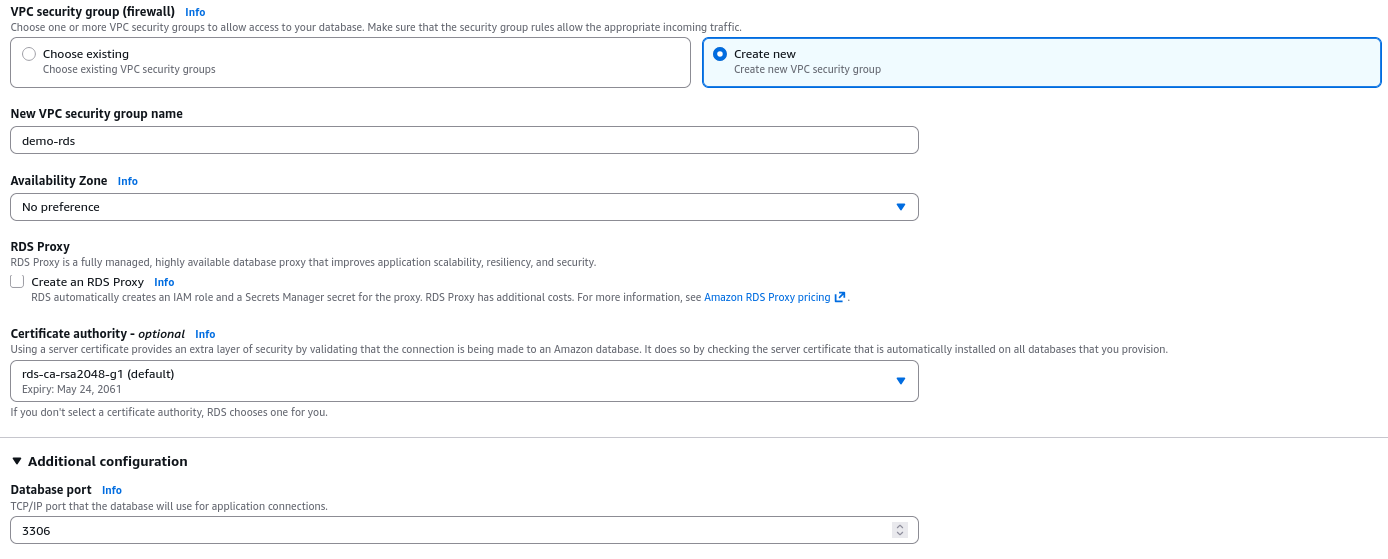
- The Network Pathway: Selects the default VPC, selects Publicly Accessible: Yes and commands RDS to Create a New Security Group named
- External Client Connectivity & Validation
- The Connection Handshake: Once the RDS console marks the database status as
Available, grabs the unique Endpoint string and port (3306). - The Client Query: Boots an an external GUI SQL client (I use dbeaver), injects the endpoint connection string, and authenticate using the master admin credentials.
- Data Insertion: Once the connection is established, I create a new database schema (
e.g. mystore), create a new table (e.g., customers), and insert a single row of data to validate the read/write functionality of the database.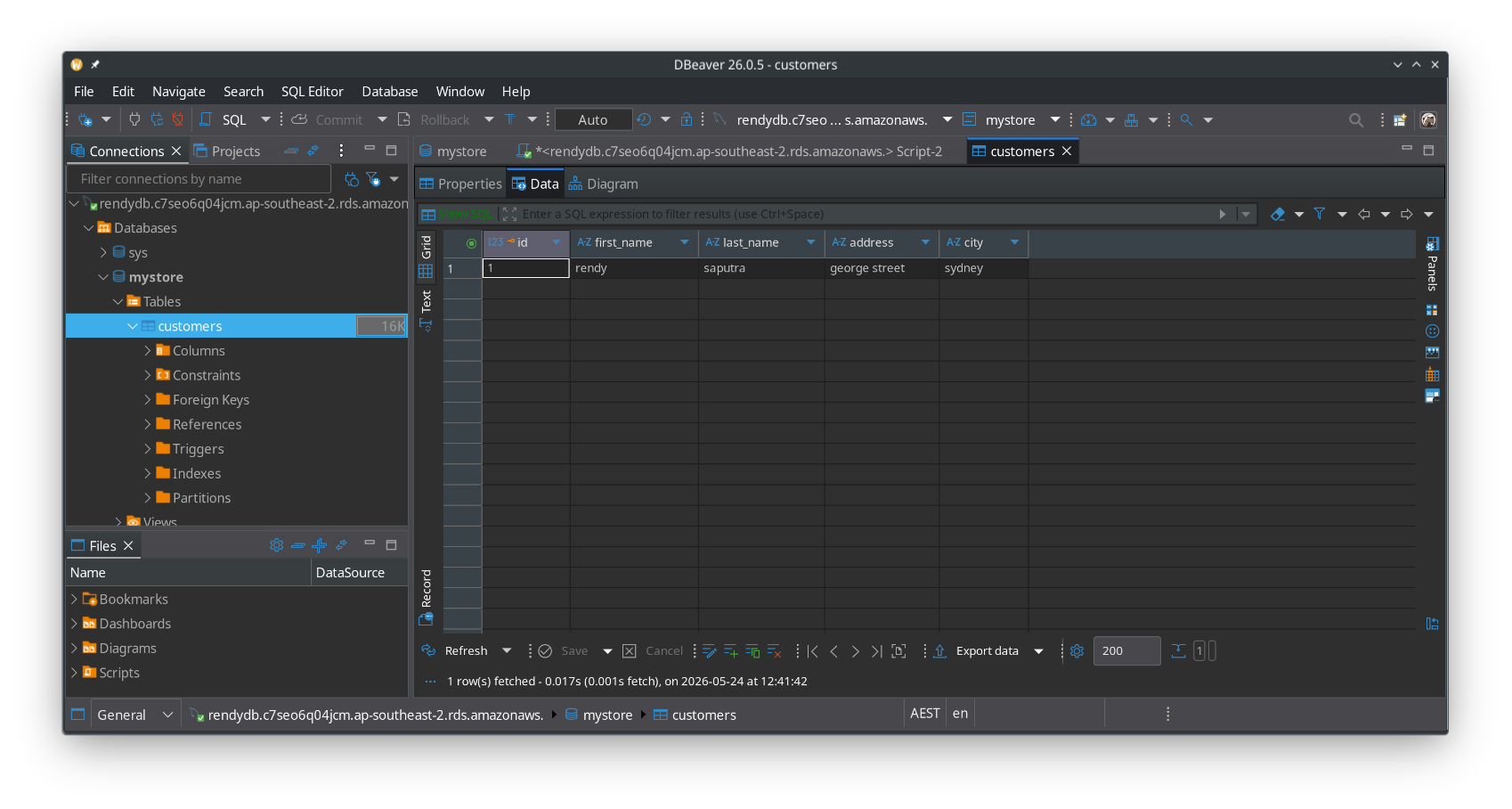
- The Connection Handshake: Once the RDS console marks the database status as
Live Provisioning & Security Isolation Attributes
During creation, the RDS console requires you to make critical security, scale, and authentication structural decisions:
- Credential Routing Options: The engine gives you the choice to manually write a static password string or automatically offload credential rotation to AWS Secrets Manager. While Secrets Manager is the gold standard for enterprise security, it carries an active per-secret surcharge, which is why Stephane bypassed it for the lab.
- Authentication Mechanisms: You can use standard Password Authentication or choose IAM Database Authentication. IAM authentication allows your EC2 instances or Lambda functions to log in using dynamic, temporary tokens generated by their IAM execution roles, completely eliminating hardcoded passwords from your source code.
- The Inbound Network Firewall: Stephane launched the database with the
Publicly Accessible: Yesflag, giving it a public IP address. To prevent the entire internet from hammering the instance, he built a new security group (demo-rds) that defaults to restricting inbound traffic on Port 3306 (MySQL) solely to his personal public workstation IP.
Monitoring & Management Metrics
Once the instance status shifts to Available, the console populate the Monitoring Tab with live infrastructure metrics. On the developer test, you must know what these standard metrics represent:
CPUUtilization: Tracks the compute strain on the database engine. If your queries are missing indices and forcing full table scans, this line will stay at 100%.DBConnections: The count of active client connections. This is crucial for developers because relational databases have a hard limit on open connections; if your application server pool autoscales up too aggressively, it can exhaust this pool.- Snapshots vs. Backups: Stephane highlights the ability to take manual Snapshots (which persist forever until you explicitly delete them) and utilize Point-in-Time Restore (automated transaction logging allowing you to clone the database state back to any exact second within your retention window).
The Administrative Deletion Chain
To protect against catastrophic accidental deletions in a production environment, AWS implements a multi-layer safety sequence that you must execute in order:
[Active Database] ──> (Attempt Delete: BLOCKED by Protection) ──> [Action: Modify Instance]
                                                                            │
[Database Deleted] <── (Run Delete: Uncheck Final Snapshot) <── [Disable Deletion Protection]
You cannot simply hit delete on an active production database. You must explicitly modify the instance attributes, un-toggle the Deletion Protection flag, choose "Apply Immediately" to force structural metadata change, and then initiate the final deletion command while acknowledging that you are opting out of a final automated safety snapshot.
Exam Tips
-
The "Connection Timed Out" Scenario: If an exam question says, "A developer has deployed a frontend application on an EC2 instance and a backend MySQL database on Amazon RDS within the same VPC. The database has public access enabled, but when the application attempts to initiate a connection string handshake on port 3306, it results in a 'Connection Timed Out' error", you are looking at a firewall blockage. The correct fix is to go into the RDS Security Group and add inbound rule allowing TCP Port 3306 traffic originating from the security group attached to the EC2 instance.
-
The Secret Storage Best Practice: If a question demands a solution for an application that must connect to an RDS database without any passwords being stored in the app's git repository, the correct architecture pattern is to store the RDS credentials in AWS Secrets Manager and use the AWS SDK inside your code to retrieve them at runtime.